

CLN251 QUESTIONS AND ANSWERS ALL CORRECT
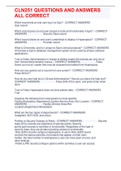
CLN251 QUESTIONS AND ANSWERS ALL CORRECT Which record lets an end user log in to Epic? - CORRECT ANSWERS User record Which record gives an end user access to tools and functionality in Epic? - CORRECT ANSWERS Security Class record Which record allows an end user's credentials to display in Hyperspace? - CORRECT ANSWERS Provider record What is Chronicles, and is it unique to Epic's clinical products? - CORRECT ANSWERS Chronicles is Epic's database management system and is used by all Epic software applications. True or False: Administrators in charge of editing master file records can only do so from Clinical Administration menus. - CORRECT ANSWERS False. Some, but not all, master files may be accessed and edited from Hyperspace. How can you quickly exit a record from any screen? - CORRECT ANSWERS Press Shift+F7 How do you see help text in Clinical Administration? How do you leave the help text? - CORRECT ANSWERS Press Shift+F5 to open, and press Enter when done True or False: Hyperspace does not store patient data. - CORRECT ANSWERS True Organize the following from most generic to most specific: Facility,Workstation,Department,Location,Service Area, Rev Location - CORRECT ANSWERS FacilityService AreaRev LocationDepartmentWorkstation What are the four types of departments? - CORRECT ANSWERS Outpatient, ADT,HOD, and virtual Profiles vs Security Classes vs Roles - CORRECT ANSWERS Security class (ECL) records are collections of security points. Security points grant access to activities or functionality. Regardless of the type of security class, they are all about granting access to functionality. Role (E2R) records configure Hyperspace. A user's Role (E2R) record controls the startup activities, the buttons that appear on their main toolbar, the total number of workspaces a user can have open at once, and other settings. Profile (LPR) records configure options within activities a user can access. If a user has the appropriate security point(s) to access an activity, the system looks to the profiles to determine how that activity looks and what options are available within that activity.
Document information
- Uploaded on
- February 15, 2023
- Number of pages
- 10
- Written in
- 2022/2023
- Type
- Exam (elaborations)
- Contains
- Questions & answers


