Lesson 9 Empowerment Technologies
LESSON 9
Collaborative ICT Development
So far, we have created blogs and website that we can categorize as personal. But like the
many websites and blogs you visit every day, you see that some of them are produced by
multiple people.
Think of the blog you have previously created. Ask yourself the following questions:
1. Who is the target audience of my blog?
2. Are my blog posts of good quality?
3. Is my blog updated regularly?
4. Who usually comments on my blog?
ONLINE COLLABORATION
Web Portals
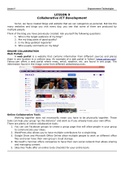
A web portal is a website that contains information from different sources and places
them in one location in a uniform way. An example of a web portal is Yahoo! (www.yahoo.com).
Yahoo.com offers a web portal where news, email, weather, etc. are found in one page. The
information found in the image came from different websites/sources.
Online Collaborative Tools
Working together does not necessarily mean you have to be physically together. These
tools can help your group “go the distance” and work as if you already have your own office.
There are plenty of online collaborative tools:
1. You can use Facebook groups to create a group page that will allow people in your group
to communicate your ideas.
2. WordPress also allows you to have multiple contributors for a single blog.
3. Google Drive and Microsoft Office Online allow multiple people to work on different office
files and even have their own group’s cloud storage.
4. Microsoft’s Yammer offers companies to have their own social network that allows sharing
and managing content.
5. Sites like Trello offer an online to-do checklist for your entire team.
LESSON 9
Collaborative ICT Development
So far, we have created blogs and website that we can categorize as personal. But like the
many websites and blogs you visit every day, you see that some of them are produced by
multiple people.
Think of the blog you have previously created. Ask yourself the following questions:
1. Who is the target audience of my blog?
2. Are my blog posts of good quality?
3. Is my blog updated regularly?
4. Who usually comments on my blog?
ONLINE COLLABORATION
Web Portals
A web portal is a website that contains information from different sources and places
them in one location in a uniform way. An example of a web portal is Yahoo! (www.yahoo.com).
Yahoo.com offers a web portal where news, email, weather, etc. are found in one page. The
information found in the image came from different websites/sources.
Online Collaborative Tools
Working together does not necessarily mean you have to be physically together. These
tools can help your group “go the distance” and work as if you already have your own office.
There are plenty of online collaborative tools:
1. You can use Facebook groups to create a group page that will allow people in your group
to communicate your ideas.
2. WordPress also allows you to have multiple contributors for a single blog.
3. Google Drive and Microsoft Office Online allow multiple people to work on different office
files and even have their own group’s cloud storage.
4. Microsoft’s Yammer offers companies to have their own social network that allows sharing
and managing content.
5. Sites like Trello offer an online to-do checklist for your entire team.