

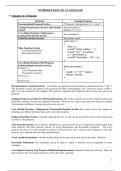
INTRODUCTION TO C LANGUAGE
Structure of C Program
Structure Example Program
Documentation/Comment Section /*Program to find perimeter of a circle */
Linkage/ Preprocessor directive /File Include #include<stdio.h>
Section #define PI 3.1415
User defined Function / Subprogram
float perimeter();
prototype/Declaration Section
Global Declaration Section float radius, result;
void main( )
{
float p;
Main Function Section
printf(“ Enter radius : “);
Local Declaration Part
Executable Code Part scanf(“ %f ”, & radius);
p = perimeter( );
printf(“ Perimeter : %f ”, p);
}
User defined Function /Sub Program
Definition/Implementation Section float perimeter( )
Function 1( )
{
Local Declaration Part
result= 2 * PI * radius;
Executable Code Part
Function 2( ) return (result);
…………… }
Function N( )
Documentation/ Comment Section: Comments are represented with statements enclosed between /* and */.
The statements specify the purpose of the program for better understanding. Any statements enclose within /*
and */ are not executed by the compiler. This section is optional and if required can be used in any part of the
program.
Linkage/ Preprocessor directive /File Include Section: This section contains instructions which are processed
before the compiler executes the program statements. There are two types of pre-processor directives namely
File inclusion and Macro (constant) pre-processor directive
User defined Function / Subprogram Prototype/Declaration Section:This section serves the purpose of
declaring user defined functions that can be used in the program.
Global Declaration Section: Variables declared here for its type can be used till the end of the program and
anywhere in the program.
Main Function Section: Every program should have a main function. Every C program execution begins from
main function. The main function consists of Local Declarations and Executable statements. For every
program the above two parts should be enclosed in flower braces with { indicates the beginning of the main
function and } indicates the end of the main Function.
Local variable declaration: Variables declared here for its type can be used only in the main( ) function.
Executable Statements: The statements can be an input or output or function call or assignment or return
statement.
User defined Function /Sub Program Definition/Implementation: Functions defined by the user. These are
placed mostly after the main( ) function or above the main( ) function.
1
, Tokens / Elements of ‘C’ programming language:
Tokens: The smallest possible individual valid units or components of a C- program are called Tokens. The
Tokens in „C‟ language are
Key words / Reserved words, Identifiers, Constants, Operators, Strings, Comments
Comments:
• Any set of statements enclosed within /* and */ are taken as comments.
• These statements are not executed by the compiler.
• These statements are given by the programmer to specify the purpose of the program or statement.
• These statements convey information for the programmer and others for proper understanding.
• Comments are optional for a program and can be written anywhere in the program.
• Example: /* welcome to programming */
Key words/ Reserve words :
• These words have predefined meaning. The meaning of these words cannot be changed.
• All keywords must be written in small letters only (except additional c99 keywords) and no blank space
allowed in keywords
• Keywords should not be used as variable / identifier names.
• These words can be used anywhere in the program.
• Examples: auto, break, case, char, const, continue, default, do, double, else, enum, extern, float, for, goto, if,
int, long, register, return, short, signed, sizeof, static, struct, switch, typedef, union, unsigned, void, volatile,
while etc.
Identifiers :
It is the name given to identify a memory location(variable), function, structure, union, macro, label,
array etc., There are two types of identifiers
.
Rules for declaring User defines Identifiers:
1. An identifier must consist of only alphabetic character , digits, and underscore.
2. First character must be alphabetic character or under score and should not be a digit.
3. Second character onwards can be alphabetic character or digit or under score.
4. Identifier name can be up to 31/63 characters depending on the system.( but the first 8 characters are
significant)
5. It cannot be same as key word / reserved word.
6. May not have a white space or any other special symbol except under score.
7. An identifier defined in a C standard library should not be redefined.
8. C – language is Case-sensitive. So that, the variable name should be defined specifically to uppercase or
lower case letters.
Examples for User defines Identifiers :
--Valid identifiers -- In Valid identifiers
Rollnumber, Name 4you, Do today, #welcome
Subject1, marks auto, int
College_name
Note: Programmer should ensure that the name given for the identifier at the declaration , the same name should
be used for every subsequent reference in the program.
Constants: Constants in C refer to fixed values that do not change during the execution of the program.
Constants are classified as shown below.
2
Structure of C Program
Structure Example Program
Documentation/Comment Section /*Program to find perimeter of a circle */
Linkage/ Preprocessor directive /File Include #include<stdio.h>
Section #define PI 3.1415
User defined Function / Subprogram
float perimeter();
prototype/Declaration Section
Global Declaration Section float radius, result;
void main( )
{
float p;
Main Function Section
printf(“ Enter radius : “);
Local Declaration Part
Executable Code Part scanf(“ %f ”, & radius);
p = perimeter( );
printf(“ Perimeter : %f ”, p);
}
User defined Function /Sub Program
Definition/Implementation Section float perimeter( )
Function 1( )
{
Local Declaration Part
result= 2 * PI * radius;
Executable Code Part
Function 2( ) return (result);
…………… }
Function N( )
Documentation/ Comment Section: Comments are represented with statements enclosed between /* and */.
The statements specify the purpose of the program for better understanding. Any statements enclose within /*
and */ are not executed by the compiler. This section is optional and if required can be used in any part of the
program.
Linkage/ Preprocessor directive /File Include Section: This section contains instructions which are processed
before the compiler executes the program statements. There are two types of pre-processor directives namely
File inclusion and Macro (constant) pre-processor directive
User defined Function / Subprogram Prototype/Declaration Section:This section serves the purpose of
declaring user defined functions that can be used in the program.
Global Declaration Section: Variables declared here for its type can be used till the end of the program and
anywhere in the program.
Main Function Section: Every program should have a main function. Every C program execution begins from
main function. The main function consists of Local Declarations and Executable statements. For every
program the above two parts should be enclosed in flower braces with { indicates the beginning of the main
function and } indicates the end of the main Function.
Local variable declaration: Variables declared here for its type can be used only in the main( ) function.
Executable Statements: The statements can be an input or output or function call or assignment or return
statement.
User defined Function /Sub Program Definition/Implementation: Functions defined by the user. These are
placed mostly after the main( ) function or above the main( ) function.
1
, Tokens / Elements of ‘C’ programming language:
Tokens: The smallest possible individual valid units or components of a C- program are called Tokens. The
Tokens in „C‟ language are
Key words / Reserved words, Identifiers, Constants, Operators, Strings, Comments
Comments:
• Any set of statements enclosed within /* and */ are taken as comments.
• These statements are not executed by the compiler.
• These statements are given by the programmer to specify the purpose of the program or statement.
• These statements convey information for the programmer and others for proper understanding.
• Comments are optional for a program and can be written anywhere in the program.
• Example: /* welcome to programming */
Key words/ Reserve words :
• These words have predefined meaning. The meaning of these words cannot be changed.
• All keywords must be written in small letters only (except additional c99 keywords) and no blank space
allowed in keywords
• Keywords should not be used as variable / identifier names.
• These words can be used anywhere in the program.
• Examples: auto, break, case, char, const, continue, default, do, double, else, enum, extern, float, for, goto, if,
int, long, register, return, short, signed, sizeof, static, struct, switch, typedef, union, unsigned, void, volatile,
while etc.
Identifiers :
It is the name given to identify a memory location(variable), function, structure, union, macro, label,
array etc., There are two types of identifiers
.
Rules for declaring User defines Identifiers:
1. An identifier must consist of only alphabetic character , digits, and underscore.
2. First character must be alphabetic character or under score and should not be a digit.
3. Second character onwards can be alphabetic character or digit or under score.
4. Identifier name can be up to 31/63 characters depending on the system.( but the first 8 characters are
significant)
5. It cannot be same as key word / reserved word.
6. May not have a white space or any other special symbol except under score.
7. An identifier defined in a C standard library should not be redefined.
8. C – language is Case-sensitive. So that, the variable name should be defined specifically to uppercase or
lower case letters.
Examples for User defines Identifiers :
--Valid identifiers -- In Valid identifiers
Rollnumber, Name 4you, Do today, #welcome
Subject1, marks auto, int
College_name
Note: Programmer should ensure that the name given for the identifier at the declaration , the same name should
be used for every subsequent reference in the program.
Constants: Constants in C refer to fixed values that do not change during the execution of the program.
Constants are classified as shown below.
2


