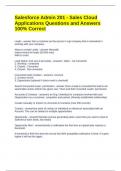
Salesforce Admin 201 - Sales Cloud
Applications Questions and Answers
100% Correct
Leads - answer Not a customer yet but person / org/ company that is interested in
working with your company.
Ways to create Leads - answer Manually
Import wizard for leads (50,000 max)
Web to Lead
Lead Status' (not sure if accurate) - answer1. Open - not converted
2. Working - contacted
3. Closed - Converted
4. Closed - Not converted
Converted leads Creates - answer1. Account
2. Contact record
3. Opportunity (optional if check mark is checked)
Search Converted Lead - permission - answer Once a lead is converted the lead is not
searchable unless Admin has given user "View and Edit converted Leads" permission
Accounts & Contacts - answerIs an Org / individual or company involved with your
Organization as a customer, competitor and partner (Already established relationship)
Create manually or Import my Accounts & Contacts (max 500 records)
Contact - answerAny point of contact or individual or influencer associated with an
Account. This can be related to multiple opportunities
Opportunity - answerPotential revenue generating deal / event that you want to track in
Salesforce (won deals, lost deals)
Opportunity Alert - answerSends a notification the first time an opportunity reaches a
threshold.
If threshold is 90% first time the record hits 90% probability notification is fired. If it goes
higher it will not fire again.
, If threshold is 90% and probabilty goes above threshold (notification sent) then the
customer backs off and probability is at 75% then back up to 95% another notification
will be fired off.
Big Deal Alert - answerOrgs can use alerts that automatically send an email notification
for opportunities with large amounts. Customize this alert to send an email when an
opportunity reaches a threshold.
Threshold consists of an opportunity amount and probability.
Swift uses 1 million dollar and 100% probability
Sales Process - answerContains the different stages an Opportunity follows through the
sales cycle.
Swift has 5 (interest, bid pursuit, finalist, close won, close lost)
Similar Opportunities - answerA related list on the Opportunities Object. Finds
Opportunities that share common fields. Must be enabled by Admin and related list
must be added to page layout.
Predicting and Planning Sales Cycles - answer1. Forecast sales revenue
2. Plan and predict pipeline
3. Meet or exceed quotas
Forecast is a revenue projection that aggregates individual opportunities into a total or
summary, expressed in a dollar amount.
Salesforce CRM Record Lifecycle - Steps - answer1. Marketing Administration -
develop suitable campaigns to generate leads
2. Create Campaigns - has links to leads and opportunities
3. Validate leads gathered from campaigns
4. MQL Leads - quality leads ready to be contacted and converted
5. Accounts - the object that represents a lead's company
6. Contacts - stores information about people who work at the companies
7. Opportunities - contain information for every deal being tracked.
8. Activities - consists of tasks, events, calls and emails to track every customer
interaction.
9. Sales Won/Lost - Opportunity information about final status of deal
10. Cases - customer relationships covering incidents and requests from Customers.
Products - answerIndividual items that a company sells on opportunies and quotes.
Can be created and associated with a price in a price book.
Each of these can exist in many different price books with many different prices.
Applications Questions and Answers
100% Correct
Leads - answer Not a customer yet but person / org/ company that is interested in
working with your company.
Ways to create Leads - answer Manually
Import wizard for leads (50,000 max)
Web to Lead
Lead Status' (not sure if accurate) - answer1. Open - not converted
2. Working - contacted
3. Closed - Converted
4. Closed - Not converted
Converted leads Creates - answer1. Account
2. Contact record
3. Opportunity (optional if check mark is checked)
Search Converted Lead - permission - answer Once a lead is converted the lead is not
searchable unless Admin has given user "View and Edit converted Leads" permission
Accounts & Contacts - answerIs an Org / individual or company involved with your
Organization as a customer, competitor and partner (Already established relationship)
Create manually or Import my Accounts & Contacts (max 500 records)
Contact - answerAny point of contact or individual or influencer associated with an
Account. This can be related to multiple opportunities
Opportunity - answerPotential revenue generating deal / event that you want to track in
Salesforce (won deals, lost deals)
Opportunity Alert - answerSends a notification the first time an opportunity reaches a
threshold.
If threshold is 90% first time the record hits 90% probability notification is fired. If it goes
higher it will not fire again.
, If threshold is 90% and probabilty goes above threshold (notification sent) then the
customer backs off and probability is at 75% then back up to 95% another notification
will be fired off.
Big Deal Alert - answerOrgs can use alerts that automatically send an email notification
for opportunities with large amounts. Customize this alert to send an email when an
opportunity reaches a threshold.
Threshold consists of an opportunity amount and probability.
Swift uses 1 million dollar and 100% probability
Sales Process - answerContains the different stages an Opportunity follows through the
sales cycle.
Swift has 5 (interest, bid pursuit, finalist, close won, close lost)
Similar Opportunities - answerA related list on the Opportunities Object. Finds
Opportunities that share common fields. Must be enabled by Admin and related list
must be added to page layout.
Predicting and Planning Sales Cycles - answer1. Forecast sales revenue
2. Plan and predict pipeline
3. Meet or exceed quotas
Forecast is a revenue projection that aggregates individual opportunities into a total or
summary, expressed in a dollar amount.
Salesforce CRM Record Lifecycle - Steps - answer1. Marketing Administration -
develop suitable campaigns to generate leads
2. Create Campaigns - has links to leads and opportunities
3. Validate leads gathered from campaigns
4. MQL Leads - quality leads ready to be contacted and converted
5. Accounts - the object that represents a lead's company
6. Contacts - stores information about people who work at the companies
7. Opportunities - contain information for every deal being tracked.
8. Activities - consists of tasks, events, calls and emails to track every customer
interaction.
9. Sales Won/Lost - Opportunity information about final status of deal
10. Cases - customer relationships covering incidents and requests from Customers.
Products - answerIndividual items that a company sells on opportunies and quotes.
Can be created and associated with a price in a price book.
Each of these can exist in many different price books with many different prices.