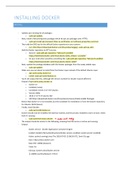
INSTALLING DOCKER
INSTALL
- Update your existing list of packages:
o sudo apt update
- Next, install a few prerequisite packages which let apt use packages over HTTPS:
o sudo apt install apt-transport-https ca-certificates curl software-properties-common
- Then add the GPG key for the official Docker repository to your system:
o curl -fsSL https://download.docker.com/linux/ubuntu/gpg | sudo apt-key add -
- Add the Docker repository to APT sources:
o Generic: sudo add-apt-repository "deb [arch=amd64]
https://download.docker.com/linux/ubuntu $(lsb_release -cs) stable"
o So your instruction would be something like: sudo add-apt-repository "deb [arch=amd64]
https://download.docker.com/linux/ubuntu bionic stable"
- Next, update the package database with the Docker packages from the newly added repo:
o sudo apt update
- Make sure you are about to install from the Docker repo instead of the default Ubuntu repo:
o apt-cache policy docker-ce
o install: sudo apt install docker-ce
- You'll see output like this, although the version number for Docker may be different:
- Output of apt-cache policy docker-ce
o docker-ce:
o Installed: (none)
o Candidate: 18.03.1~ce~3-0~ubuntu
o Version table:
o 18.03.1~ce~3-0~ubuntu 500
o 500 https://download.docker.com/linux/ubuntu bionic/stable amd64 Packages
- Notice that docker-ce is not installed, but the candidate for installation is from the Docker repository
for Ubuntu 18.04 (bionic).
- Finally, install Docker:
o sudo apt install docker-ce
- Docker should now be installed, the daemon started, and the process enabled to start on boot. Check
that it's running:
o sudo systemctl status docker sudo
nilt nodig
- The output should be similar to the following, showing that the service is active and running:
- Output:
docker.service - Docker Application Container Engine
Loaded: loaded (/lib/systemd/system/docker.service; enabled; vendor preset: enabled)
Active: active (running) since Thu 2018-07-05 15:08:39 UTC; 2min 55s ago
Docs: https://docs.docker.com
Main PID: 10096 (dockerd)
Tasks: 16
CGroup: /system.slice/docker.service
├─10096 /usr/bin/dockerd -H fd://
, └─10113 docker-containerd --config /var/run/docker/containerd/containerd.toml
CHECKS
VERSION
Use “docker version” command.
Check the output.
Which 2 types of information are there? s client o server
Where/how does it get the server information? s docker
engine
?
INFO
Use “docker -D info” command.
What info do you see? s
delug injo
Which storage driver is being used? s
arlayz
Where is the storage driver located? Ilvarl
libl docker I
overlayz
SERVICE
Use “sudo systemctl status docker”.
Use “sudo service docker status”.
Check the output.
Can you start/stop the service? s ndo systemelt stop docker
SUMMARY
Installing Docker on Linux
• The recommended method is to install the packages supplied by Docker Inc.:
https://store.docker.com
• The general method is:
o add Docker Inc.'s package repositories to your system configuration
o install the Docker Engine
• Detailed installation instructions (distro by distro) are available on:
https://docs.docker.com/engine/installation/
• You can also install from binaries (if your distro is not supported):
https://docs.docker.com/engine/installation/linux/docker-ce/binaries/
,EXTRA: INSTALL FROM REPOSITORY (NOT NEEDED)
1. First, update the packages index and upgrade your system with the following commands:
sudo apt update
sudo apt upgrade
2. Next, Install the dependencies necessary to enable a new repository over HTTPS:
sudo apt install apt-transport-https ca-certificates curl software-properties-common
3. Add Docker’s GPG key and Docker stable repository:
curl -fsSL https://download.docker.com/linux/ubuntu/gpg | sudo apt-key add - sudo add-apt-
repository "deb [arch=amd64] https://download.docker.com/linux/ubuntu $(lsb_release -cs) stable"
4. Now that the Docker repository is enabled, update the apt package list and install the latest version of
Docker CE (Community Edition) with:
sudo apt update
sudo apt install docker-ce
5. Once the installation is completed the Docker service will start automatically. You can verify it by
typing:
sudo systemctl status docker
The output will look something like this:
docker.service - Docker Application Container Engine Loaded: loaded
(/lib/systemd/system/docker.service; enabled; vendor preset: enabled) Active: active (running) since
Mon 2018-06-18 01:22:00 PDT; 6min ago Docs: https://docs.docker.com Main PID: 10647 (dockerd)
Tasks: 21 CGroup: /system.slice/docker.service
6. At the time of writing, the latest version of Docker available for Ubuntu 18.04 is 18.03.1-ce. Check the
Docker version by typing:
docker -v
Docker version 18.03.1-ce, build 9ee9f40
,
INSTALL
- Update your existing list of packages:
o sudo apt update
- Next, install a few prerequisite packages which let apt use packages over HTTPS:
o sudo apt install apt-transport-https ca-certificates curl software-properties-common
- Then add the GPG key for the official Docker repository to your system:
o curl -fsSL https://download.docker.com/linux/ubuntu/gpg | sudo apt-key add -
- Add the Docker repository to APT sources:
o Generic: sudo add-apt-repository "deb [arch=amd64]
https://download.docker.com/linux/ubuntu $(lsb_release -cs) stable"
o So your instruction would be something like: sudo add-apt-repository "deb [arch=amd64]
https://download.docker.com/linux/ubuntu bionic stable"
- Next, update the package database with the Docker packages from the newly added repo:
o sudo apt update
- Make sure you are about to install from the Docker repo instead of the default Ubuntu repo:
o apt-cache policy docker-ce
o install: sudo apt install docker-ce
- You'll see output like this, although the version number for Docker may be different:
- Output of apt-cache policy docker-ce
o docker-ce:
o Installed: (none)
o Candidate: 18.03.1~ce~3-0~ubuntu
o Version table:
o 18.03.1~ce~3-0~ubuntu 500
o 500 https://download.docker.com/linux/ubuntu bionic/stable amd64 Packages
- Notice that docker-ce is not installed, but the candidate for installation is from the Docker repository
for Ubuntu 18.04 (bionic).
- Finally, install Docker:
o sudo apt install docker-ce
- Docker should now be installed, the daemon started, and the process enabled to start on boot. Check
that it's running:
o sudo systemctl status docker sudo
nilt nodig
- The output should be similar to the following, showing that the service is active and running:
- Output:
docker.service - Docker Application Container Engine
Loaded: loaded (/lib/systemd/system/docker.service; enabled; vendor preset: enabled)
Active: active (running) since Thu 2018-07-05 15:08:39 UTC; 2min 55s ago
Docs: https://docs.docker.com
Main PID: 10096 (dockerd)
Tasks: 16
CGroup: /system.slice/docker.service
├─10096 /usr/bin/dockerd -H fd://
, └─10113 docker-containerd --config /var/run/docker/containerd/containerd.toml
CHECKS
VERSION
Use “docker version” command.
Check the output.
Which 2 types of information are there? s client o server
Where/how does it get the server information? s docker
engine
?
INFO
Use “docker -D info” command.
What info do you see? s
delug injo
Which storage driver is being used? s
arlayz
Where is the storage driver located? Ilvarl
libl docker I
overlayz
SERVICE
Use “sudo systemctl status docker”.
Use “sudo service docker status”.
Check the output.
Can you start/stop the service? s ndo systemelt stop docker
SUMMARY
Installing Docker on Linux
• The recommended method is to install the packages supplied by Docker Inc.:
https://store.docker.com
• The general method is:
o add Docker Inc.'s package repositories to your system configuration
o install the Docker Engine
• Detailed installation instructions (distro by distro) are available on:
https://docs.docker.com/engine/installation/
• You can also install from binaries (if your distro is not supported):
https://docs.docker.com/engine/installation/linux/docker-ce/binaries/
,EXTRA: INSTALL FROM REPOSITORY (NOT NEEDED)
1. First, update the packages index and upgrade your system with the following commands:
sudo apt update
sudo apt upgrade
2. Next, Install the dependencies necessary to enable a new repository over HTTPS:
sudo apt install apt-transport-https ca-certificates curl software-properties-common
3. Add Docker’s GPG key and Docker stable repository:
curl -fsSL https://download.docker.com/linux/ubuntu/gpg | sudo apt-key add - sudo add-apt-
repository "deb [arch=amd64] https://download.docker.com/linux/ubuntu $(lsb_release -cs) stable"
4. Now that the Docker repository is enabled, update the apt package list and install the latest version of
Docker CE (Community Edition) with:
sudo apt update
sudo apt install docker-ce
5. Once the installation is completed the Docker service will start automatically. You can verify it by
typing:
sudo systemctl status docker
The output will look something like this:
docker.service - Docker Application Container Engine Loaded: loaded
(/lib/systemd/system/docker.service; enabled; vendor preset: enabled) Active: active (running) since
Mon 2018-06-18 01:22:00 PDT; 6min ago Docs: https://docs.docker.com Main PID: 10647 (dockerd)
Tasks: 21 CGroup: /system.slice/docker.service
6. At the time of writing, the latest version of Docker available for Ubuntu 18.04 is 18.03.1-ce. Check the
Docker version by typing:
docker -v
Docker version 18.03.1-ce, build 9ee9f40
,