- Study guides, Revision notes & Summaries

Looking for the best study guides, study notes and summaries about ? On this page you'll find 37 study documents about .

All 37 results

Sort by:
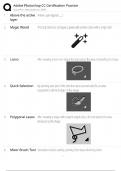
Adobe Photoshop CC Certification Practice Test Bank / ACA Exam Prep / 2025 Update / Score 100%
  • Exam (elaborations)

    Adobe Photoshop CC Certification Practice Test Bank / ACA Exam Prep / 2025 Update / Score 100%

  • Ace your Adobe Certified Associate (ACA) Photoshop CC exam with our 2025 updated practice test bank. This comprehensive resource covers layers, masks, selection tools, retouching techniques, color correction, and digital imaging workflows. Prepare with hands-on, project-based practice questions, real-world design challenges, and software-specific exercises that reflect Adobe's certification standards. Master professional photo editing skills and achieve a 100% score on your Photoshop certific...
  • ThePlug
    $15.49 More Info
Actual 2025/2026 Adobe Photoshop CC Test Prep Questions and Answers Already Graded A+
  • Exam (elaborations)

    Actual 2025/2026 Adobe Photoshop CC Test Prep Questions and Answers Already Graded A+

  • Actual 2025/2026 Adobe Photoshop CC Test Prep Questions and Answers Already Graded A+ Quick Selection Tool - Correct One of the easiest ways to make a selection. You simply paint an area of an image, and the tool automatically finds the edges. You can add or subtract areas of the selection until you have exactly the area you want. Auto Enhance - Correct When Auto Enhance is selected, the Quick Selection tool creates better quality selections, with edges that are truer to the object. The ...
  • IQAPLUS
    $10.99 More Info
Actual 2025/2026 Adobe Photoshop CC Test Prep Questions and Answers Already Graded A+
  • Exam (elaborations)

    Actual 2025/2026 Adobe Photoshop CC Test Prep Questions and Answers Already Graded A+

  • Actual 2025/2026 Adobe Photoshop CC Test Prep Questions and Answers Already Graded A+ Quick Selection Tool - Correct One of the easiest ways to make a selection. You simply paint an area of an image, and the tool automatically finds the edges. You can add or subtract areas of the selection until you have exactly the area you want. Auto Enhance - Correct When Auto Enhance is selected, the Quick Selection tool creates better quality selections, with edges that are truer to the object. The ...
  • Preach
    $12.49 More Info
Actual 2025/2026 Adobe Photoshop CC Test Prep Questions and Answers Already Graded A+
  • Exam (elaborations)

    Actual 2025/2026 Adobe Photoshop CC Test Prep Questions and Answers Already Graded A+

  • Actual 2025/2026 Adobe Photoshop CC Test Prep Questions and Answers Already Graded A+ Quick Selection Tool - Correct One of the easiest ways to make a selection. You simply paint an area of an image, and the tool automatically finds the edges. You can add or subtract areas of the selection until you have exactly the area you want. Auto Enhance - Correct When Auto Enhance is selected, the Quick Selection tool creates better quality selections, with edges that are truer to the object. The ...
  • Holygrams
    $12.99 More Info
Adobe Photoshop CC Practice Test | 2025-2026 LATEST UPDATED|65 REAL EXAM | COMPLETE QUESTIONS AND ANSWERS | 100% RATED CORRECT | 100% VERFIED | ALREADY GRADED A+
  • Exam (elaborations)

    Adobe Photoshop CC Practice Test | 2025-2026 LATEST UPDATED|65 REAL EXAM | COMPLETE QUESTIONS AND ANSWERS | 100% RATED CORRECT | 100% VERFIED | ALREADY GRADED A+

  • Adobe Photoshop CC Practice Test | LATEST UPDATED|65 REAL EXAM | COMPLETE QUESTIONS AND ANSWERS | 100% RATED CORRECT | 100% VERFIED | ALREADY GRADED A+
  • STUVIAOPTIONS
    $15.49 More Info
Adobe Photoshop CC Test Prep question and 100% correct and verified answers 2025-2026. A+ GRADED.
  • Exam (elaborations)

    Adobe Photoshop CC Test Prep question and 100% correct and verified answers 2025-2026. A+ GRADED.

  • Adobe Photoshop CC Test Prep question and 100% correct and verified answers . A+ GRADED. Quick Selection Tool - ANSWER>>One of the easiest ways to make a selection. You simply paint an area of an image, and the tool automatically finds the edges. You can add or subtract areas of the selection until you have exactly the area you want. Auto Enhance - ANSWER>>When Auto Enhance is selected, the Quick Selection tool creates better quality selections, with edg...
  • Creativewriters
    $10.98 More Info
Adobe Photoshop CC Test|65 Complete Q’s and A’s
  • Exam (elaborations)

    Adobe Photoshop CC Test|65 Complete Q’s and A’s

  • Adobe Photoshop CC Test|65 Complete Q’s and A’s
  • AccurateScores
    $12.99 More Info
Adobe Photoshop CC Test Guaranteed A+ grade
  • Exam (elaborations)

    Adobe Photoshop CC Test Guaranteed A+ grade

  • Expert verified questions and answers 100% pass Rated A+ best exam Adobe Photoshop CC Test Adobe Photoshop CC Test Adobe Photoshop CC Test Adobe Photoshop CC Test Adobe Photoshop CC Test Adobe Photoshop CC Test Adobe Photoshop CC Test Adobe Photoshop CC Test Adobe Photoshop CC Test Adobe Photoshop CC Test Adobe Photoshop CC Test Adobe Photoshop CC Test Adobe Photoshop CC Test Adobe Photoshop CC Test Adobe Photoshop CC Test Adobe Photoshop CC Test Adobe Photoshop CC Test Adobe P...
  • lexymegan3
    $10.99 More Info
Adobe Photoshop CC Test Questions with Correct  Answers
  • Exam (elaborations)

    Adobe Photoshop CC Test Questions with Correct Answers

  • Already A+ graded 100% pass
  • joyrisper
    $10.99 More Info
ADOBE PHOTOSHOP CC EXAM  QUESTIONS AND ANSWERS 2024  REAL EXAM QUESTIONS AND CORRECT  VERIFIED ANSWERS  GRADED A+
  • Exam (elaborations)

    ADOBE PHOTOSHOP CC EXAM QUESTIONS AND ANSWERS 2024 REAL EXAM QUESTIONS AND CORRECT VERIFIED ANSWERS GRADED A+

  • ADOBE PHOTOSHOP CC EXAM QUESTIONS AND ANSWERS 2024 REAL EXAM QUESTIONS AND CORRECT VERIFIED ANSWERS GRADED A+
  • margaretwachira
    $13.99 More Info
Adobe Photoshop CC Questions and 100% correct answers
  • Exam (elaborations)

    Adobe Photoshop CC Questions and 100% correct answers

  • Layer - ANSWERlike stacked, transparent sheets of glass on which you can create images. You can see through the transparent areas of a layer to the layers below. You can work on each layer independently. Zoom Tool - ANSWERshortcut Press Z to activate this tool Watermark - ANSWERA partly visible message that marks the image as belonging to you. Resolution - ANSWERRefers to the number of pixels that describe an image and establish its detail, measured in pixels per inch (ppi). Copy - ANSWE...
  • rosealel
    $9.39 More Info
Adobe Photoshop CC Test Mode Practice Tests with Complete Solutions
  • Exam (elaborations)

    Adobe Photoshop CC Test Mode Practice Tests with Complete Solutions

  • Adobe Photoshop CC Test Mode Practice Tests with Complete Solutions Adobe Photoshop CC Test Mode Practice Tests with Complete Solutions Adobe Photoshop CC Test Mode Practice Tests with Complete Solutions Adobe Photoshop CC Test Mode Practice Tests with Complete Solutions Unlock the background layer and rename the layer RED PANDA - ANSWER-1. double click on the panda layer 2. change the name 3. it unlocks Open the RAW image named eagle flying in Photoshop and set white balance to daylight ...
  • Valedict
    $10.49 More Info
Adobe Photoshop CC Test Prep Questions and Answers 100% Correct
  • Exam (elaborations)

    Adobe Photoshop CC Test Prep Questions and Answers 100% Correct

  • Adobe Photoshop CC Test Prep Questions and Answers 100% Correct Adobe Photoshop CC Test Prep Questions and Answers 100% Correct Adobe Photoshop CC Test Prep Questions and Answers 100% Correct Adobe Photoshop CC Test Prep Questions and Answers 100% Correct Quick Selection Tool - ANSWER-One of the easiest ways to make a selection. You simply paint an area of an image, and the tool automatically finds the edges. You can add or subtract areas of the selection until you have exactly the area you ...
  • Valedict
    $11.99 More Info
Adobe Photoshop CC Test Questions with Correct Answers 100% Verified 2024
  • Exam (elaborations)

    Adobe Photoshop CC Test Questions with Correct Answers 100% Verified 2024

  • Adobe Photoshop CC Test Questions with Correct Answers 100% Verified 2024 Quick Selection Tool - Correct Answer One of the easiest ways to make a selection. You simply paint an area of an image, and the tool automatically finds the edges. You can add or subtract areas of the selection until you have exactly the area you want. Auto Enhance - Correct Answer When Auto Enhance is selected, the Quick Selection tool creates better quality selections, with edges that are truer to the object. The se...
  • Winfred
    $10.49 More Info
Adobe Photoshop CC Test Prep Questions and Answers Already Graded A+
  • Exam (elaborations)

    Adobe Photoshop CC Test Prep Questions and Answers Already Graded A+

  • Quick Selection Tool - Correct One of the easiest ways to make a selection. You simply paint an area of an image, and the tool automatically finds the edges. You can add or subtract areas of the selection until you have exactly the area you want. Auto Enhance - Correct When Auto Enhance is selected, the Quick Selection tool creates better quality selections, with edges that are truer to the object. The selection process is a little slower than using the Quick Selection tool without Au...
  • TUTOREDDY
    $13.49 More Info
Adobe Photoshop CC Test Prep Questions and Answers Already Graded A+
  • Exam (elaborations)

    Adobe Photoshop CC Test Prep Questions and Answers Already Graded A+

  • Quick Selection Tool - Correct One of the easiest ways to make a selection. You simply paint an area of an image, and the tool automatically finds the edges. You can add or subtract areas of the selection until you have exactly the area you want. Auto Enhance - Correct When Auto Enhance is selected, the Quick Selection tool creates better quality selections, with edges that are truer to the object. The selection process is a little slower than using the Quick Selection tool without Au...
  • TUTOREDDY
    $13.49 More Info
Adobe Photoshop CC Test Prep Questions and Answers Already Graded A+
  • Exam (elaborations)

    Adobe Photoshop CC Test Prep Questions and Answers Already Graded A+

  • Quick Selection Tool - Correct One of the easiest ways to make a selection. You simply paint an area of an image, and the tool automatically finds the edges. You can add or subtract areas of the selection until you have exactly the area you want. Auto Enhance - Correct When Auto Enhance is selected, the Quick Selection tool creates better quality selections, with edges that are truer to the object. The selection process is a little slower than using the Quick Selection tool without Auto E...
  • Favorgrades
    $11.39 More Info
Adobe Photoshop CC Test Prep Questions and Answers Already Graded A+
  • Exam (elaborations)

    Adobe Photoshop CC Test Prep Questions and Answers Already Graded A+

  • Quick Selection Tool - Correct One of the easiest ways to make a selection. You simply paint an area of an image, and the tool automatically finds the edges. You can add or subtract areas of the selection until you have exactly the area you want. Auto Enhance - Correct When Auto Enhance is selected, the Quick Selection tool creates better quality selections, with edges that are truer to the object. The selection process is a little slower than using the Quick Selection tool without Auto E...
  • AmazingGrace
    $12.99 More Info
Adobe Photoshop CC Test Prep Questions and Answers Already Graded A+
  • Exam (elaborations)

    Adobe Photoshop CC Test Prep Questions and Answers Already Graded A+

  • Adobe Photoshop CC Test Prep Questions and Answers Already Graded A+ Quick Selection Tool - Correct One of the easiest ways to make a selection. You simply paint an area of an image, and the tool automatically finds the edges. You can add or subtract areas of the selection until you have exactly the area you want. Auto Enhance - Correct When Auto Enhance is selected, the Quick Selection tool creates better quality selections, with edges that are truer to the object. The selection process is a l...
  • Parie
    $9.99 More Info
Too much month left at the end of the money?
£5.50 for your revision notes multiplied by 100 fellow students... Do the math: that's a lot of money! Don't be a thief of your own wallet and start uploading yours now.