Module 2: Building a Database and Defining Table Relationships (Session 2.2
Exam With complete solution– Expert Verified | Latest Version | 100%
Guaranteed Success
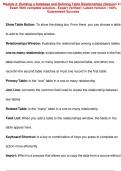
Show Table Button: To show the dialog box. From there, you can choose a table
to add to the relationships window.
Relationships Window: illustrates the relationships among a database's tables
one-to-many relationship: exists between two tables when one record in the first
table matches zero, one, or many records in the second table, and when one
recordin the second table matches at most one record in the first table
Primary Table: is the "one" table in a one to many relationship
Join Line: connects the common field used to create the relationship between
two tables
Related Table: is the "many" table in a one-to-many relationship
Field List: When you add a table to the relationships window, the fields in the
table appear here.
Keyboard Shortcut: is a key or combination of keys you press to complete an
action more efficiently
Import: Which is a process that allows you to copy the data from a source without
Exam With complete solution– Expert Verified | Latest Version | 100%
Guaranteed Success
Show Table Button: To show the dialog box. From there, you can choose a table
to add to the relationships window.
Relationships Window: illustrates the relationships among a database's tables
one-to-many relationship: exists between two tables when one record in the first
table matches zero, one, or many records in the second table, and when one
recordin the second table matches at most one record in the first table
Primary Table: is the "one" table in a one to many relationship
Join Line: connects the common field used to create the relationship between
two tables
Related Table: is the "many" table in a one-to-many relationship
Field List: When you add a table to the relationships window, the fields in the
table appear here.
Keyboard Shortcut: is a key or combination of keys you press to complete an
action more efficiently
Import: Which is a process that allows you to copy the data from a source without