100% tevredenheidsgarantie Direct beschikbaar na je betaling Lees online óf als PDF Geen vaste maandelijkse kosten 4.2 TrustPilot
logo-home
Overig

BIOS 251 Week 6 Lab: Skeletal System – Download To Score An A+

Beoordeling
-
Verkocht
-
Pagina's
23
Geüpload op
28-10-2024
Geschreven in
2024/2025

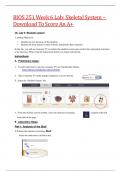
BIOS 251 Week 6 Lab: Skeletal System – Download To Score An A+ OL Lab 6: Skeletal system Learning Objectives: • Identify the two divisions of the skeleton. • Identify the bony features found on bones and identify their functions In this lab, you will use Anatomy TV to explore the skeletal system and correlate the anatomical structures to its functions. Please read the instructions before you begin with the lab. Instructions: A. Preliminary steps: 1. Use the link below to log into Anatomy TV via Chamberlain Library. 2. Select Anatomy TV under popular databases to access the site. 3. Select the ‘Skeletal System’ tile: 4. From the skeletal system module, select the interactive learning module on the left hand side of the page. B. Laboratory Steps Part 1: Analysis of the Skull 1.1 Select the interactive learning: Skull: Select the interactives circled in red. 1.2- On the image identify and select a one anatomical structure at a time. The region selected will appear highlighted. 1.3- Use the controls at the bottom of the page as required. Follow the recommendations provided for each structure. 1.4- Take a screen shot of the image or save the image using the download icon on the right hand side tab. 1.5- Create a word document titled “lastname_Lab 6”. Import the image into the document. Use the functions ‘Insert’ and ‘tool’ (shapes) on word to label the images. 1.6- In complete sentence write the functional role of the selected anatomical structure under the image. 1.7- Save the file before you proceed to the next structure. 1.8- Follow these steps to analyze all the structures listed below. Facial Bones: a. Bone: compact bone b. Compact bone: lacunae c. Compact bone: osteon d. Periosteum e. Bone: yellow bone marrow f. Endosteum g. Bone: spongy bone h. Temporal bone: mastoid process i. Maxilla: alveolar process j. Zygomatic bone k. Sphenoid bone: greater wing l. Mandible: body Use the layer controls to remove/add layers ending on layer 1 and rotation controls to rotate the model to frame 10 for the following structures. m. Occipital bone n. Sphenoid bone o. Maxilla p. Palatine bone q. Temporal bone Part 2: Analysis of the vertebral column: Select the interactive learning: Vertebral column Select the interactives circled in red. Vertebral column: Repeat steps 1.2 to 1.7 to identify and select the structures listed below: a. 3rd lumbar vertebra b. Sacrum c. Coccyx d. 1st cervical vertebra (atlas) e. 12th thoracic vertebra Use the layer controls to remove/add layers ending on layer 3 and rotation controls to rotate the model to frame 4 for the following structures. f. Sacrum: ala g. 10th rib h. Intervertebral discs Cervical Vertebra: Repeat steps 1.2 to 1.7 to identify and select the following structures: a. Cervical vertebra (C4): superior articular facet b. Cervical vertebra (C4): transverse process c. Cervical vertebra (C4): superior articular process d. Cervical vertebra (C4): pedicle e. Cervical vertebra (C4): anterior tubercle Thoracic Cage: Repeat steps 1.3 to 1.6 to identify and select the following structures a. Costal cartilages b. Sternum c. 5th rib d. 12th rib Use the layer controls to remove/add layers ending on layer 2 and rotation controls to rotate the model to frame 2 for the following structures. e. Sternum: manubrium f. Sternum: body g. Sternum: xiphoid process h. Typical rib (6th): shaft i. 1st rib: head Part 3: Analysis of bones of the Upper Limb Select the interactive learning: Bones of the Upper Limb Select the interactives circled in red. Repeat steps 1.2 to 1.7 to identify and select the following structures: Bones of the pectoral girdle and arm: a. Scapula: subscapular fossa b. Scapula: coracoid process c. Humerus: head d. Humerus: trochlea e. Humerus: lesser tubercle f. Ulna: coronoid process Use the rotation controls to rotate the model to frame 16 for the following structures. g. Scapula: infraspinous fossa h. Scapula: inferior angle i. Scapula: spine j. Humerus: shaft k. Humerus: deltoid tuberosity l. Ulna: olecranon m. Radius: head Bones of the forearm: a. Radius b. Ulna c. Capitate d. 1st metacarpal e. Middle phalanx of 4th finger Use the layer controls to remove/add layers ending on layer 2 and rotation controls to rotate the model to frame 19 for the following structures f. Metacarpal: shaft g. Middle phalanx: base h. Humerus: medial epicondyle i. Radius: tuberosity j. Radius: styloid process Part 4: Analysis of the bones of the Lower Limb Select the interactive learning: Bones of the Lower Limb Select the interactives circled in red. Repeat steps 1.2 to 1.7 to identify and select the following structures Bones of the pelvic girdle and thigh: a. Femur: head b. Hip bone: iliac fossa c. Hip bone: body of pubis Use the rotation controls to rotate the model to frame 19 for the following structures. d. Sacrum: medial sacral crest e. Hip bone: body of ilium f. Hip bone: ischial tuberosity g. Femur: greater trochanter h. Femur: neck i. Femur: linea aspera j. Femur: lateral condyle Bones of the leg: a. Femur b. Patella c. Tibia d. Fibula e. Talus f. 1st metatarsal Use the layer controls to remove/add layers ending on layer 2 and rotation controls to rotate the model to frame 18 for the following structures g. Femur: lateral condyle h. Tibia: lateral condyle i. Fibula: head Activity Deliverable Points Part 1,2,3 & 4 Compete the interactives and submit the lab report on the skeletal system: Part 1: Skull Part 2: Vertebral column Part 3: Bones of the upper limb Part 4: Bones of the lower limb 30 Total Complete all lab activities 30

Meer zien Lees minder
Instelling
Vak


Oeps! We kunnen je document nu niet laden. Probeer het nog eens of neem contact op met support.

Geschreven voor

Instelling
Vak

Documentinformatie

Geüpload op
28 oktober 2024
Aantal pagina's
23
Geschreven in
2024/2025
Type
Overig
Persoon
Onbekend

Onderwerpen

Voorbeeld van de inhoud

BIOS 251 Week 6 Lab: Skeletal System –
Download To Score An A+
OL Lab 6: Skeletal system
Learning Objectives:
• Identify the two divisions of the skeleton.
• Identify the bony features found on bones and identify their functions
In this lab, you will use Anatomy TV to explore the skeletal system and correlate the anatomical structures
to its functions. Please read the instructions before you begin with the lab.

Instructions:
A. Preliminary steps:

1. Use the link below to log into Anatomy TV via Chamberlain Library.
https://library.chamberlain.edu/az.php?q=.

2. Select Anatomy TV under popular databases to access the site.

3. Select the ‘Skeletal System’ tile:


4. From the skeletal system module, select the interactive learning module on the left

hand side of the page.

B. Laboratory Steps
Part 1: Analysis of the Skull
1.1 Select the interactive learning: Skull:
Select the interactives circled in red.

,1.2- On the image identify and select a one anatomical structure at a time.
The region selected will appear highlighted.
1.3- Use the controls at the bottom of the page as required. Follow the recommendations provided for each
structure.


1.4- Take a screen shot of the image or save the image using the download icon on the right
hand side tab.

1.5- Create a word document titled “lastname_Lab 6”. Import the image into the document. Use the
functions ‘Insert’ and ‘tool’ (shapes) on word to label the images.
1.6- In complete sentence write the functional role of the selected anatomical structure
under the image.
1.7- Save the file before you proceed to the next structure.
1.8- Follow these steps to analyze all the structures listed below.
Facial Bones:
a. Bone: compact bone


b. Compact bone: lacunae

, c. Compact bone: osteon


d. Periosteum

€8,31
Krijg toegang tot het volledige document:

100% tevredenheidsgarantie
Direct beschikbaar na je betaling
Lees online óf als PDF
Geen vaste maandelijkse kosten


Ook beschikbaar in voordeelbundel

Maak kennis met de verkoper

Seller avatar
De reputatie van een verkoper is gebaseerd op het aantal documenten dat iemand tegen betaling verkocht heeft en de beoordelingen die voor die items ontvangen zijn. Er zijn drie niveau’s te onderscheiden: brons, zilver en goud. Hoe beter de reputatie, hoe meer de kwaliteit van zijn of haar werk te vertrouwen is.
DocEdyth Teachme2-tutor
Volgen Je moet ingelogd zijn om studenten of vakken te kunnen volgen
Verkocht
26
Lid sinds
2 jaar
Aantal volgers
12
Documenten
520
Laatst verkocht
1 maand geleden

4,0

2 beoordelingen

5
1
4
0
3
1
2
0
1
0

Recent door jou bekeken

Waarom studenten kiezen voor Stuvia

Gemaakt door medestudenten, geverifieerd door reviews

Kwaliteit die je kunt vertrouwen: geschreven door studenten die slaagden en beoordeeld door anderen die dit document gebruikten.

Niet tevreden? Kies een ander document

Geen zorgen! Je kunt voor hetzelfde geld direct een ander document kiezen dat beter past bij wat je zoekt.

Betaal zoals je wilt, start meteen met leren

Geen abonnement, geen verplichtingen. Betaal zoals je gewend bent via iDeal of creditcard en download je PDF-document meteen.

Student with book image

“Gekocht, gedownload en geslaagd. Zo makkelijk kan het dus zijn.”

Alisha Student

Veelgestelde vragen