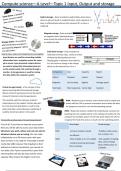
Compute science—A Level—Topic 1 Input, Output and storage
Lands
Optical storage—Data recorded on optical disks where lasers
shine on pits and lands to read/write data. Lands represent 1’s as
laser is reflected back whereas Pits represent 0’s as laser is
Etc. Speaker scattered.
Pits
Magnetic storage– Data recorded
on magnetic disks. Mechanical parts
move across the surface of the disk
to read/write data.
Solid state storage—Data recorded on
How do input, output and storage devices work together solid state memory chips, works by a flow
Input devices are used for converting outside of electricity forcing electrons into
information into a computer system for exam- floating gates in-between two oxide lay-
ple a mouse, once processed, output devices ers, this causes a change in the charge
are used to output this information back out which can be measured as a 0 or 1.
to the outside world, this could be through a
monitor. A storage device is used for storing Comparison Cost Capacity Speed
the data within the computer system.
Optical Cheapest Lowest Slowest
Magnetic Can be cheap Highest Average speed
Virtual storage (cloud) - is the concept of stor- Solid state More expensive Can be high Quickest
ing and receiving data from physical storage
devices stored in warehouses across the world
instead of storing in local storage devices.
This could be useful for storing a student’s RAM—Random access memory: main memory that’s volatile and
school data as to the student, his/her data will works with the CPU to process instructions and contains the data
be in his drive but abstraction is used to hide for programs currently in use and the operating system.
where the data is stored because realistically it
ROM—Read only memory: soldered to motherboard, contains the
could be stored any where in the world.
bootstrap (its non-volatile) which is the starting instructions for the
computer for example, power-on self-test which allows the CPU to
The benefits and draw back of Virtual Storage (Cloud)? recognise the hard drive and as a result runs the operating system.
First of all, If you have an internet access point Advantages Disadvantages
then you will be able to access your data online
whenever you want, where ever you are and on RAM -increase computer speed. -Volatile so data can be
whatever device you are using, this can make loss in power cuts.
-its efficient.
collaboration on a file more easier with your
ROM -More reliable as its non-volatile. -Only capable of reading
team as there is no need for removable transfer data, cannot change
media like USBs however the drawback is that -contains bootstrap which gets
data in ROM unless it’s
the pc working.
without an internet connection, you cannot ac- a EEROM.
cess data, also if your connectivity is poor then
retrieving files will also be slow and the more
capacity often means the higher it will cost.
Lands
Optical storage—Data recorded on optical disks where lasers
shine on pits and lands to read/write data. Lands represent 1’s as
laser is reflected back whereas Pits represent 0’s as laser is
Etc. Speaker scattered.
Pits
Magnetic storage– Data recorded
on magnetic disks. Mechanical parts
move across the surface of the disk
to read/write data.
Solid state storage—Data recorded on
How do input, output and storage devices work together solid state memory chips, works by a flow
Input devices are used for converting outside of electricity forcing electrons into
information into a computer system for exam- floating gates in-between two oxide lay-
ple a mouse, once processed, output devices ers, this causes a change in the charge
are used to output this information back out which can be measured as a 0 or 1.
to the outside world, this could be through a
monitor. A storage device is used for storing Comparison Cost Capacity Speed
the data within the computer system.
Optical Cheapest Lowest Slowest
Magnetic Can be cheap Highest Average speed
Virtual storage (cloud) - is the concept of stor- Solid state More expensive Can be high Quickest
ing and receiving data from physical storage
devices stored in warehouses across the world
instead of storing in local storage devices.
This could be useful for storing a student’s RAM—Random access memory: main memory that’s volatile and
school data as to the student, his/her data will works with the CPU to process instructions and contains the data
be in his drive but abstraction is used to hide for programs currently in use and the operating system.
where the data is stored because realistically it
ROM—Read only memory: soldered to motherboard, contains the
could be stored any where in the world.
bootstrap (its non-volatile) which is the starting instructions for the
computer for example, power-on self-test which allows the CPU to
The benefits and draw back of Virtual Storage (Cloud)? recognise the hard drive and as a result runs the operating system.
First of all, If you have an internet access point Advantages Disadvantages
then you will be able to access your data online
whenever you want, where ever you are and on RAM -increase computer speed. -Volatile so data can be
whatever device you are using, this can make loss in power cuts.
-its efficient.
collaboration on a file more easier with your
ROM -More reliable as its non-volatile. -Only capable of reading
team as there is no need for removable transfer data, cannot change
media like USBs however the drawback is that -contains bootstrap which gets
data in ROM unless it’s
the pc working.
without an internet connection, you cannot ac- a EEROM.
cess data, also if your connectivity is poor then
retrieving files will also be slow and the more
capacity often means the higher it will cost.