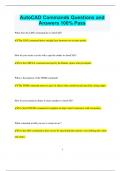
AutoCAD Commands Questions and
Answers 100% Pass
What does the LINE command do in AutoCAD?
✔✔The LINE command draws straight lines between two or more points.
How do you create a circle with a specific radius in AutoCAD?
✔✔Use the CIRCLE command and specify the Radius option when prompted.
What is the purpose of the TRIM command?
✔✔The TRIM command removes parts of objects that extend beyond specified cutting edges.
How do you extend an object to meet another in AutoCAD?
✔✔Use the EXTEND command to lengthen an object until it intersects with a boundary.
What command would you use to create an arc?
✔✔Use the ARC command to draw an arc by specifying three points or by defining the center
and radius.
1
, How can you copy an object to a different location?
✔✔Use the COPY command to duplicate an object and place it at a new location.
What does the OFFSET command achieve?
✔✔The OFFSET command creates a parallel copy of an object at a specified distance.
How do you rotate an object around a specified point?
✔✔Use the ROTATE command to turn an object around a base point by a given angle.
What is the function of the MIRROR command?
✔✔The MIRROR command creates a mirrored copy of an object across a specified axis.
How can you scale an object to a different size?
✔✔Use the SCALE command to resize an object based on a specified scale factor or reference
length.
What does the FILLET command do?
2
Answers 100% Pass
What does the LINE command do in AutoCAD?
✔✔The LINE command draws straight lines between two or more points.
How do you create a circle with a specific radius in AutoCAD?
✔✔Use the CIRCLE command and specify the Radius option when prompted.
What is the purpose of the TRIM command?
✔✔The TRIM command removes parts of objects that extend beyond specified cutting edges.
How do you extend an object to meet another in AutoCAD?
✔✔Use the EXTEND command to lengthen an object until it intersects with a boundary.
What command would you use to create an arc?
✔✔Use the ARC command to draw an arc by specifying three points or by defining the center
and radius.
1
, How can you copy an object to a different location?
✔✔Use the COPY command to duplicate an object and place it at a new location.
What does the OFFSET command achieve?
✔✔The OFFSET command creates a parallel copy of an object at a specified distance.
How do you rotate an object around a specified point?
✔✔Use the ROTATE command to turn an object around a base point by a given angle.
What is the function of the MIRROR command?
✔✔The MIRROR command creates a mirrored copy of an object across a specified axis.
How can you scale an object to a different size?
✔✔Use the SCALE command to resize an object based on a specified scale factor or reference
length.
What does the FILLET command do?
2