

Tentamen (uitwerkingen)
QuickBooks Online Test 1 Questions and Answers Already Graded A
Beoordeling
Verkocht
-
Pagina's
12
Cijfer
A+
Geüpload op
13-09-2023
Geschreven in
2023/2024
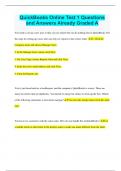
You need to set up a new user so they can see reports but can do nothing else in QuickBooks. Put the steps for setting up a user who can only see reports in the correct order. 1. Click the Company menu and choose Manage Users. 2. In the Manage Users screen, click New. 3. For User Type, choose Reports Only and click Next. 4. Enter the user's email address and click Next. 5. Click the Reports tab.
Meer zien
Lees minder
Instelling
QuickBooks Online
Vak
QuickBooks Online
Oeps! We kunnen je document nu niet laden. Probeer het nog eens of neem contact op met support.

Geschreven voor
- Instelling
- QuickBooks Online
- Vak
- QuickBooks Online
Documentinformatie
- Geüpload op
- 13 september 2023
- Aantal pagina's
- 12
- Geschreven in
- 2023/2024
- Type
- Tentamen (uitwerkingen)
- Bevat
- Vragen en antwoorden
Onderwerpen
-
quickbooks online test 1
-
questions and answers already graded a
€9,57
Krijg toegang tot het volledige document:
100% tevredenheidsgarantie
Direct beschikbaar na je betaling
Lees online óf als PDF
Geen vaste maandelijkse kosten

Ook beschikbaar in voordeelbundel
Voordeelbundel
QuickBooks Online Exam Bundle| All Chapters 2022/2023 | Test Questions with Verified Answers Graded A
8
2023
€ 77,88
Meer info
