
Week 1, college 1 introduction
Course content:
● Data structures & algorithms
○ Provide necessary knowledge to be able to read and understand computer
science. d
○ Are necessary to have an academic perspective on programming.
■ For making informed decisions about appropriate methods when
designing software systems.
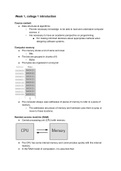
Computer memory
● The memory stores a lot of zeros and ones:
○ Bits
● The bits are grouped in chunks of 8:
○ Bytes
● The bytes are organized in a long list
● The computer always uses addresses of pieces of memory to refer to a piece of
memory.
○ The addresses are pieces of memory and hardware uses them to jump or
move to these locations.
Random-access machine (RAM)
● Central processing unit (CPU) with memory:
● The CPU has some internal memory and communicates quickly with this internal
memory.
● In the RAM model of computation, it is assumed that:
, ○ Primitive operations, like reading a word (of memory) or writing to a word (of
memory), take constant (little) time.
What is a data structure?
● Data structure:
○ A structure to store and organize data in the memory in order to facilitate
access and modifications.
What is an algorithm?
● Algorithm:
○ An unambiguous way for doing a task, which takes an input and produces an
output (finishes the task).
● What is the relation between algorithms and data structures?
○ A primarily goal of designing data structures is to speed up algorithms.
○ When data structures are well available and well organized, algorithms will be
faster.
Algorithm (& data structuring) questions when we design algorithms:
● How should we store the input in the memory?
● How can we be sure that the algorithm is correct?
○ Formal language needed (later lecture).
● How much time & memory is used when we run the algorithm?
○ Can we design a better algorithm?
Array
● An array represents a contiguous portion of the memory.
○ All elements in an array are stored next to each other in the memory.
● Advantage:
○ It takes only a little time (very quickly) to access an element of an array, by
knowing the index of the element.
■ A[i] quickly returns the i-th element of array A.
● Disadvantage:
○ If you want to insert some letter in the middle, many items have to be moved.
○ Also if you want to move an existing item many items have to be moved.
, ○ Remember that in an array items sit next to each other.
Singly-linked lists.
● Recall that arrays perform poorly for adding a new element or removing an element.
○ The reason of this is because they sit next to each other.
○ If you remove this requirement this helps us.
■ Let the elements to be stored at “arbitrary” places in memory:
● All items are somewhere in the memory.
○ But how can we find the items?
■ We attach to each element the address of its next element.
■ We use an extra piece of memory to store the address.
● Which points to a variable.
● Is called singly-linked list because it’s one way linked.
● How to remove an item?
○ We change the address in the previous item to the item after the item we want
to remove.
○ Then the removed item is not part of the linked list anymore.
● Formal definition:
○ A singly linked list is a set of nodes.
○ A node v in a (singly-linked) list contains:
■ A data element v. data, and
■ A pointer v.next, to the next node in the list.
● In the last node of the list this pointer is none.
● Linked lists are slow when it comes to search and access to its elements.
○ But fast for insertion or deletion of elements with removing and deleting
pointers.
Double-linked lists
● A node v in a doubly-linked list contains:
○ A data element v.data, and
○ A pointer v.next, to the next node in the list.
○ A pointer v.prev, to the previous node in the list.
, Week 1, college 2
Recursion
● A way for solving a problem by having a function calling itself.
● If the size of the input is small then solve the problem on a given input directl.
○ If not, break the input into 2 sub-inputs and solve the problem on each of
them (again) using recursion.
● Base case:
○ Smallest value that we can compute which we send back to the next level of
the recursion (slide met factorial voor duidelijkheid).
Sorting
● Sorting gets an input as a sequence of n elements.
● Output is a reordering (permutation) of the input sequence such that it is now in a
sorted way.
● The elements that we wish to sort are usually the keys (of some items).
○ These keys have to be comparable.
○ You need to define a key for every item.
● We assume the elements are stored in an array A[1...n]
● We have different sorting algorithms because not one is best for every type of input.
○ They all have different efficiency for different types of inputs.
Selection sort
● See slides and schrift
● Begin bij i=0 en als je een kleinere tegenkomt dan i (je loopt naar boven in de array)
wissel je i en degene die je bent tegengekomen.
Insertion sort
● Compare the i with the previous elements.
● Continue walking back until the next element is smaller than the one looked at.
● Again see slides and schrift.
● Smarter than selection sort.
Searching
● Input: A set S of n elements and an element x.
○ x is the key to the search.
● Output: Yes, if x belongs to S.
○ No, if x does not belong to S.
● The elements must have a key.
○ The elements of the set are usually the keys (of some items)
Binary search
● Computational thinking flashback.
● Input: A sorted array of n elements (keys) and an element (key) x.
● Zie example in slides.
● For an input n larger than 1, worst case scenario?
Course content:
● Data structures & algorithms
○ Provide necessary knowledge to be able to read and understand computer
science. d
○ Are necessary to have an academic perspective on programming.
■ For making informed decisions about appropriate methods when
designing software systems.
Computer memory
● The memory stores a lot of zeros and ones:
○ Bits
● The bits are grouped in chunks of 8:
○ Bytes
● The bytes are organized in a long list
● The computer always uses addresses of pieces of memory to refer to a piece of
memory.
○ The addresses are pieces of memory and hardware uses them to jump or
move to these locations.
Random-access machine (RAM)
● Central processing unit (CPU) with memory:
● The CPU has some internal memory and communicates quickly with this internal
memory.
● In the RAM model of computation, it is assumed that:
, ○ Primitive operations, like reading a word (of memory) or writing to a word (of
memory), take constant (little) time.
What is a data structure?
● Data structure:
○ A structure to store and organize data in the memory in order to facilitate
access and modifications.
What is an algorithm?
● Algorithm:
○ An unambiguous way for doing a task, which takes an input and produces an
output (finishes the task).
● What is the relation between algorithms and data structures?
○ A primarily goal of designing data structures is to speed up algorithms.
○ When data structures are well available and well organized, algorithms will be
faster.
Algorithm (& data structuring) questions when we design algorithms:
● How should we store the input in the memory?
● How can we be sure that the algorithm is correct?
○ Formal language needed (later lecture).
● How much time & memory is used when we run the algorithm?
○ Can we design a better algorithm?
Array
● An array represents a contiguous portion of the memory.
○ All elements in an array are stored next to each other in the memory.
● Advantage:
○ It takes only a little time (very quickly) to access an element of an array, by
knowing the index of the element.
■ A[i] quickly returns the i-th element of array A.
● Disadvantage:
○ If you want to insert some letter in the middle, many items have to be moved.
○ Also if you want to move an existing item many items have to be moved.
, ○ Remember that in an array items sit next to each other.
Singly-linked lists.
● Recall that arrays perform poorly for adding a new element or removing an element.
○ The reason of this is because they sit next to each other.
○ If you remove this requirement this helps us.
■ Let the elements to be stored at “arbitrary” places in memory:
● All items are somewhere in the memory.
○ But how can we find the items?
■ We attach to each element the address of its next element.
■ We use an extra piece of memory to store the address.
● Which points to a variable.
● Is called singly-linked list because it’s one way linked.
● How to remove an item?
○ We change the address in the previous item to the item after the item we want
to remove.
○ Then the removed item is not part of the linked list anymore.
● Formal definition:
○ A singly linked list is a set of nodes.
○ A node v in a (singly-linked) list contains:
■ A data element v. data, and
■ A pointer v.next, to the next node in the list.
● In the last node of the list this pointer is none.
● Linked lists are slow when it comes to search and access to its elements.
○ But fast for insertion or deletion of elements with removing and deleting
pointers.
Double-linked lists
● A node v in a doubly-linked list contains:
○ A data element v.data, and
○ A pointer v.next, to the next node in the list.
○ A pointer v.prev, to the previous node in the list.
, Week 1, college 2
Recursion
● A way for solving a problem by having a function calling itself.
● If the size of the input is small then solve the problem on a given input directl.
○ If not, break the input into 2 sub-inputs and solve the problem on each of
them (again) using recursion.
● Base case:
○ Smallest value that we can compute which we send back to the next level of
the recursion (slide met factorial voor duidelijkheid).
Sorting
● Sorting gets an input as a sequence of n elements.
● Output is a reordering (permutation) of the input sequence such that it is now in a
sorted way.
● The elements that we wish to sort are usually the keys (of some items).
○ These keys have to be comparable.
○ You need to define a key for every item.
● We assume the elements are stored in an array A[1...n]
● We have different sorting algorithms because not one is best for every type of input.
○ They all have different efficiency for different types of inputs.
Selection sort
● See slides and schrift
● Begin bij i=0 en als je een kleinere tegenkomt dan i (je loopt naar boven in de array)
wissel je i en degene die je bent tegengekomen.
Insertion sort
● Compare the i with the previous elements.
● Continue walking back until the next element is smaller than the one looked at.
● Again see slides and schrift.
● Smarter than selection sort.
Searching
● Input: A set S of n elements and an element x.
○ x is the key to the search.
● Output: Yes, if x belongs to S.
○ No, if x does not belong to S.
● The elements must have a key.
○ The elements of the set are usually the keys (of some items)
Binary search
● Computational thinking flashback.
● Input: A sorted array of n elements (keys) and an element (key) x.
● Zie example in slides.
● For an input n larger than 1, worst case scenario?




