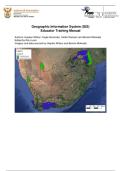
Geographic Information System (GIS)
Educator Training Manual
Authors: Hayden Wilson; Kogie Govender, Caitlin Ransom and Bonolo Mokoatsi
Edited by Rion Lerm
Imagery and data sourced by Hayden Wilson and Bonolo Mokoatsi
,Contents
Foreword .................................................................................................................... 4
Linking GIS concepts to Curriculum and Assessment Policy Statements (CAPS) ..... 6
Spatial data ................................................................................................................ 9
Maps ........................................................................................................................ 10
Why do we create Maps? ................................................................................... 10
Different types of Maps ...................................................................................... 11
Use of Maps ........................................................................................................ 14
Interpreting a Map............................................................................................... 14
Geographic Data ...................................................................................................... 16
Activity One ............................................................................................................. 16
Concept: GIS ............................................................................................................ 20
History of GIS ........................................................................................................... 20
Key Components of a GIS........................................................................................ 21
What can GIS do? .................................................................................................... 22
Activity Two .............................................................................................................. 22
Raster and Vector Data ............................................................................................ 24
Vector Data .......................................................................................................... 24
Raster Data .......................................................................................................... 24
Activity Three ........................................................................................................... 25
Data standardisation ................................................................................................ 26
Data sharing ............................................................................................................. 26
Data security ............................................................................................................ 26
Data manipulation and application of GIS Techniques ............................................. 27
Data integration ........................................................................................................ 27
How can you make sure that layers are aligned? ..................................................... 27
Analysis – Buffering.................................................................................................. 28
Activity Four ............................................................................................................. 28
Querying................................................................................................................... 28
Statistical Analysis.................................................................................................... 29
Remote Sensing ....................................................................................................... 29
Types of Remote Sensing .................................................................................. 30
Remote sensing data types – raster and point clouds .................................... 30
Activity Five .............................................................................................................. 31
Conclusion ............................................................................................................... 33
Appendix A: Creating your own spatial datasets in Google Earth Pro ...................... 34
Manual Digitising in Google Earth .................................................................... 34
Ditigitsing a point feature .................................................................................. 35
Digitising a line / linear feature .......................................................................... 37
Digitising a polygon ........................................................................................... 37
Saving Digitised / saves places as KMZ/KML files .......................................... 39
Importing KMZ/KML files into QGIS .................................................................. 39
Appendix B: How to use QGIS ................................................................................. 40
What is QGIS? ..................................................................................................... 40
Installing QGIS .................................................................................................... 40
Changing the order of layers: ............................................................................ 43
Changing the colours of a layers: ..................................................................... 44
Changing the line width of a layer: ................................................................... 46
How to zoom in and move around the map:..................................................... 46
, Check the coordinate reference system: .......................................................... 47
Select by location (within) ................................................................................. 48
Using attribute data ............................................................................................ 52
Now we are going to answer the same question of how many district
municipalities are in each province using a different approach. You may
have noticed that the attribute table of the District Municipalities layer has
which province each municipality is in. ........................................................... 52
How to change the Coordinate Reference System (CRS)/ projection? .......... 54
Appendix C: Images for paper-based activities ........................................................ 59
, Foreword
The South African Environmental Observation Network (SAEON) invests in capacity development
programmes for senior grades’ educators through their environmental science education
programmes (ESEP). These programmes are aimed at enhanced teaching and learning that promote
critical thinking. In 2011, Geographical Information Systems (GIS) was introduced into the Curriculum
Assessments and Policy Statements (CAPS) in high schools across South Africa. SAEON through its
interaction with Geography educators established that educators needed assistance with training in
Geographical Information Systems (GIS).
The teaching of new technologies in education such as GIS requires an investment in training to
upskill educators in the incorporation of hardware and software. In developing this GIS training
programme, SAEON conducted a needs analysis to determine what resources are available in a
school setting for a GIS capacity building programme to be effective. The underwhelming availability
of resources particularly at rural schools prompted SAEON to firstly create an educator capacity
development programme in GIS that uses paper plotting activities to provide meaningful learning
opportunities for learners who do not have access to computers. This GIS training manual thus
incorporates learning-centred activities to educators that they can use or adapt to promote inquiry
and paper-based teaching strategies.
Despite the obvious challenges, the Department of Basic Education is promoting the integration of
technology into the South African classroom. Through the first edition of this training manual,
SAEON will also support senior Geography educators who have access to computers to develop the
necessary skills in the use of QGIS open software. Training in the use of the software will allow them
to implement technology-based teaching activities and to have open access to the latest data and
computing technology.
We wish all educators and trainers a rewarding journey when adopting this manual. Your feedback
will be essential for the improvement of further editions.
Moreover, we wish the high school learners who will ultimately benefit from their newly upskilled
Geography teachers, great success in applying the power of GIS technology across a wide range of
careers.
Managing Director: South African Environmental Observation Network (SAEON) of the National
Research Foundation (NRF)
56 Florence Street, Colbyn, Pretoria, 0083
SAEON is a comprehensive, sustained, coordinated and responsive South African environmental
observation network that delivers long-term reliable data for scientific research and informs
decision-making; for a knowledge society and improved quality of life
www.saeon.ac.za
Twitter: @Saeonews
Educator Training Manual
Authors: Hayden Wilson; Kogie Govender, Caitlin Ransom and Bonolo Mokoatsi
Edited by Rion Lerm
Imagery and data sourced by Hayden Wilson and Bonolo Mokoatsi
,Contents
Foreword .................................................................................................................... 4
Linking GIS concepts to Curriculum and Assessment Policy Statements (CAPS) ..... 6
Spatial data ................................................................................................................ 9
Maps ........................................................................................................................ 10
Why do we create Maps? ................................................................................... 10
Different types of Maps ...................................................................................... 11
Use of Maps ........................................................................................................ 14
Interpreting a Map............................................................................................... 14
Geographic Data ...................................................................................................... 16
Activity One ............................................................................................................. 16
Concept: GIS ............................................................................................................ 20
History of GIS ........................................................................................................... 20
Key Components of a GIS........................................................................................ 21
What can GIS do? .................................................................................................... 22
Activity Two .............................................................................................................. 22
Raster and Vector Data ............................................................................................ 24
Vector Data .......................................................................................................... 24
Raster Data .......................................................................................................... 24
Activity Three ........................................................................................................... 25
Data standardisation ................................................................................................ 26
Data sharing ............................................................................................................. 26
Data security ............................................................................................................ 26
Data manipulation and application of GIS Techniques ............................................. 27
Data integration ........................................................................................................ 27
How can you make sure that layers are aligned? ..................................................... 27
Analysis – Buffering.................................................................................................. 28
Activity Four ............................................................................................................. 28
Querying................................................................................................................... 28
Statistical Analysis.................................................................................................... 29
Remote Sensing ....................................................................................................... 29
Types of Remote Sensing .................................................................................. 30
Remote sensing data types – raster and point clouds .................................... 30
Activity Five .............................................................................................................. 31
Conclusion ............................................................................................................... 33
Appendix A: Creating your own spatial datasets in Google Earth Pro ...................... 34
Manual Digitising in Google Earth .................................................................... 34
Ditigitsing a point feature .................................................................................. 35
Digitising a line / linear feature .......................................................................... 37
Digitising a polygon ........................................................................................... 37
Saving Digitised / saves places as KMZ/KML files .......................................... 39
Importing KMZ/KML files into QGIS .................................................................. 39
Appendix B: How to use QGIS ................................................................................. 40
What is QGIS? ..................................................................................................... 40
Installing QGIS .................................................................................................... 40
Changing the order of layers: ............................................................................ 43
Changing the colours of a layers: ..................................................................... 44
Changing the line width of a layer: ................................................................... 46
How to zoom in and move around the map:..................................................... 46
, Check the coordinate reference system: .......................................................... 47
Select by location (within) ................................................................................. 48
Using attribute data ............................................................................................ 52
Now we are going to answer the same question of how many district
municipalities are in each province using a different approach. You may
have noticed that the attribute table of the District Municipalities layer has
which province each municipality is in. ........................................................... 52
How to change the Coordinate Reference System (CRS)/ projection? .......... 54
Appendix C: Images for paper-based activities ........................................................ 59
, Foreword
The South African Environmental Observation Network (SAEON) invests in capacity development
programmes for senior grades’ educators through their environmental science education
programmes (ESEP). These programmes are aimed at enhanced teaching and learning that promote
critical thinking. In 2011, Geographical Information Systems (GIS) was introduced into the Curriculum
Assessments and Policy Statements (CAPS) in high schools across South Africa. SAEON through its
interaction with Geography educators established that educators needed assistance with training in
Geographical Information Systems (GIS).
The teaching of new technologies in education such as GIS requires an investment in training to
upskill educators in the incorporation of hardware and software. In developing this GIS training
programme, SAEON conducted a needs analysis to determine what resources are available in a
school setting for a GIS capacity building programme to be effective. The underwhelming availability
of resources particularly at rural schools prompted SAEON to firstly create an educator capacity
development programme in GIS that uses paper plotting activities to provide meaningful learning
opportunities for learners who do not have access to computers. This GIS training manual thus
incorporates learning-centred activities to educators that they can use or adapt to promote inquiry
and paper-based teaching strategies.
Despite the obvious challenges, the Department of Basic Education is promoting the integration of
technology into the South African classroom. Through the first edition of this training manual,
SAEON will also support senior Geography educators who have access to computers to develop the
necessary skills in the use of QGIS open software. Training in the use of the software will allow them
to implement technology-based teaching activities and to have open access to the latest data and
computing technology.
We wish all educators and trainers a rewarding journey when adopting this manual. Your feedback
will be essential for the improvement of further editions.
Moreover, we wish the high school learners who will ultimately benefit from their newly upskilled
Geography teachers, great success in applying the power of GIS technology across a wide range of
careers.
Managing Director: South African Environmental Observation Network (SAEON) of the National
Research Foundation (NRF)
56 Florence Street, Colbyn, Pretoria, 0083
SAEON is a comprehensive, sustained, coordinated and responsive South African environmental
observation network that delivers long-term reliable data for scientific research and informs
decision-making; for a knowledge society and improved quality of life
www.saeon.ac.za
Twitter: @Saeonews