Basic device
configuration
1 Configure a switch with initial settings
Switch boot sequence
5-step boot sequence:
1) Switch loads power-on self-test (POST) program in ROM, checks CPU
subsystem -> tests CPU, DRAM and portion of flash device
2) Switch loads boot loader software (= small program in ROM run
immediately after POST completes)
3) Boot loader performs low-level CPU initialization (-> initializes CPU
registers)
4) Boot loader initializes flash file system on system board
5) Boot loader locates and loads default IOS operating system software and
gives control of switch to IOS
CPU registers control where physical memory is mapped, quantity of memory and
its speed
Boot system command
Switch attempts to automatically boot by using information in BOOT environment
variable
If variabele not set -> switch attempts to load and execute first executable file
IOS operation system initializes interfaces using Cisco IOS commands (in startup-
config file)
Startup-config file = config.text, located in flash
show boot = see what current IOS boot file is set to
Each part of boot system command explained:
Command Definition
boot system Main command
flash: Storage device
C2960-lanbasek9-mz.150-2.SE/ Path to file system
C2960-lanbasek9-mz.150-2.SE.bin IOS file name
Switch LED indicators
Switches have several status LED indicator lights to quickly monitor switch
activity and performance
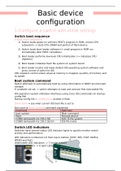
LED indicators numbered 1-6 from top to bottom (SYST, RPS, STAT, DUPLX,
SPEED and PoE)
Underneath LED indicators -> 7 (mode button)
Above switchports -> 8 (port LEDs)
, 7 Mode button: used to toggle through port status, port duplex, port speed and
Power over Ethernet (PoE) status of port LEDs
1 SYST – System LED
Shows if system is receiving power and is functioning properly
2 RPS – Redundant Power System (RPS) LED
Shows RPS status
3 STAT – Port Status LED
Indicates port status mode is selected when LED is green (= default mode)
4 DUPLX – Port Duplex LED
Indicates that port duplex mode is selected when LED is green
5 SPEED – Port Speed LED
Indicates port speed mode is selected
6 PoE – Power over Ethernet (PoE) Mode LED
If PoE is supported -> PoE mode LED will be present
LED status: statusLED.txt file
Recovering from system crash
Boot loader provides access in switch if OS cannot be used because of missing or
damaged system files
Boot loader has command-line that provides access to files stored in flash
memory
-> can be accessed through console connection following these steps:
1) Connect PC by console cable to switch console port, configure terminal
to connect to switch
2) Unplug power cord
3) Reconnect power cord to switch and press Mode button
4) Keep Mode button pressed in until system LED turns amber and than
green, then release
5) Boot loader switch: prompt appears in terminal emulation software of
PC
help or ? at boot loader prompt to view list of available commands
Default -> switch boots up by using information in BOOT variable
To view path of switch environment variable: set command, initialize flash file
system with flash_init to view current files in flash
After initialisation of flash -> enter dir flash command to view directories and
files in flash
Enter BOOT=flash to change BOOT variable path, switch uses to load new IOS in
flash
Verify new path -> issue set command, to load new IOS -> boot command
without arguments
Boot loader commands support initializing and formatting flash, installing new
IOS, changing BOOT variable and recovery of lost or forgotten passwords
Switch management access
configuration
1 Configure a switch with initial settings
Switch boot sequence
5-step boot sequence:
1) Switch loads power-on self-test (POST) program in ROM, checks CPU
subsystem -> tests CPU, DRAM and portion of flash device
2) Switch loads boot loader software (= small program in ROM run
immediately after POST completes)
3) Boot loader performs low-level CPU initialization (-> initializes CPU
registers)
4) Boot loader initializes flash file system on system board
5) Boot loader locates and loads default IOS operating system software and
gives control of switch to IOS
CPU registers control where physical memory is mapped, quantity of memory and
its speed
Boot system command
Switch attempts to automatically boot by using information in BOOT environment
variable
If variabele not set -> switch attempts to load and execute first executable file
IOS operation system initializes interfaces using Cisco IOS commands (in startup-
config file)
Startup-config file = config.text, located in flash
show boot = see what current IOS boot file is set to
Each part of boot system command explained:
Command Definition
boot system Main command
flash: Storage device
C2960-lanbasek9-mz.150-2.SE/ Path to file system
C2960-lanbasek9-mz.150-2.SE.bin IOS file name
Switch LED indicators
Switches have several status LED indicator lights to quickly monitor switch
activity and performance
LED indicators numbered 1-6 from top to bottom (SYST, RPS, STAT, DUPLX,
SPEED and PoE)
Underneath LED indicators -> 7 (mode button)
Above switchports -> 8 (port LEDs)
, 7 Mode button: used to toggle through port status, port duplex, port speed and
Power over Ethernet (PoE) status of port LEDs
1 SYST – System LED
Shows if system is receiving power and is functioning properly
2 RPS – Redundant Power System (RPS) LED
Shows RPS status
3 STAT – Port Status LED
Indicates port status mode is selected when LED is green (= default mode)
4 DUPLX – Port Duplex LED
Indicates that port duplex mode is selected when LED is green
5 SPEED – Port Speed LED
Indicates port speed mode is selected
6 PoE – Power over Ethernet (PoE) Mode LED
If PoE is supported -> PoE mode LED will be present
LED status: statusLED.txt file
Recovering from system crash
Boot loader provides access in switch if OS cannot be used because of missing or
damaged system files
Boot loader has command-line that provides access to files stored in flash
memory
-> can be accessed through console connection following these steps:
1) Connect PC by console cable to switch console port, configure terminal
to connect to switch
2) Unplug power cord
3) Reconnect power cord to switch and press Mode button
4) Keep Mode button pressed in until system LED turns amber and than
green, then release
5) Boot loader switch: prompt appears in terminal emulation software of
PC
help or ? at boot loader prompt to view list of available commands
Default -> switch boots up by using information in BOOT variable
To view path of switch environment variable: set command, initialize flash file
system with flash_init to view current files in flash
After initialisation of flash -> enter dir flash command to view directories and
files in flash
Enter BOOT=flash to change BOOT variable path, switch uses to load new IOS in
flash
Verify new path -> issue set command, to load new IOS -> boot command
without arguments
Boot loader commands support initializing and formatting flash, installing new
IOS, changing BOOT variable and recovery of lost or forgotten passwords
Switch management access