

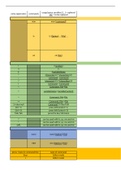
usage(space sensitive) […] = optional
extra opperators commands
abc = to be replaced
man man [command]
ls ls [Option] … [File] …
cd cd [File]
! !<number>
!! !!
$ $variableName
* (character(s))*(charachter(s))
; command ; command
? (character(s))n?(charachter(s))
| Command | Command
< Command, File<File
= variableName=(variableContent)
> Command, File>File
>> Command, File>>File
2>/dev/null Command 2>/dev/null
Ctrl + C press left Control + C
Ctrl + D press left Control + D
Tab+Tab press the key Tab twice
? can be used with ls, cp, mv and rm
* can be used with ls, cp, mv and rm
[aF] can be used with ls, cp, mv and rm
nano nano [Option] [File]
VIM vim [Options] [File]
press | type in command line type of command
Escp Editor mode
i Editor mode
, I (capital i) Editor mode
a Editor mode
A Editor mode
o Editor mode
O Editor mode
r Editor mode
R Editor mode
x Editor mode
dd Editor mode
D Editor mode
:q exit
:w exit
:q! exit
:wq! exit
:x exit
Y copy-paste
P copy-paste
v copy-paste
y copy-paste
p copy-paste
d copy-paste
h navigation
j navigation
k navigation
l navigation
G navigation
nG navigation
/string navigation
n navigation
u Editor mode
:%s/oud/nieuw Editor mode
grep grep [Option…] Patterns [File…]
Option usage
'String' File | grep -E 'String'
'Str..g' File | grep -E 'Str..g'
'String\.' File | grep -E 'String\.'
'Str[aeiou]ng' File | grep -E 'Str[aeiou]ng'
'St[A-Z]ing' ([0-9]) File | grep -E 'St[A-Z]ing'
'(String|String)' File | grep -E '(String|String)'
'Str(i|a)ng' File | grep -E 'Str(i|a)ng'
'\bString' File | grep -E '\bString'
'String\b' File | grep -E 'String\b'
'^String' File | grep -E '^String'
'String$' File | grep -E 'String$'
, '[a-z] | [0-9]+' File | grep -E '[a-z]+'
'[a-z] | [0-9]?' File | grep -E '[a-z]?'
'[a-z] | [0-9]*' File | grep -E '[a-z]*'
'[a-z] | [0-9]{x}' File | grep -E '[a-z]{x}'
. File | grep -E .
sed sed [Option]… [Input-File]
option type of command
/(g)' subtition
-Ei subtition
's/old/new/(g)' subtition
's/old/& &/(g)' subtition
'x(,y)d' deleting
'x(,y)p' printing
'xi String' adding
'xa String' adding
'[a-z] | [0-9]+' same usage as With grep, can be filled in the places of old, new
'[a-z] | [0-9]?' same usage as With grep, can be filled in the places of old, new
'[a-z] | [0-9]*' same usage as With grep, can be filled in the places of old, new
'[a-z] | [0-9]{x}' same usage as With grep, can be filled in the places of old, new
cat cat [Option]… [File]…
cd cd [File]
clear clear [-T] [-V] [-x]
cp cp [Option]… Source… Directory…
cut cut Option… [File]
echo echo [Option] "String" | $Variable
file file [Option] File
find find Directory options [action]
option usage
-name
-regex
find Directory -mtime X
-m
find Directory -mmin X
, find Directory -mtime X
-a
find Directory -mmin X
find Directory -mtime X
-c
find Directory -mmin X
-newer find Directory -newer File
-group find Directory -group Group
user find Directory -user User
-type f find Directory -type f
-type d find Directory -type d
-size find Directory -size +/-Size
-exec find Directory Option -exec Command{}\;
head head [Option]… [File]…
history history
ln ln [Option]… [-T] Target Link_name
ls ls [Option] … [File] …
man man [command]
mkdir mkdir [Option]… Directory…
more more [Options] file …
mv mv [Option]… Source… Directory…
nl nl [Option]… [File]…
pwd pwd [Option]
rm rm [Option]… [File]…
rmdir rmdir [Option]… Directory…
sort [Option]… [File]…
stat stat [Option] File
sudo sudo Command
sudo su sudo su
extra opperators commands
abc = to be replaced
man man [command]
ls ls [Option] … [File] …
cd cd [File]
! !<number>
!! !!
$ $variableName
* (character(s))*(charachter(s))
; command ; command
? (character(s))n?(charachter(s))
| Command | Command
< Command, File<File
= variableName=(variableContent)
> Command, File>File
>> Command, File>>File
2>/dev/null Command 2>/dev/null
Ctrl + C press left Control + C
Ctrl + D press left Control + D
Tab+Tab press the key Tab twice
? can be used with ls, cp, mv and rm
* can be used with ls, cp, mv and rm
[aF] can be used with ls, cp, mv and rm
nano nano [Option] [File]
VIM vim [Options] [File]
press | type in command line type of command
Escp Editor mode
i Editor mode
, I (capital i) Editor mode
a Editor mode
A Editor mode
o Editor mode
O Editor mode
r Editor mode
R Editor mode
x Editor mode
dd Editor mode
D Editor mode
:q exit
:w exit
:q! exit
:wq! exit
:x exit
Y copy-paste
P copy-paste
v copy-paste
y copy-paste
p copy-paste
d copy-paste
h navigation
j navigation
k navigation
l navigation
G navigation
nG navigation
/string navigation
n navigation
u Editor mode
:%s/oud/nieuw Editor mode
grep grep [Option…] Patterns [File…]
Option usage
'String' File | grep -E 'String'
'Str..g' File | grep -E 'Str..g'
'String\.' File | grep -E 'String\.'
'Str[aeiou]ng' File | grep -E 'Str[aeiou]ng'
'St[A-Z]ing' ([0-9]) File | grep -E 'St[A-Z]ing'
'(String|String)' File | grep -E '(String|String)'
'Str(i|a)ng' File | grep -E 'Str(i|a)ng'
'\bString' File | grep -E '\bString'
'String\b' File | grep -E 'String\b'
'^String' File | grep -E '^String'
'String$' File | grep -E 'String$'
, '[a-z] | [0-9]+' File | grep -E '[a-z]+'
'[a-z] | [0-9]?' File | grep -E '[a-z]?'
'[a-z] | [0-9]*' File | grep -E '[a-z]*'
'[a-z] | [0-9]{x}' File | grep -E '[a-z]{x}'
. File | grep -E .
sed sed [Option]… [Input-File]
option type of command
/(g)' subtition
-Ei subtition
's/old/new/(g)' subtition
's/old/& &/(g)' subtition
'x(,y)d' deleting
'x(,y)p' printing
'xi String' adding
'xa String' adding
'[a-z] | [0-9]+' same usage as With grep, can be filled in the places of old, new
'[a-z] | [0-9]?' same usage as With grep, can be filled in the places of old, new
'[a-z] | [0-9]*' same usage as With grep, can be filled in the places of old, new
'[a-z] | [0-9]{x}' same usage as With grep, can be filled in the places of old, new
cat cat [Option]… [File]…
cd cd [File]
clear clear [-T] [-V] [-x]
cp cp [Option]… Source… Directory…
cut cut Option… [File]
echo echo [Option] "String" | $Variable
file file [Option] File
find find Directory options [action]
option usage
-name
-regex
find Directory -mtime X
-m
find Directory -mmin X
, find Directory -mtime X
-a
find Directory -mmin X
find Directory -mtime X
-c
find Directory -mmin X
-newer find Directory -newer File
-group find Directory -group Group
user find Directory -user User
-type f find Directory -type f
-type d find Directory -type d
-size find Directory -size +/-Size
-exec find Directory Option -exec Command{}\;
head head [Option]… [File]…
history history
ln ln [Option]… [-T] Target Link_name
ls ls [Option] … [File] …
man man [command]
mkdir mkdir [Option]… Directory…
more more [Options] file …
mv mv [Option]… Source… Directory…
nl nl [Option]… [File]…
pwd pwd [Option]
rm rm [Option]… [File]…
rmdir rmdir [Option]… Directory…
sort [Option]… [File]…
stat stat [Option] File
sudo sudo Command
sudo su sudo su

