
- Guías de estudio, Notas de estudios & Resúmenes
¿Buscas las mejores guías de estudio, notas de estudio y resúmenes para ? En esta página encontrarás 18 documentos de estudio para .
Examen
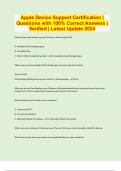
Apple Device Support Certification | Questions with 100% Correct Answers | Verified | Latest Update 2024
What do you need to back up your iPhone or iPad using iCloud? A. Available iCloud storage space B. Encryption Key C. USB or USB-C to Lightening cable - A. Available iCloud Storage Space Make sure you have enough iCloud storage space for your data and content True or False? iCloud automatically backs up your iPhone or iPad everyday. - True. After you set up iCloud backup, your iPhone or iPad automatically backs up every day as long as you connect it to a Wi-Fi network and a power source a...
 Preach

Examen
Apple Device Support Certification | 2024/25
PopularApple Device Support Certification | 2024/25
 STUVEX

Examen
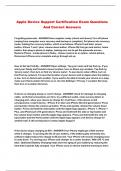
Apple Device Support Certification Exam With Correct Actual Questions And Correctly Well Defined Answers Latest Already Graded A+ 2025 – 2026
Apple Device Support Certification Exam With Correct Actual Questions And Correctly Well Defined Answers Latest Already Graded A+ 2025 – 2026
 TheAlphanurse

Examen
Apple Device Support Certification Exam With Correct Actual Questions And Correctly Well Defined Answers Latest Already Graded A+ 2025 – 2026
Apple Device Support Certification Exam With Correct Actual Questions And Correctly Well Defined Answers Latest Already Graded A+ 2025 – 2026
 NurseLNJ
Lote
Apple Device Support Packaged Exams With Questions And Verified Detailed Answers
Apple Device Support Packaged Exams With Questions And Verified Detailed Answers...
 Braxton
Examen
Apple Device Support Certification Exam Questions And Correct Answers
Apple Device Support Certification Exam Questions And Correct Answers...
Braxton

Examen
Apple Device Support Certification_Questions with 100% Correct Answers_Verified_ Latest Update 2024
What do you need to back up your iPhone or iPad using iCloud? A. Available iCloud storage space B. Encryption Key C. USB or USB-C to Lightening cable - A. Available iCloud Storage Space Make sure you have enough iCloud storage space for your data and content True or False? iCloud automatically backs up your iPhone or iPad everyday. - True. After you set up iCloud backup, your iPhone or iPad automatically backs up every day as long as you connect it to a Wi-Fi network and a power source and lock ...
 GeekBano
Examen
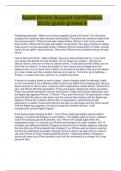
Apple Device Support Certification Study guide graded A
Forgetting passcode - Make sure to have supplies (chord and itunes),Turn off phone (unplug from computer after recovery and backup), Put phone into recovery mode (hold the recovery button: iPhone 8 and later: power button, iPhone 7 and 7 plus: volume down button, iPhone SE first gen and earlier: home button, then plug in phone to laptop, make sure to not get passcode screen), Restore iPhone (locate phone in finder, choose restore as an option, reboot iphone), Disconnect iPhone once complete and ...
 Lectsavvy

Examen
Apple Device Support Certification Questions with Complete Verified Solutions 2024/2025
Questions And Answers
 Brilliantgrades

Lote
Apple Device Support | Bundle
Exam (elaborations) Apple Device Support Certification | 2024/25 2 Exam (elaborations) macOS Support Essentials 10.13 Review Questions and answers | 2024/25 3 Exam (elaborations) Apple Device Support Exam Sample Questions and answers | Latest 2024/25
STUVEX

Lote
Apple Device Support Bundled Exams with Complete Solution | Verified | Guaranteed Success
Apple Device Support Bundled Exams with Complete Solution | Verified | Guaranteed Success
 ClassHero

Examen
Apple Device Support Certification | Questions with 100% Correct Answers | Verified | Latest Update 2024
What do you need to back up your iPhone or iPad using iCloud? A. Available iCloud storage space B. Encryption Key C. USB or USB-C to Lightening cable - A. Available iCloud Storage Space Make sure you have enough iCloud storage space for your data and content True or False? iCloud automatically backs up your iPhone or iPad everyday. - True. After you set up iCloud backup, your iPhone or iPad automatically backs up every day as long as you connect it to a Wi-Fi network and a power source a...
ClassHero
Lote
Apple Device Support Bundled Exams with Complete Solution | Verified | Guaranteed Success
Apple Device Support Bundled Exams with Complete Solution | Verified | Guaranteed Success
Preach

Lote
ACSP (Apple Certified Support Professional) Tests Bundle
ACSP (Apple Certified Support Professional) Tests Bundle
 BillRanker

Examen
Apple Device Support Certification questions with correct answers
Apple Device Support Certification questions with correct answers
BillRanker

Examen
Apple Device Support Certification questions with correct answers
Apple Device Support Certification questions with correct answers
BillRanker

Lote
ACSP (Apple Certified Support Professional) Bundle
ACSP (Apple Certified Support Professional) Bundle
 cracker
Examen
Apple Device Support Certification questions with correct answers
Forgetting passcode - Answer Make sure to have supplies (chord and itunes),Turn off phone (unplug from computer after recovery and backup), Put phone into recovery mode (hold the recovery button: iPhone 8 and later: power button, iPhone 7 and 7 plus: volume down button, iPhone SE first gen and earlier: home button, then plug in phone to laptop, make sure to not get passcode screen), Restore iPhone (locate phone in finder, choose restore as an option, reboot iphone), Disconnect iPhone once ...
cracker