
- Guías de estudio, Notas de estudios & Resúmenes
¿Buscas las mejores guías de estudio, notas de estudio y resúmenes para ? En esta página encontrarás 9 documentos de estudio para .

Examen
Adobe CC Premiere Pro / certification practice exam / score 100% / new version / study guide
NuevoPrepare for the Adobe CC Premiere Pro certification with this practice exam. Covers timeline editing, transitions, effects, color correction, audio mixing, titles, exporting settings, and workflow optimization. Includes multiple-choice questions, performance-based scenarios, and keyboard shortcuts based on the official Adobe Certified Professional (ACP) exam objectives. Ideal for video editors, content creators, and post-production professionals seeking to validate their skills. Designed to help...
 ThePlug

Examen
Adobe CC Premiere Pro Certification Practice Exam, Adobe Premiere Pro - Certification Exam, Adobe Premier FULL Certification Guide Exam Questions And Answers
PopularAdobe CC Premiere Pro Certification Practice Exam, Adobe Premiere Pro - Certification Exam, Adobe Premier FULL Certification Guide Exam Questions And Answers Change workspace to "Assembly" Then disable "import workspace from projects" - answer1) Window > Workspace > Assembly 2) Window > Workspace > Uncheck import workspace from projects Move images from end to front without overwriting - answerClick > Drag to beginning > Hold Ctrl Move from start to end without l...
 Brainbarter

Examen
Adobe Premiere Pro / Score 100% / New Version / Certification Practice Exam 12-29-17 Study Guide
NuevoMaster Adobe CC Premiere Pro Certification Practice Exam with this complete study guide. Covers video editing, timeline tools, effects, exporting, and exam objectives. Ideal for test banks, quizzes, and exam prep. This guide helps you understand key concepts to score 100% on your Premiere Pro certification exam.
ThePlug

Examen
Adobe CC Premiere Pro Certification / Practice Exam 12-29-17_4 / 2026 ACP Prep / Study Guide / Score 100%
NuevoMaster the Adobe Certified Professional (ACP) Premiere Pro exam with this comprehensive practice test (12-29-17_4). Covering video editing workflows, timeline tools, audio mixing, color correction, effects, and exporting, this 2026 study guide helps students prepare for certification exams, quizzes, and assignments. Based on official exam objectives including 30-35 questions over 50 minutes . Reinforce key concepts with realistic practice scenarios and score 100% on your Premiere Pro certificati...
ThePlug

Lote
Adobe Premiere Pro Certification Exams
Adobe Premiere Pro Certification Exams - Questions and Answers - Bundle
 AccurateScores

Examen
Adobe CC Premiere Pro Certification Practice Exam, Adobe Premiere Pro - Certification Exam, Adobe Premier FULL Certification Guide
Adobe CC Premiere Pro Certification Practice Exam, Adobe Premiere Pro - Certification Exam, Adobe Premier FULL Certification Guide
AccurateScores

Lote
bundle for Adobe CC Premiere Pro Certification Practice Exam, Adobe Premiere Pro - Certification Exam, Adobe Premier FULL Certification QUESTIONS WITH VERIFIED ANSWERS | LATEST UPDATED
goood luck
 brilliantstudies
Examen
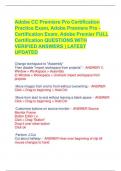
Adobe CC Premiere Pro Certification Practice Exam, Adobe Premiere Pro - Certification Exam, Adobe Premier FULL Certification QUESTIONS WITH VERIFIED ANSWERS | LATEST UPDATED
Adobe CC Premiere Pro Certification Practice Exam, Adobe Premiere Pro - Certification Exam, Adobe Premier FULL Certification QUESTIONS WITH VERIFIED ANSWERS | LATEST UPDATED Change workspace to "Assembly" Then disable "import workspace from projects" - ANSWER 1) Window > Workspace > Assembly 2) Window > Workspace > Uncheck import workspace from projects Move images from end to front without overwriting - ANSWER Click > Drag to beginning > Hold Ctrl Move...
brilliantstudies

Examen
Adobe CC Premiere Pro Certification Practice Exam, Adobe Premiere Pro - Certification Exam, Adobe Premier FULL Certification Guide ALL ANSWERS 100% CORRECT SPRING FALL-2023/24 GUARANTEED GRADE A+
Change workspace to "Assembly" Then disable "import workspace from projects" 1) Window > Workspace > Assembly 2) Window > Workspace > Uncheck import workspace from projects Move images from end to front without overwriting Click > Drag to beginning > Hold Ctrl Move from start to end without leaving a blank space Click > Drag to beginning > Hold Ctrl Customize buttons on source monitor Source Monitor Frame Button Editor (+) Click > Drag "Button" Drop i...
 Allan100