EPIC
Las últimas cargas en EPIC. ¿Buscando notas en EPIC? Tenemos muchas notas, guias de estudio y notas de estudio disponsible para tu escuela.
-
1476
- 0
-
132
All courses for EPIC
-
EPIC 1476
-
EPIC , 2
-
EPIC ( 1
-
EPIC, 1
-
Epic: 1
Último contenido EPIC
EPIC Nurse Exam Questions and Answers 
 
Chart Review - ANSWER A few weeks ago, you wrote a result note for a patient. Where can you find the text of this result note now? 
 
Immunizations - ANSWER In which activity will you document the administration of an immunization? 
 
Send and close the patient workspace - ANSWER When working in a telephone or refill encounter, what do you need to do to ensure that the encounter will be routed to the intended recipient? 
 
The status column changes to Arr...
- Examen
- • 3 páginas's •
-
EPIC•EPIC
Vista previa 1 fuera de 3 páginas
Preparando tu documento...
EPIC Nurse Exam Questions and Answers 
 
Chart Review - ANSWER A few weeks ago, you wrote a result note for a patient. Where can you find the text of this result note now? 
 
Immunizations - ANSWER In which activity will you document the administration of an immunization? 
 
Send and close the patient workspace - ANSWER When working in a telephone or refill encounter, what do you need to do to ensure that the encounter will be routed to the intended recipient? 
 
The status column changes to Arr...
EPIC Test Study Guide | 186 Questions with 100% Correct Answers 
 
What is the first screen called? Correct Answer: Home workspace or Starup Activity 
 
What are the list called that are located inside of your My Patients Lists? Correct Answer: My patients and My Specialty /Consultants 
 
What kind of info does the My Patient List display? Correct Answer: Information about each patient 
 
What can you do if you want to see your patient listed alphabetically? Correct Answer: Click the patient...
- Examen
- • 15 páginas's •
-
EPIC•EPIC
Vista previa 2 fuera de 15 páginas
Preparando tu documento...
EPIC Test Study Guide | 186 Questions with 100% Correct Answers 
 
What is the first screen called? Correct Answer: Home workspace or Starup Activity 
 
What are the list called that are located inside of your My Patients Lists? Correct Answer: My patients and My Specialty /Consultants 
 
What kind of info does the My Patient List display? Correct Answer: Information about each patient 
 
What can you do if you want to see your patient listed alphabetically? Correct Answer: Click the patient...
EPIC Test Study Guide | 186 Questions with 100% Correct Answers 
 
What is the first screen called? Correct Answer: Home workspace or Starup Activity 
 
What are the list called that are located inside of your My Patients Lists? Correct Answer: My patients and My Specialty /Consultants 
 
What kind of info does the My Patient List display? Correct Answer: Information about each patient 
 
What can you do if you want to see your patient listed alphabetically? Correct Answer: Click the patient...
- Examen
- • 15 páginas's •
-
EPIC•EPIC
Vista previa 2 fuera de 15 páginas
Preparando tu documento...
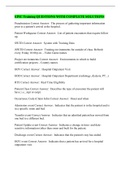
EPIC Test Study Guide | 186 Questions with 100% Correct Answers 
 
What is the first screen called? Correct Answer: Home workspace or Starup Activity 
 
What are the list called that are located inside of your My Patients Lists? Correct Answer: My patients and My Specialty /Consultants 
 
What kind of info does the My Patient List display? Correct Answer: Information about each patient 
 
What can you do if you want to see your patient listed alphabetically? Correct Answer: Click the patient...
Preadmission Correct Answer: The process of gathering important information prior to a patient's arrival at the hospital. 
 
Patient Workqueue Correct Answer: List of patient encounters that require follow up. 
 
SWTD Correct Answer: System with Training Data 
 
iSWTD Correct Answer: Training environments for outside of class. Refresh every Friday 10:00 p.m. - Video Game names 
 
Project environments Correct Answer: Environments in which to build certification projects - Country names 
 
H...
- Package deal
- Examen
- • 4 páginas's •
-
EPIC•EPIC
-
EPIC TESTS COMPILATION BUNDLE• Por Classroom
Vista previa 1 fuera de 4 páginas
Preparando tu documento...
Preadmission Correct Answer: The process of gathering important information prior to a patient's arrival at the hospital. 
 
Patient Workqueue Correct Answer: List of patient encounters that require follow up. 
 
SWTD Correct Answer: System with Training Data 
 
iSWTD Correct Answer: Training environments for outside of class. Refresh every Friday 10:00 p.m. - Video Game names 
 
Project environments Correct Answer: Environments in which to build certification projects - Country names 
 
H...
EPIC Training QUESTIONS AND ANSWERS| GRADED A 
 
Red Stop Sign Correct Answer: System required field 
 
Yellow Yield Sign Correct Answer: system recommended , Rachel required 
 
When logging into Epic you ________ have to enter the department every time Correct Answer: will not 
 
RTE Correct Answer: Real Time Eligibility 
 
When adding generic insurance, ______ MUST be added Correct Answer: Claims Billing address 
 
MRN Correct Answer: medical record number 
 
FO Correct Answer: filing o...
- Package deal
- Examen
- • 3 páginas's •
-
EPIC•EPIC
-
EPIC TESTS COMPILATION BUNDLE• Por Classroom
Vista previa 1 fuera de 3 páginas
Preparando tu documento...
EPIC Training QUESTIONS AND ANSWERS| GRADED A 
 
Red Stop Sign Correct Answer: System required field 
 
Yellow Yield Sign Correct Answer: system recommended , Rachel required 
 
When logging into Epic you ________ have to enter the department every time Correct Answer: will not 
 
RTE Correct Answer: Real Time Eligibility 
 
When adding generic insurance, ______ MUST be added Correct Answer: Claims Billing address 
 
MRN Correct Answer: medical record number 
 
FO Correct Answer: filing o...
Ready to move Correct Answer: Prioritize bed request for bed planning staff 
 
Read to plan Correct Answer: Assign bed needed 
 
Back to bed Correct Answer: Current location 
 
Hyperspace Correct Answer: Document patient info 
Record Patient movement 
Do research 
Document procedure 
 
T/F: shared documentation does not eliminate the need for verbal information Correct Answer: TRUE (EMERGENCY ESP) 
 
Hyperspace tool bar Correct Answer: Contains tools and activities you will use the most ...
- Package deal
- Examen
- • 6 páginas's •
-
Epic•Epic
-
EPIC TESTS COMPILATION BUNDLE• Por Classroom
Vista previa 2 fuera de 6 páginas
Preparando tu documento...
Ready to move Correct Answer: Prioritize bed request for bed planning staff 
 
Read to plan Correct Answer: Assign bed needed 
 
Back to bed Correct Answer: Current location 
 
Hyperspace Correct Answer: Document patient info 
Record Patient movement 
Do research 
Document procedure 
 
T/F: shared documentation does not eliminate the need for verbal information Correct Answer: TRUE (EMERGENCY ESP) 
 
Hyperspace tool bar Correct Answer: Contains tools and activities you will use the most ...
What is the first screen called? - Home workspace or Starup Activity What are the list called that are located inside of your My Patients Lists? - My patients and My Specialty /Consultan ts What kind of info does the My Patient List display? - Information about each patient What can you do if you want to see your patient listed alphabetically? - Click the patient name column How can you customize the columns? - Click on my patients folder name and left click on propertie. Then you can select or ...
- Package deal
- Examen
- • 15 páginas's •
-
EPIC•EPIC
-
EPIC TESTS COMPILATION BUNDLE• Por Classroom
Vista previa 2 fuera de 15 páginas
Preparando tu documento...
What is the first screen called? - Home workspace or Starup Activity What are the list called that are located inside of your My Patients Lists? - My patients and My Specialty /Consultan ts What kind of info does the My Patient List display? - Information about each patient What can you do if you want to see your patient listed alphabetically? - Click the patient name column How can you customize the columns? - Click on my patients folder name and left click on propertie. Then you can select or ...
EPIC Training: Test QUESTIONS AND ANSWERS 100% CORRECT
- Package deal
- Examen
- • 3 páginas's •
-
EPIC•EPIC
-
EPIC TESTS COMPILATION BUNDLE• Por Classroom
Vista previa 1 fuera de 3 páginas
Preparando tu documento...
EPIC Training: Test QUESTIONS AND ANSWERS 100% CORRECT
OR Location Correct Answer: A(n) _____ is a group of operating rooms you intend to administer the same way. 
 
TRUE Correct Answer: TRUE or FALSE: You can set up separate case tracking events for each OR location. 
 
Patient Location on the Status Board Correct Answer: The first case tracking event of each type is mapped to a case progress 
status in order to drive the _____________. 
 
Department, OR Location Correct Answer: When logging in to Hyperspace, a user first enters his ID and pass...
- Examen
- • 5 páginas's •
-
EPIC•EPIC

Vista previa 2 fuera de 5 páginas
Preparando tu documento...
OR Location Correct Answer: A(n) _____ is a group of operating rooms you intend to administer the same way. 
 
TRUE Correct Answer: TRUE or FALSE: You can set up separate case tracking events for each OR location. 
 
Patient Location on the Status Board Correct Answer: The first case tracking event of each type is mapped to a case progress 
status in order to drive the _____________. 
 
Department, OR Location Correct Answer: When logging in to Hyperspace, a user first enters his ID and pass...
Patient lists 
(assign myself to the patient) 
Select patients & click "sign in." I should show up on the TX team at the bottom 
 
 
"my unit" list on left side of screen 
(organize my screen) 
Use to customize my screen. Look at "new orders." Click "edit list" & select "properties" at the top left of the screen. Here I can select which columns appear for my list. Select the column I want to move & scroll through the "available columns" & add them to "selected columns." Click "acc...
- Examen
- • 3 páginas's •
-
EPIC•EPIC
Vista previa 1 fuera de 3 páginas
Preparando tu documento...
Patient lists 
(assign myself to the patient) 
Select patients & click "sign in." I should show up on the TX team at the bottom 
 
 
"my unit" list on left side of screen 
(organize my screen) 
Use to customize my screen. Look at "new orders." Click "edit list" & select "properties" at the top left of the screen. Here I can select which columns appear for my list. Select the column I want to move & scroll through the "available columns" & add them to "selected columns." Click "acc...