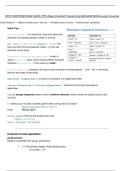
CP213 MIDTERM EXAM QUICK TIPS Object-Oriented Programming 2025-2026 Wilfrid Laurier University
Class (blueprint) → Objects (multiple cars or one car) → Varriables (colour, brand) → methods (start, accelerate)
Quick Tips:
string.charAt() is a method in Java that returns the
character at a specific position (index) in a string
for (int i = 0; i < s.length(); i++): This
loop runs from the first character (index 0) to the last
character of the string.
Character.isLetter(currentChar) is part of
Java's Character class, and it checks whether the given
character (currentChar in this case) is a letter.
string.length(), meaning it will check every character including spaces “,” and “.” etc. in the string.
Returns the length of the string.
Character.isUpperCase() to check if a character is an uppercase letter.
string.toLowerCase() / string.toUpperCase(): Converts the string to lowercase or
uppercase.
\n is an escape sequence used to insert a newline character, which moves the output cursor to the
next line.
\" allows you to include a double quote inside a string literal. Example:
System.out.println("This is \"fun\"!");
Prints This is "fun"!
array.length: Returns the length of the array.
int[] arr = {1, 2, 3, 4};
int len = arr.length; // len will be 4
Common format specifiers:
printf function
System.out.printf(format_string, arguments);
● %d: For printing integers. Adds leading zeros
○ int number = 19;
, ○ System.out.printf("%05d%n", number);
● 00019
● %f: For printing floating-point/decimal numbers.
○ "%6.2f" → This indicates that the output will take 6 characters no more and have
2 decimal places. And in this case it will add spaces and count those as
characters at the beginning of the code.
○ %.2f: Limits to 2 decimal places.
● %s: For printing strings.
○ double number = 19.987;
○ String word = "hi";
○ System.out.printf("%8.2f %s", number, word);
● 19.99 hi
● %c: For printing characters.
● %n: For printing a new line (same as \n but platform-independent)
● %g format specifier in Java is used with the printf method to format floating-point
numbers (like float and double) in a more compact form.
- java.text.NumberFormat is a class in Java used to format and parse numbers, including currency,
percentages, and general numbers.
Common methods:
● getInstance(): Returns a general number formatter for the default locale.
● getCurrencyInstance(): Returns
a currency formatter for the default
locale.
● getPercentInstance(): Returns
a percentage formatter for the default
locale.
● format(): Formats the number into
a string.
● parse(): Parses a string to retrieve
the numerical value.
- Libraries in Java are called packages
DecimalFormat Class
- that allows you to format decimal numbers (like float or double) into strings in a
customizable way.
- Always apply the following to the class; import java.text.DecimalFormat;
, Common Patterns:
● 0: Displays a digit or zero if no digit is present.
● #: Displays a digit but doesn't add zero if no digit is present.
● .: Decimal point.
● ,: Grouping separator (e.g., thousands separator).
Example Patterns:
● "###,###.##": Formats the number with commas and up to 2 decimal places.
● "000.00": Ensures exactly 3 digits before the decimal and 2 after.
○ DecimalFormat moneyFormat = new DecimalFormat("$###,###.##");
System.out.println("Formatted price: " + moneyFormat.format(price));
○ Outcome: Formatted price: $1,234.50
DecimalFormat(“0.00%”) → Prints to 2 decimal places so if the given number is 0.907
the outcome will be 90.70%
Curly Braces {}
Purpose: Curly braces are used to define blocks of code.
Parentheses ()
Purpose: Parentheses are used to pass arguments, group expressions, or control flow statements.
String str = null; // str does not reference any String object
Example: String temp=null; (temp string does not contain anything, empty)
Asking a user for input
- import java.util.Scanner; allows the
program to read user input.
- Scanner scanner = new
Scanner(System.in); creates a scanner to read
from the console. In Java, one of the common
ways to initialize a Scanner is by passing an
InputStream object, like System.in, to the
Scanner constructor.
- String name = scanner.nextLine(); reads
the entire line of text (the user's name) into the
name variable.
Class (blueprint) → Objects (multiple cars or one car) → Varriables (colour, brand) → methods (start, accelerate)
Quick Tips:
string.charAt() is a method in Java that returns the
character at a specific position (index) in a string
for (int i = 0; i < s.length(); i++): This
loop runs from the first character (index 0) to the last
character of the string.
Character.isLetter(currentChar) is part of
Java's Character class, and it checks whether the given
character (currentChar in this case) is a letter.
string.length(), meaning it will check every character including spaces “,” and “.” etc. in the string.
Returns the length of the string.
Character.isUpperCase() to check if a character is an uppercase letter.
string.toLowerCase() / string.toUpperCase(): Converts the string to lowercase or
uppercase.
\n is an escape sequence used to insert a newline character, which moves the output cursor to the
next line.
\" allows you to include a double quote inside a string literal. Example:
System.out.println("This is \"fun\"!");
Prints This is "fun"!
array.length: Returns the length of the array.
int[] arr = {1, 2, 3, 4};
int len = arr.length; // len will be 4
Common format specifiers:
printf function
System.out.printf(format_string, arguments);
● %d: For printing integers. Adds leading zeros
○ int number = 19;
, ○ System.out.printf("%05d%n", number);
● 00019
● %f: For printing floating-point/decimal numbers.
○ "%6.2f" → This indicates that the output will take 6 characters no more and have
2 decimal places. And in this case it will add spaces and count those as
characters at the beginning of the code.
○ %.2f: Limits to 2 decimal places.
● %s: For printing strings.
○ double number = 19.987;
○ String word = "hi";
○ System.out.printf("%8.2f %s", number, word);
● 19.99 hi
● %c: For printing characters.
● %n: For printing a new line (same as \n but platform-independent)
● %g format specifier in Java is used with the printf method to format floating-point
numbers (like float and double) in a more compact form.
- java.text.NumberFormat is a class in Java used to format and parse numbers, including currency,
percentages, and general numbers.
Common methods:
● getInstance(): Returns a general number formatter for the default locale.
● getCurrencyInstance(): Returns
a currency formatter for the default
locale.
● getPercentInstance(): Returns
a percentage formatter for the default
locale.
● format(): Formats the number into
a string.
● parse(): Parses a string to retrieve
the numerical value.
- Libraries in Java are called packages
DecimalFormat Class
- that allows you to format decimal numbers (like float or double) into strings in a
customizable way.
- Always apply the following to the class; import java.text.DecimalFormat;
, Common Patterns:
● 0: Displays a digit or zero if no digit is present.
● #: Displays a digit but doesn't add zero if no digit is present.
● .: Decimal point.
● ,: Grouping separator (e.g., thousands separator).
Example Patterns:
● "###,###.##": Formats the number with commas and up to 2 decimal places.
● "000.00": Ensures exactly 3 digits before the decimal and 2 after.
○ DecimalFormat moneyFormat = new DecimalFormat("$###,###.##");
System.out.println("Formatted price: " + moneyFormat.format(price));
○ Outcome: Formatted price: $1,234.50
DecimalFormat(“0.00%”) → Prints to 2 decimal places so if the given number is 0.907
the outcome will be 90.70%
Curly Braces {}
Purpose: Curly braces are used to define blocks of code.
Parentheses ()
Purpose: Parentheses are used to pass arguments, group expressions, or control flow statements.
String str = null; // str does not reference any String object
Example: String temp=null; (temp string does not contain anything, empty)
Asking a user for input
- import java.util.Scanner; allows the
program to read user input.
- Scanner scanner = new
Scanner(System.in); creates a scanner to read
from the console. In Java, one of the common
ways to initialize a Scanner is by passing an
InputStream object, like System.in, to the
Scanner constructor.
- String name = scanner.nextLine(); reads
the entire line of text (the user's name) into the
name variable.