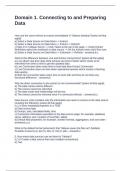
Domain 1. Connecting to and Preparing
Data
How can the users refresh an extract immediately in Tableau desktop? [select all that
apply]
a) Select a Data Source on Data Menu -> Extract
b) Select a Data Source on Data Menu -> Extract -> Refresh
c) Sign in to Tableau Server -> Click Tasks at the top of the page -> Under Extract
Refreshes select the workbook or data source -> On the Actions menu click Run now.
d) Select a Data Source on Data Menu -> Extension -> Refresh - answera,b,c
What is the difference between Live and Extract connections? [select all that apply]
a) Live allows real-time data while extracts are kind of batch which needs to be
refreshed from time to time to get the updated data.
b) Live Connection takes more time to load data than Extract Connection.
c) Live Connection does not slow down operational queries which results in fetching
data quickly.
d) Both the connection takes same time to work with and they do not have any
functional difference. - answera,b
Why the direct connection to the extract is not recommended? [select all that apply]
a) The table names will be different
b) The extract cannot be refreshed
c) The data model and relationships will be lost.
d) The extract cannot be removed once it is connected directly. - answera,b,c
Data Source (.tds) contains only the information we need to connect to the data source,
including the following: [select all that apply]
[1.1.4 Save metadata properties in a TDS]
a) Data source type
b) Groups, sets, calculated fields, bins
c) Connection information specified on the data source page; for example, database
server address, port, location of local files, tables
d) Default field properties; for example, number formats, aggregation, and sort order -
answera,b,c,d
What is the default format (extension) that Tableau saves the files as? (Multiple
Possible Answers) a) .doc b) .tdsx c) .tds d) .pbix - answerb,c
5. How many data sources can we blend in Tableau?
[1.1.5 Create a data source that uses multiple connections]
a) Two
Data
How can the users refresh an extract immediately in Tableau desktop? [select all that
apply]
a) Select a Data Source on Data Menu -> Extract
b) Select a Data Source on Data Menu -> Extract -> Refresh
c) Sign in to Tableau Server -> Click Tasks at the top of the page -> Under Extract
Refreshes select the workbook or data source -> On the Actions menu click Run now.
d) Select a Data Source on Data Menu -> Extension -> Refresh - answera,b,c
What is the difference between Live and Extract connections? [select all that apply]
a) Live allows real-time data while extracts are kind of batch which needs to be
refreshed from time to time to get the updated data.
b) Live Connection takes more time to load data than Extract Connection.
c) Live Connection does not slow down operational queries which results in fetching
data quickly.
d) Both the connection takes same time to work with and they do not have any
functional difference. - answera,b
Why the direct connection to the extract is not recommended? [select all that apply]
a) The table names will be different
b) The extract cannot be refreshed
c) The data model and relationships will be lost.
d) The extract cannot be removed once it is connected directly. - answera,b,c
Data Source (.tds) contains only the information we need to connect to the data source,
including the following: [select all that apply]
[1.1.4 Save metadata properties in a TDS]
a) Data source type
b) Groups, sets, calculated fields, bins
c) Connection information specified on the data source page; for example, database
server address, port, location of local files, tables
d) Default field properties; for example, number formats, aggregation, and sort order -
answera,b,c,d
What is the default format (extension) that Tableau saves the files as? (Multiple
Possible Answers) a) .doc b) .tdsx c) .tds d) .pbix - answerb,c
5. How many data sources can we blend in Tableau?
[1.1.5 Create a data source that uses multiple connections]
a) Two