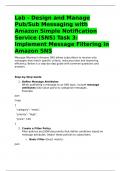
Lab - Design and Manage
Pub/Sub Messaging with
Amazon Simple Notification
Service (SNS) Task 3:
Implement Message Filtering in
Amazon SNS
Message filtering in Amazon SNS allows subscribers to receive only
messages that match specific criteria, reducing noise and improving
efficiency. Below is a step-by-step guide with common questions and
answers.
Step-by-Step Guide
1. Define Message Attributes
When publishing a message to an SNS topic, include message
attributes (key-value pairs) to categorize messages.
Example:
json
Copy
{
"category": "news",
"priority": "high",
"price": 150
}
2. Create a Filter Policy
Filter policies are JSON documents that define conditions based on
message attributes. Attach these policies to subscribers.
o Basic Filter (Exact match):
json
, Copy
{
"category": ["news"]
}
o Logical Operators (AND/OR):
json
Copy
{
"category": ["news"],
"priority": ["high"]
}
o Numeric Comparisons:
json
Copy
{
"price": [{"numeric": [">", 100]}]
}
o Exists Check:
json
Copy
{
"category": [{"exists": true}]
}
3. Apply the Filter Policy to a Subscription
Use the AWS CLI, SDK, or Console to attach the policy to a subscriber
(e.g., SQS queue, Lambda).
AWS CLI Example:
bash
Copy
Pub/Sub Messaging with
Amazon Simple Notification
Service (SNS) Task 3:
Implement Message Filtering in
Amazon SNS
Message filtering in Amazon SNS allows subscribers to receive only
messages that match specific criteria, reducing noise and improving
efficiency. Below is a step-by-step guide with common questions and
answers.
Step-by-Step Guide
1. Define Message Attributes
When publishing a message to an SNS topic, include message
attributes (key-value pairs) to categorize messages.
Example:
json
Copy
{
"category": "news",
"priority": "high",
"price": 150
}
2. Create a Filter Policy
Filter policies are JSON documents that define conditions based on
message attributes. Attach these policies to subscribers.
o Basic Filter (Exact match):
json
, Copy
{
"category": ["news"]
}
o Logical Operators (AND/OR):
json
Copy
{
"category": ["news"],
"priority": ["high"]
}
o Numeric Comparisons:
json
Copy
{
"price": [{"numeric": [">", 100]}]
}
o Exists Check:
json
Copy
{
"category": [{"exists": true}]
}
3. Apply the Filter Policy to a Subscription
Use the AWS CLI, SDK, or Console to attach the policy to a subscriber
(e.g., SQS queue, Lambda).
AWS CLI Example:
bash
Copy