Grand Central 201 Admin | Q&A Latest 2024/2025 | 100% PASS
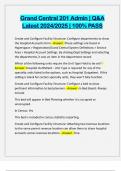
Grand Central 201 Admin | Q&A Latest 2024/2025 | 100% PASS Create and Configure Facility Structure: Configure departments to show the Hospital Accounts form - Answer -These settings are found in Hyperspace > Registration/Grand Central System Definitions > Service Area > Hospital Account Settings. By clicking Dept Settings and selecting the departments, it sets an item in the department record. Which of the following units require the Unit Type Field to be set? - Answer -Hospital OutPatient - Unit Type is required for any of the specialty units listed in the options, such as Hospital Outpatient. If this setting is blank for certain specialty units, they won't fully function. Create and Configure Facility Structure: Configure a bed to show pertinent information to bed planners - Answer -In Bed Board: Always include This bed will appear in Bed Planning whether it is occupied or unoccupied. In Census: Yes This bed is included in census s
Escuela, estudio y materia
- Institución
- Epic Grand Central
- Grado
- Epic Grand Central
Información del documento
- Subido en
- 11 de febrero de 2025
- Número de páginas
- 26
- Escrito en
- 2024/2025
- Tipo
- Examen
- Contiene
- Preguntas y respuestas
Temas
-
grand central 201 admin 2024
-
grand central 201 admin 2025
-
create and configure facility structure configure

Documento también disponible en un lote