
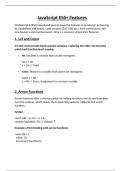
JavaScript ES6+ Features
ECMAScript 6 (ES6) introduced several powerful features to JavaScript, enhancing
its capabilities and syntax. Later versions (ES7, ES8, etc.) have continued to add
new features and improvements. Here’s a summary of key ES6+ features:
1. Let and Const
let and const provide block-scoped variables, replacing the older var keyword
which had function-level scoping.
let: Declares a variable that can be reassigned.
let x = 10;
x = 20; // Valid
const: Declares a variable that cannot be reassigned.
const y = 30;
y = 40; // Error: Assignment to constant variable.
2. Arrow Functions
Arrow functions offer a shorter syntax for writing functions and do not have their
own this context, which makes them especially useful in callbacks and event
handlers.
Syntax:
const add = (a, b) => a + b;
console.log(add(3, 4)); // Output: 7
Example of this binding with arrow functions:
const obj = {
value: 10,
increment: function() {
, setTimeout(() => {
this.value++; // `this` refers to obj
console.log(this.value); // Output: 11
}, 1000);
}
};
obj.increment();
3. Template Literals
Template literals provide an easier way to work with strings, supporting multi-line
strings and variable interpolation.
Example:
const name = "Alice";
const greeting = `Hello, ${name}! How are you?`;
console.log(greeting); // Output: Hello, Alice! How are you?
Multi-line strings:
const message = `This is
a multi-line
string.`;
console.log(message);
4. Destructuring Assignment
Destructuring allows extracting values from arrays or objects and assigning them
to variables in a more concise way.
Array Destructuring:
const numbers = [1, 2, 3];
const [a, b] = numbers;
console.log(a, b); // Output: 1 2
ECMAScript 6 (ES6) introduced several powerful features to JavaScript, enhancing
its capabilities and syntax. Later versions (ES7, ES8, etc.) have continued to add
new features and improvements. Here’s a summary of key ES6+ features:
1. Let and Const
let and const provide block-scoped variables, replacing the older var keyword
which had function-level scoping.
let: Declares a variable that can be reassigned.
let x = 10;
x = 20; // Valid
const: Declares a variable that cannot be reassigned.
const y = 30;
y = 40; // Error: Assignment to constant variable.
2. Arrow Functions
Arrow functions offer a shorter syntax for writing functions and do not have their
own this context, which makes them especially useful in callbacks and event
handlers.
Syntax:
const add = (a, b) => a + b;
console.log(add(3, 4)); // Output: 7
Example of this binding with arrow functions:
const obj = {
value: 10,
increment: function() {
, setTimeout(() => {
this.value++; // `this` refers to obj
console.log(this.value); // Output: 11
}, 1000);
}
};
obj.increment();
3. Template Literals
Template literals provide an easier way to work with strings, supporting multi-line
strings and variable interpolation.
Example:
const name = "Alice";
const greeting = `Hello, ${name}! How are you?`;
console.log(greeting); // Output: Hello, Alice! How are you?
Multi-line strings:
const message = `This is
a multi-line
string.`;
console.log(message);
4. Destructuring Assignment
Destructuring allows extracting values from arrays or objects and assigning them
to variables in a more concise way.
Array Destructuring:
const numbers = [1, 2, 3];
const [a, b] = numbers;
console.log(a, b); // Output: 1 2

