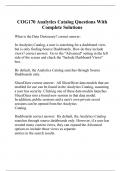
COG170 Analytics Catalog Questions With Complete Solutions
What is the Data Dictionary? correct answer: In Analytics Catalog, a user is searching for a dashboard view, but is only finding Source Dashboards. How do they include views? correct answer: Go to the "Advanced" setting in the left side of the screen and check the "Include Dashboard Views" box. By default, the Analytics Catalog searches through Source Dashboards only. SlicerDicer correct answer: All SlicerDicer data models that are enabled for use can be found in the Analytics Catalog, assuming a user has security. Clicking one of these data models launches SlicerDicer into a brand new session in that data model. In addition, public sessions and a user's own private saved sessions can be opened from the Analytics Catalog. Dashboards correct answer: By default, the Analytics Catalog searches through source dashboards only. However, if a user has created many custom views, they can expand the Advanced options to include those views as separate entries in the search results. Components correct answer: By searching for components in the Analytics Catalog, users can add components to their dashboard views without submitting a ticket or getting IT involved. Not every component is available to every user. In the Security chapter, you will see how to control which components are in the Catalog for each user. Workbench Reports correct answer: Workbench reports includes both HRX and HGR records searchable by keyword or tag. As with other content, users will only see templates and reports they have access to. Data Dictionary correct answer: Dictionary entries are used by SQL report writers to find documentation on tables and columns in the Clarity and Caboodle databases. Report Links correct answer: Links are a special type of content only available in the Analytics Catalog. These hyperlinks can be configured to jump a user to a specific Hyperspace activity, or to an external URL. Most commonly, these are used to link out to dashboards or reports that are built on 3rd party tools. Keyword search can be used to find content, but what are the issues with using it? correct answer: Keyword searching does not require any special set up, but can be imperfect, as it relies on finding the search term﴾s﴿ in the name of the record, the names of its tags, or its description. Using report tags is a better way to categorize content Both tags and descriptions can be added during build in the following editors: correct answer: Components Component Editor > Basic Information > Help Text Dashboards Dashboard Editor > Basic Information Reports Report Settings > General Available Content. Do all Components get returned? correct answer: It depends. The Analytics Catalog only returns components the user can add to their dashboard and reports and dashboards the user can open. Which of the items allow the adding of a Report Tag Dashboards SlicerDicer Data Models Components Workbench Reports Report Links ﴾to external or third‐party content﴿ correct answer: Dashboards SlicerDicer Data Models Components Workbench Reports Report Links ﴾to external or third‐party content﴿ --All of them. How an the Metadata Editor be accessed? correct answer: Open the Analytics Catalog. Hover over an entry in the Analytics Catalog and click the book icon that appears to view more details about the record. Click Edit Details. ------------------------------------------------------------ The Metadata Editor can be accessed directly from a dashboard by clicking: Dashboard Options > About Dashboard > Edit Details What are the two types of tags Epic recommends you use? correct answer: Epic recommends using two types of tags: 1. Role‐based tags group content by the audience it is intended for. These tags should be named according to the audience's job description. 2. Content‐based tags are used to group together analytics content that is salient to a shared reporting topic. These tags should share a name with the topic they cover How do you know if a report has been set to an "Approved" status correct answer: The card in the catalog had a ribbon icon in it. When building custom reports, dashboards, or components, which parts of your record will be visible and searchable in the Analytics Catalog? correct answer: The display name of the record, tags, and the description Dashboards correct answer: •By default, the Analytics Catalog searches through source dashboards only. However, if a user has created many custom views, they can expand the Advanced options to include those views as separate entries in the search results. SlicerDicer correct answer: •All SlicerDicer data models that are enabled for use can be found in the Analytics Catalog, assuming a user has security. Clicking one of these data models launches SlicerDicer into a brand new session in that data model. In addition, public sessions and a user's own private saved sessions can be opened from the Analytics Catalog. Components correct answer: By searching for components in the Analytics Catalog, users can add components to their dashboard views without submitting a ticket or getting IT involved. Not every component is available to every user. Workbench reports correct answer: •Workbench reports includes both HRX and HGR records searchable by keyword or tag. As with other content, users will only see templates and reports they have access to.
Escuela, estudio y materia
- Institución
- Epic University
- Grado
- COG170
Información del documento
- Subido en
- 20 de septiembre de 2023
- Número de páginas
- 5
- Escrito en
- 2023/2024
- Tipo
- Examen
- Contiene
- Preguntas y respuestas
Temas
-
cog170 analytics catalog questions with complete s

Documento también disponible en un lote