Examen
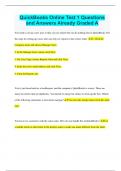
QuickBooks Online Test 1 Questions and Answers Already Graded A
Puntuación
Vendido
-
Páginas
12
Grado
A+
Subido en
13-09-2023
Escrito en
2023/2024
You need to set up a new user so they can see reports but can do nothing else in QuickBooks. Put the steps for setting up a user who can only see reports in the correct order. 1. Click the Company menu and choose Manage Users. 2. In the Manage Users screen, click New. 3. For User Type, choose Reports Only and click Next. 4. Enter the user's email address and click Next. 5. Click the Reports tab.
Mostrar más
Leer menos
Institución
QuickBooks Online
Grado
QuickBooks Online
Ups! No podemos cargar tu documento ahora. Inténtalo de nuevo o contacta con soporte.
Escuela, estudio y materia
- Institución
- QuickBooks Online
- Grado
- QuickBooks Online
Información del documento
- Subido en
- 13 de septiembre de 2023
- Número de páginas
- 12
- Escrito en
- 2023/2024
- Tipo
- Examen
- Contiene
- Preguntas y respuestas
Temas
-
quickbooks online test 1
-
questions and answers already graded a
$10.99
Accede al documento completo:
100% de satisfacción garantizada
Inmediatamente disponible después del pago
Tanto en línea como en PDF
No estas atado a nada

Documento también disponible en un lote
Package deal
QuickBooks Online Exam Bundle| All Chapters 2022/2023 | Test Questions with Verified Answers Graded A
8
2023
$ 89.42
Más información