Examen
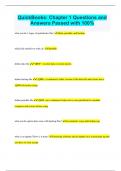
QuickBooks Chapter 3 Questions and Answers Already Graded A
Puntuación
Vendido
-
Páginas
7
Grado
A+
Subido en
06-09-2023
Escrito en
2023/2024
How can you review a Transaction Report for any account when you are viewing the Balance Sheet? Select one: a. Click the balance in the account line of the Balance Sheet report to view the Transaction Report. b. Click the Report icon at the top of the Balance Sheet screen, then choose Transaction Report. c. Click Transaction in the account line of the Balance Sheet report to view the Transaction Report. d. None of these options. a How do you access Company Settings? Select one: a. Company Settings is accessed by clicking the Building icon and then clicking Account and Settings from the Your Company column. b. Company Settings is accessed by clicking the Home icon and then clicking the Edit button in the Your Company column.
Mostrar más
Leer menos
Institución
QuickBooks
Grado
QuickBooks
Ups! No podemos cargar tu documento ahora. Inténtalo de nuevo o contacta con soporte.
Escuela, estudio y materia
- Institución
- QuickBooks
- Grado
- QuickBooks
Información del documento
- Subido en
- 6 de septiembre de 2023
- Número de páginas
- 7
- Escrito en
- 2023/2024
- Tipo
- Examen
- Contiene
- Preguntas y respuestas
Temas
-
quickbooks chapter 3 questions and answers
$11.99
Accede al documento completo:
100% de satisfacción garantizada
Inmediatamente disponible después del pago
Tanto en línea como en PDF
No estas atado a nada

Documento también disponible en un lote
Package deal
Bundle for QuickBooks Exams Compilation | Verified Guaranteed Success
56
2023
$ 549.88
Más información