Chapter 1: Getting started with HTML
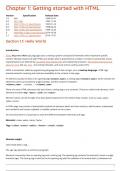
Version Specification Release Date
1.0 N/A 1994-01-01
2.0 RFC 1866 1995-11-24
3.2 W3C: HTML 3.2 Specification 1997-01-14
4.0 W3C: HTML 4.0 Specification 1998-04-24
4.01 W3C: HTML 4.01 Specification 1999-12-24
5 WHATWG: HTML Living Standard 2014-10-28
5.1 W3C: HTML 5.1 Specification 2016-11-01
Section 1.1: Hello World
Introduction
HTML (Hypertext Markup Language) uses a markup system composed of elements which represent specific
content. Markup means that with HTML you declare what is presented to a viewer, not how it is presented. Visual
representations are defined by Cascading Style Sheets (CSS) and realized by browsers. Still existing elements that
allow for such, like e.g. font, "are entirely obsolete, and must not be used by authors"[1].
HTML is sometimes called a programming language but it has no logic, so is a markup language. HTML tags
provide semantic meaning and machine-readability to the content in the page.
An element usually consists of an opening tag (<element_name>), a closing tag (</element_name>), which contain the
element's name surrounded by angle brackets, and the content in between:
<element_name>...content...</element_name>
There are some HTML elements that don't have a closing tag or any contents. These are called void elements. Void
elements include <img>, <meta>, <link> and <input>.
Element names can be thought of as descriptive keywords for the content they contain, such as video, audio,
table, footer.
A HTML page may consist of potentially hundreds of elements which are then read by a web browser, interpreted
and rendered into human readable or audible content on the screen.
For this document it is important to note the difference between elements and tags:
Elements: video, audio, table, footer
Tags: <video>, <audio>, <table>, <footer>, </html>, </body>
Element insight
Let's break down a tag...
The <p> tag represents a common paragraph.
Elements commonly have an opening tag and a closing tag. The opening tag contains the element's name in angle
brackets (<p>). The closing tag is identical to the opening tag with the addition of a forward slash (/) between the
2
,opening bracket and the element's name (</p>).
Content can then go between these two tags: <p>This is a simple paragraph.</p>.
Creating a simple page
The following HTML example creates a simple "Hello World" web page.
HTML files can be created using any text editor. The files must be saved with a .html or .htm[2] extension in order
to be recognized as HTML files.
Once created, this file can be opened in any web browser.
<!DOCTYPE html>
<html lang="en">
<head>
<meta charset="UTF-8">
<title>Hello!</title>
</head>
<body>
<h1>Hello World!</h1>
<p>This is a simple paragraph.</p>
</body>
</html>
Simple page break down
These are the tags used in the example:
Tag Meaning
Defines the HTML version used in the document. In this case it is HTML5.
<!DOCTYPE>
See the doctypes topic for more information.
Opens the page. No markup should come after the closing tag (</html>). The lang attribute declares
<html> the primary language of the page using the ISO language codes (en for English).
See the Content Language topic for more information.
Opens the head section, which does not appear in the main browser window but mainly contains
<head> information about the HTML document, called metadata. It can also contain imports from external
stylesheets and scripts. The closing tag is </head>.
Gives the browser some metadata about the document. The charset attribute declares the character
encoding. Modern HTML documents should always use UTF-8, even though it is not a requirement. In
<meta>
HTML, the <meta> tag does not require a closing tag.
See the Meta topic for more information.
The title of the page. Text written between this opening and the closing tag (</title>) will be displayed
<title>
on the tab of the page or in the title bar of the browser.
Opens the part of the document displayed to users, i.e. all the visible or audible content of a page. No
<body>
content should be added after the closing tag </body>.
A level 1 heading for the page.
<h1>
See headings for more information.
<p> Represents a common paragraph of text.
3
,1. ↑ HTML5, 11.2 Non-conforming features
2. ↑ .htm is inherited from the legacy DOS three character file extension limit.
4
, Chapter 2: Doctypes
Doctypes - short for 'document type' - help browsers to understand the version of HTML the document is written in
for better interpretability. Doctype declarations are not HTML tags and belong at the very top of a document. This
topic explains the structure and declaration of various doctypes in HTML.
Section 2.1: Adding the Doctype
The <!DOCTYPE> declaration should always be included at the top of the HTML document, before the <html> tag.
Version ≥ 5
See HTML 5 Doctype for details on the HTML 5 Doctype.
<!DOCTYPE html>
Section 2.2: HTML 5 Doctype
HTML5 is not based on SGML (Standard Generalized Markup Language), and therefore does not require a reference
to a DTD (Document Type Definition).
HTML 5 Doctype declaration:
<!DOCTYPE html>
Case Insensitivity
Per the W3.org HTML 5 DOCTYPE Spec:
A DOCTYPE must consist of the following components, in this order:
1. A string that is an ASCII case-insensitive match for the string "<!DOCTYPE".
therefore the following DOCTYPEs are also valid:
<!doctype html>
<!dOCtyPe html>
<!DocTYpe html>
This SO article discusses the topic extensively: Uppercase or lowercase doctype?
5
Version Specification Release Date
1.0 N/A 1994-01-01
2.0 RFC 1866 1995-11-24
3.2 W3C: HTML 3.2 Specification 1997-01-14
4.0 W3C: HTML 4.0 Specification 1998-04-24
4.01 W3C: HTML 4.01 Specification 1999-12-24
5 WHATWG: HTML Living Standard 2014-10-28
5.1 W3C: HTML 5.1 Specification 2016-11-01
Section 1.1: Hello World
Introduction
HTML (Hypertext Markup Language) uses a markup system composed of elements which represent specific
content. Markup means that with HTML you declare what is presented to a viewer, not how it is presented. Visual
representations are defined by Cascading Style Sheets (CSS) and realized by browsers. Still existing elements that
allow for such, like e.g. font, "are entirely obsolete, and must not be used by authors"[1].
HTML is sometimes called a programming language but it has no logic, so is a markup language. HTML tags
provide semantic meaning and machine-readability to the content in the page.
An element usually consists of an opening tag (<element_name>), a closing tag (</element_name>), which contain the
element's name surrounded by angle brackets, and the content in between:
<element_name>...content...</element_name>
There are some HTML elements that don't have a closing tag or any contents. These are called void elements. Void
elements include <img>, <meta>, <link> and <input>.
Element names can be thought of as descriptive keywords for the content they contain, such as video, audio,
table, footer.
A HTML page may consist of potentially hundreds of elements which are then read by a web browser, interpreted
and rendered into human readable or audible content on the screen.
For this document it is important to note the difference between elements and tags:
Elements: video, audio, table, footer
Tags: <video>, <audio>, <table>, <footer>, </html>, </body>
Element insight
Let's break down a tag...
The <p> tag represents a common paragraph.
Elements commonly have an opening tag and a closing tag. The opening tag contains the element's name in angle
brackets (<p>). The closing tag is identical to the opening tag with the addition of a forward slash (/) between the
2
,opening bracket and the element's name (</p>).
Content can then go between these two tags: <p>This is a simple paragraph.</p>.
Creating a simple page
The following HTML example creates a simple "Hello World" web page.
HTML files can be created using any text editor. The files must be saved with a .html or .htm[2] extension in order
to be recognized as HTML files.
Once created, this file can be opened in any web browser.
<!DOCTYPE html>
<html lang="en">
<head>
<meta charset="UTF-8">
<title>Hello!</title>
</head>
<body>
<h1>Hello World!</h1>
<p>This is a simple paragraph.</p>
</body>
</html>
Simple page break down
These are the tags used in the example:
Tag Meaning
Defines the HTML version used in the document. In this case it is HTML5.
<!DOCTYPE>
See the doctypes topic for more information.
Opens the page. No markup should come after the closing tag (</html>). The lang attribute declares
<html> the primary language of the page using the ISO language codes (en for English).
See the Content Language topic for more information.
Opens the head section, which does not appear in the main browser window but mainly contains
<head> information about the HTML document, called metadata. It can also contain imports from external
stylesheets and scripts. The closing tag is </head>.
Gives the browser some metadata about the document. The charset attribute declares the character
encoding. Modern HTML documents should always use UTF-8, even though it is not a requirement. In
<meta>
HTML, the <meta> tag does not require a closing tag.
See the Meta topic for more information.
The title of the page. Text written between this opening and the closing tag (</title>) will be displayed
<title>
on the tab of the page or in the title bar of the browser.
Opens the part of the document displayed to users, i.e. all the visible or audible content of a page. No
<body>
content should be added after the closing tag </body>.
A level 1 heading for the page.
<h1>
See headings for more information.
<p> Represents a common paragraph of text.
3
,1. ↑ HTML5, 11.2 Non-conforming features
2. ↑ .htm is inherited from the legacy DOS three character file extension limit.
4
, Chapter 2: Doctypes
Doctypes - short for 'document type' - help browsers to understand the version of HTML the document is written in
for better interpretability. Doctype declarations are not HTML tags and belong at the very top of a document. This
topic explains the structure and declaration of various doctypes in HTML.
Section 2.1: Adding the Doctype
The <!DOCTYPE> declaration should always be included at the top of the HTML document, before the <html> tag.
Version ≥ 5
See HTML 5 Doctype for details on the HTML 5 Doctype.
<!DOCTYPE html>
Section 2.2: HTML 5 Doctype
HTML5 is not based on SGML (Standard Generalized Markup Language), and therefore does not require a reference
to a DTD (Document Type Definition).
HTML 5 Doctype declaration:
<!DOCTYPE html>
Case Insensitivity
Per the W3.org HTML 5 DOCTYPE Spec:
A DOCTYPE must consist of the following components, in this order:
1. A string that is an ASCII case-insensitive match for the string "<!DOCTYPE".
therefore the following DOCTYPEs are also valid:
<!doctype html>
<!dOCtyPe html>
<!DocTYpe html>
This SO article discusses the topic extensively: Uppercase or lowercase doctype?
5