Computational Thinking Summary
Lecture 1: Solution strategies
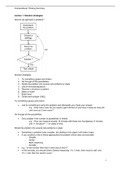
How do we approach a problem?
Solution strategies
1. Try something (guess and check)
2. Go through all the possibilities
3. Divide the problem into several sub problems or steps
4. Use of formulas/equations
5. Discover a structure or pattern
6. Make a model
7. Brute force
8. Divide-and-conquer (D&C)
Try something (guess and check)
• Just try something to solve the problem and afterwards you check your answer.
- e.g., “How many coins do you need to get 5.20 Euro if you have 3 times as many 20
cent coins as 5 cent coins?”.
Go through all the possibilities
• Only suitable if the number of possibilities is limited.
- e.g., “How can measure exactly 15 minutes with these two hourglasses (7 minutes
and 11 minutes)?”. > no waste of time
Divide the problem into several sub problems or steps
• Sometimes a problem looks complex, but dividing it into steps it will make it easy.
• If you combine a few of these approaches the problem will be clear and solvable:
- Simplify
- Divide
- Back reasoning
- Exclude
• e.g., “Is the number Alex had in mind odd or even?”.
• In the last step, you should check General reasoning: “if x = even, then result is odd” and
“if x = odd, then the result is even”.
1
,Computational Thinking Summary
Use of formulas/equations
• Use X and/or Y
• Faster and more efficient than “Try something (guess and check)”
• e.g., “How many coins do you have?”
• Sequences and series:
&
Discover a structure or pattern
• Note that there is a pattern that repeats always after a certain amount of steps
• e.g., “What is the last digit of 777?”
Make a model
• Translate the text into a model (schematic representation)
• e.g., “Determine how far the slab in total has moved forward, if the rollers have made exactly
one rotation”
Brute force
• A simple approach to solve problems
• Uses computing power to solve problems with a computer without the use of algorithms or
heuristics to speed up the calculation
• Is used if no algorithm is know that is faster or more efficient which leads to a solution
• Just do it!
• Linear search
• Bubble sort
Divide-and-conquer (D&C)
• A general technique to design algorithms (design strategy)
• Only suited for parallel computations in which each subproblem can be solved simultaneously
by its own processor
• Binary search
• Merge sort
• Quick sort
1. Divide the problem into a number of small sub-problems of the same type and ideally
about the same size (divide)
2. Solve each sub-problem (recursively) (conquer)
3. Combine all these solutions into a solution to the original problem (combine)
2
, Computational Thinking Summary
Lecture 2: From algorithm to flowchart, recursion, pseudocode
From algorithm to flowchart
What is a flowchart?
• A graphical representation (diagram/chart) of an algorithm or process
• Consists of
- Data (shown in different plains)
- Arrows (connect the plains)
• Symbols of a flowchart
Why?
• An algorithm description (spoken language or pseudocode) can not be entered directly into a
computer > the algorithm has to be converted into a computer program
• Processes or programs
- To analyse
- To design
- To maintain
- To document
• Important in problem analysis and in finding an efficient solution
Recursion
• Recursion is a technique where a method or function calls itself
• Not a program statement, but just a technique
• Factorials
- Factorials call themselves until 0! is reached
- The function F! (x), stops itself to call in F! (0) = 1 and the value is returned to the
calling function
- In general F! (N) = N * (N – 1)
3
Lecture 1: Solution strategies
How do we approach a problem?
Solution strategies
1. Try something (guess and check)
2. Go through all the possibilities
3. Divide the problem into several sub problems or steps
4. Use of formulas/equations
5. Discover a structure or pattern
6. Make a model
7. Brute force
8. Divide-and-conquer (D&C)
Try something (guess and check)
• Just try something to solve the problem and afterwards you check your answer.
- e.g., “How many coins do you need to get 5.20 Euro if you have 3 times as many 20
cent coins as 5 cent coins?”.
Go through all the possibilities
• Only suitable if the number of possibilities is limited.
- e.g., “How can measure exactly 15 minutes with these two hourglasses (7 minutes
and 11 minutes)?”. > no waste of time
Divide the problem into several sub problems or steps
• Sometimes a problem looks complex, but dividing it into steps it will make it easy.
• If you combine a few of these approaches the problem will be clear and solvable:
- Simplify
- Divide
- Back reasoning
- Exclude
• e.g., “Is the number Alex had in mind odd or even?”.
• In the last step, you should check General reasoning: “if x = even, then result is odd” and
“if x = odd, then the result is even”.
1
,Computational Thinking Summary
Use of formulas/equations
• Use X and/or Y
• Faster and more efficient than “Try something (guess and check)”
• e.g., “How many coins do you have?”
• Sequences and series:
&
Discover a structure or pattern
• Note that there is a pattern that repeats always after a certain amount of steps
• e.g., “What is the last digit of 777?”
Make a model
• Translate the text into a model (schematic representation)
• e.g., “Determine how far the slab in total has moved forward, if the rollers have made exactly
one rotation”
Brute force
• A simple approach to solve problems
• Uses computing power to solve problems with a computer without the use of algorithms or
heuristics to speed up the calculation
• Is used if no algorithm is know that is faster or more efficient which leads to a solution
• Just do it!
• Linear search
• Bubble sort
Divide-and-conquer (D&C)
• A general technique to design algorithms (design strategy)
• Only suited for parallel computations in which each subproblem can be solved simultaneously
by its own processor
• Binary search
• Merge sort
• Quick sort
1. Divide the problem into a number of small sub-problems of the same type and ideally
about the same size (divide)
2. Solve each sub-problem (recursively) (conquer)
3. Combine all these solutions into a solution to the original problem (combine)
2
, Computational Thinking Summary
Lecture 2: From algorithm to flowchart, recursion, pseudocode
From algorithm to flowchart
What is a flowchart?
• A graphical representation (diagram/chart) of an algorithm or process
• Consists of
- Data (shown in different plains)
- Arrows (connect the plains)
• Symbols of a flowchart
Why?
• An algorithm description (spoken language or pseudocode) can not be entered directly into a
computer > the algorithm has to be converted into a computer program
• Processes or programs
- To analyse
- To design
- To maintain
- To document
• Important in problem analysis and in finding an efficient solution
Recursion
• Recursion is a technique where a method or function calls itself
• Not a program statement, but just a technique
• Factorials
- Factorials call themselves until 0! is reached
- The function F! (x), stops itself to call in F! (0) = 1 and the value is returned to the
calling function
- In general F! (N) = N * (N – 1)
3