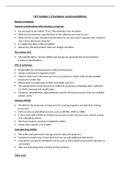
CAT module 1.3 hardware recommendations:
Buying a computer:
General considerations when buying a computer:
Do you need to be mobile? If yes, then desktop is not an option.
What are the hardware specifications of the software you want to use?
What are the current standard specifications for an entry-level computer (the cheapest)
and a more advanced computer?
Is a legal operating system provided?
Always buy the best product that your budget will allow.
The system unit:
CPU specifications, memory (RAM) and storage are generally the most important
hardware specifications.
CPU or processor:
Responsible for running programs and processing data.
Speed is measured in Gigahertz (GHz).
Modern CPUs have more than one core e.g. quad core, which is like having multiple
processors on the chip.
Brand name is usually Intel or AMD and model such as i7.
The standard entry-level processor is sufficient for general computing tasks. Sufficient
for SOHO, personal and mobile users.
3D games, spreadsheets, large databases require the best processors that are available
(power users).
Memory (RAM):
The RAM is the temporary storage area for running programs and data that is being
processed.
RAM can also be identified by terms such as DIMMS, DDR3 or DDR4.
If more than 4GB of RAM is installed you need to ensure that you have a 64-bit version
of an operating system.
The more memory you have installed the better.
Power users require a lot of RAM
Hard disk drive (HDD):
This is the main permanent storage area for data and programs.
Computers usually have 1 hard drive but you can add additional hard drives.
Hard drives can also be identified in terms such as SATA (internal hard drive interface or
connection).
SSDs use technology that is similar to flash memory.
Video card:
Buying a computer:
General considerations when buying a computer:
Do you need to be mobile? If yes, then desktop is not an option.
What are the hardware specifications of the software you want to use?
What are the current standard specifications for an entry-level computer (the cheapest)
and a more advanced computer?
Is a legal operating system provided?
Always buy the best product that your budget will allow.
The system unit:
CPU specifications, memory (RAM) and storage are generally the most important
hardware specifications.
CPU or processor:
Responsible for running programs and processing data.
Speed is measured in Gigahertz (GHz).
Modern CPUs have more than one core e.g. quad core, which is like having multiple
processors on the chip.
Brand name is usually Intel or AMD and model such as i7.
The standard entry-level processor is sufficient for general computing tasks. Sufficient
for SOHO, personal and mobile users.
3D games, spreadsheets, large databases require the best processors that are available
(power users).
Memory (RAM):
The RAM is the temporary storage area for running programs and data that is being
processed.
RAM can also be identified by terms such as DIMMS, DDR3 or DDR4.
If more than 4GB of RAM is installed you need to ensure that you have a 64-bit version
of an operating system.
The more memory you have installed the better.
Power users require a lot of RAM
Hard disk drive (HDD):
This is the main permanent storage area for data and programs.
Computers usually have 1 hard drive but you can add additional hard drives.
Hard drives can also be identified in terms such as SATA (internal hard drive interface or
connection).
SSDs use technology that is similar to flash memory.
Video card: