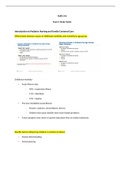
GEOG 462Final Summary.
• Using ArcGIS o Setting up a workspace in ArcGIS Lab 1 – Seeing up a workspace in ArcGIS o 1. Create a folder in which you will store all data, geodatabases and map documents o 2. Download the data associated with this lab. Be sure that you unzip the data and put the folder of unzipped data into the folder you created for this class. o 3. Store relative pathnames. Storing relative pathnames means that ArcMap will remember how to get to any data you input based on where it is located in relation to your map document rather than where it is located on the computer. o 4. Create a geodatabase. Open the Catalog window by clicking on the Catalog button in your toolbar. o Labs 1-5 Lab 2 – Shifting Shirelines o Google Earth -> point 4 개 -> georeferenced -> find planar distance changed during the time period (measure tool) -> New polygon (ArcCatalog -> Shapefile -> select name and polygon) -> start editing -> use measure tool to get area Lab 3 – Coastal Vulnerability and Resilience o Measuring Geomorphology Coastal slope Sea level change Shoreline erosion Mean tidal range Mean wave height Squareroot ((a*b*c*d*e*f)/6) o Assessing Resilience Add relevant data -> Spatial Analyst Toolbox -> Reclass -> Reclassify -> Identify the Input raster and the Recass field (value) and then clock “classify”. Lab 4 – Cost Benefit Analysis of Dams o Making a surface form vector data Add bathymetry data -> examine metadata -> set the dataframe to that coordinate system -> Create a raster surface from those points (interpolation) -> (Spatial Analyst Tools -> Interpolation -> IDW) o Raster Calculations Using Raster Calculator -> (Earlier – Later) -> Create Polygon o Illustrate the Change in Bathymetry between 2011 and 2016
Escuela, estudio y materia
- Institución
- GEOG 462Final Summary.
- Grado
- GEOG 462Final Summary.
Información del documento
- Subido en
- 11 de septiembre de 2021
- Número de páginas
- 37
- Escrito en
- 2021/2022
- Tipo
- Resumen
Temas
-
geog 462final summary
-
• using arcgis o setting up a workspace in arcgis lab 1 – seeing up a workspace in arcgis o 1 create a folder in which you will store all data
-
geodatabases and map documents