UNIT 2
P1 – Identify the common components of a computer system
Processor
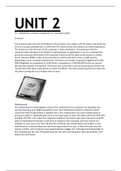
The processor goes into the motherboard. The processor also needs a CPU fan which cools down the
CPU as it can get extremely hot, in which the CPU needs its own fan to keep it at a low temperature.
The processor is like the brain of the computer, it does calculations. The processor tells the
computer what and when to do things for example when an application is ran on a computer the
processor processes information from computer memory and the data can be stored as random
access memory (RAM). It also carries priorities for which tasks have a low or a high priority
depending on your computer requirements. Processors are usually measured in gigahertz (G nHZ).
3000 Megahertz are equivalent to 3GHZ which is equivalent to 3,000,000,000 Cycles per second
(processing computer instructions). Processors also come with a central processing unit (CPU) core
commonly as dual (two), triple (three) or quad core (four). The more processing units you have this
will allow a computer to do multiple tasks at once.
Motherboard
The motherboard is holds together many of the components of a computer. For examples: the
central processing unit, RAM and graphics card. The motherboard contains a chipset in which
concurrent with the generation or platform for a CPU. A generation can have multiple types of
processors within it. Motherboards come in five main types of sizes: ATX, Micro-ATX, Flex-ATX, DTX,
and Mini-ITX (This is the order from largest to smallest.) The reason why users may want a specific
type of motherboard is because it will have an impact on the computer case they choose, for
example if a user was to use mini-ITX than the computer case would likely to be smaller, as the
motherboard is small and does not take much space within the case, in which the user may find
having a smaller sized computer more appealing than a bigger one. Although the disadvantage of
this would be that the mini-ITX would have less ram slots, less expansion slots, less graphics card
and/or less SATA ports.
,BIOS
A bios is a set of computer instructions in a permanent software programmed for reading memory
only. The BIOS tells the computer how to perform a number of basic functions, for example booting
the computer. Bios is used to identify and configure hardware e.g. hard drive, optical drive, Central
processing unit (CPU), memory. The bios checks if chips, hard drives, ports and CPU function
together correctly. One of the most important roles the bios has is booting the operating system.
When a computer is booted the microprocessor attempts to execute the first instruction, it is
required to get the information from the bios as the operating system is located on the hard drive
and the microprocessor is unable to access the hard disk if it has no information that tells it how.
Power supply
A power supply gives electrical power to the components and parts of the computer without this the
components would not function and therefor the computer would not even be able to boot up. The
power supply has a fan built into it in which the power supply is able to maintain a low temperature.
Power supplies are only a part in a desktop computer and not in a laptop. A power supply also takes
400 volts input and reduces the output wires which are at the end of the power supply, for example
the SATA cable put into the hard-drive.
Fan and heat sink or cooling
Computers have heat sinks which help keep the CPU cool and prevent it from overheating. Although
sometimes the heat sink it may become too hot. This may occur if the CPU is running at a high
capacity for a long period of time or if the air surrounding the computer is too hot. For this reason a
fan is often used in combination to be able to keep the CPU and heat sink at a temperature suitable
for the computer. If the temperature of the computer is too high it will most likely shut itself down
to protect itself from being damaged or the components may simply be too hot to be running.
, Hard drive configurations and controllers eg SATA, IDE, EIDE, master and slave
A hard drive is a storage device used on many current computers. The hard disk is used to retrieve
information, as a hard drive keeps information permanent on it, unless deleted. Usually, these hard
drives are consist size of: 3.5" and 2.5" for desktop computers although the physical storage size can
be different on a laptop, as laptops are designed specifically for portable use, in which the weight
has to be lower.
A hard drive has one or more platters in which data is written using a magnetic head, inside of an
air-sealed casing, this is why when hard drives are dropped while running they can be highly
damaged and data on the hard drive becomes corrupt or unreadable. Hard drives are able to
connect to the motherboard by: ATA, SCSI, or SATA cable. The hard-drive gets power from the power
supply unit.
SATA stands for Serial Advanced technology attachment. This is an interface to connect advanced
technology attachment hard drives to a computer’s motherboard. SATA is now more commonly
used than parallel ATA as SATA is much quicker.
IDE stands for Integrated Drive electronics. This is a basic interface drive, in which the drive is able to
connect directly to the motherboard or a controller.
EIDE stands for enhanced integrated drive electronics. EIDE is used to transmit and receive data and
send data from the hard drive.
Master/slave is a model of communication where a device or process has operations in one route
over a device or multiple devices. In a couple of systems a master is elected from a group of services
with other devices playing roles of slaves.
P1 – Identify the common components of a computer system
Processor
The processor goes into the motherboard. The processor also needs a CPU fan which cools down the
CPU as it can get extremely hot, in which the CPU needs its own fan to keep it at a low temperature.
The processor is like the brain of the computer, it does calculations. The processor tells the
computer what and when to do things for example when an application is ran on a computer the
processor processes information from computer memory and the data can be stored as random
access memory (RAM). It also carries priorities for which tasks have a low or a high priority
depending on your computer requirements. Processors are usually measured in gigahertz (G nHZ).
3000 Megahertz are equivalent to 3GHZ which is equivalent to 3,000,000,000 Cycles per second
(processing computer instructions). Processors also come with a central processing unit (CPU) core
commonly as dual (two), triple (three) or quad core (four). The more processing units you have this
will allow a computer to do multiple tasks at once.
Motherboard
The motherboard is holds together many of the components of a computer. For examples: the
central processing unit, RAM and graphics card. The motherboard contains a chipset in which
concurrent with the generation or platform for a CPU. A generation can have multiple types of
processors within it. Motherboards come in five main types of sizes: ATX, Micro-ATX, Flex-ATX, DTX,
and Mini-ITX (This is the order from largest to smallest.) The reason why users may want a specific
type of motherboard is because it will have an impact on the computer case they choose, for
example if a user was to use mini-ITX than the computer case would likely to be smaller, as the
motherboard is small and does not take much space within the case, in which the user may find
having a smaller sized computer more appealing than a bigger one. Although the disadvantage of
this would be that the mini-ITX would have less ram slots, less expansion slots, less graphics card
and/or less SATA ports.
,BIOS
A bios is a set of computer instructions in a permanent software programmed for reading memory
only. The BIOS tells the computer how to perform a number of basic functions, for example booting
the computer. Bios is used to identify and configure hardware e.g. hard drive, optical drive, Central
processing unit (CPU), memory. The bios checks if chips, hard drives, ports and CPU function
together correctly. One of the most important roles the bios has is booting the operating system.
When a computer is booted the microprocessor attempts to execute the first instruction, it is
required to get the information from the bios as the operating system is located on the hard drive
and the microprocessor is unable to access the hard disk if it has no information that tells it how.
Power supply
A power supply gives electrical power to the components and parts of the computer without this the
components would not function and therefor the computer would not even be able to boot up. The
power supply has a fan built into it in which the power supply is able to maintain a low temperature.
Power supplies are only a part in a desktop computer and not in a laptop. A power supply also takes
400 volts input and reduces the output wires which are at the end of the power supply, for example
the SATA cable put into the hard-drive.
Fan and heat sink or cooling
Computers have heat sinks which help keep the CPU cool and prevent it from overheating. Although
sometimes the heat sink it may become too hot. This may occur if the CPU is running at a high
capacity for a long period of time or if the air surrounding the computer is too hot. For this reason a
fan is often used in combination to be able to keep the CPU and heat sink at a temperature suitable
for the computer. If the temperature of the computer is too high it will most likely shut itself down
to protect itself from being damaged or the components may simply be too hot to be running.
, Hard drive configurations and controllers eg SATA, IDE, EIDE, master and slave
A hard drive is a storage device used on many current computers. The hard disk is used to retrieve
information, as a hard drive keeps information permanent on it, unless deleted. Usually, these hard
drives are consist size of: 3.5" and 2.5" for desktop computers although the physical storage size can
be different on a laptop, as laptops are designed specifically for portable use, in which the weight
has to be lower.
A hard drive has one or more platters in which data is written using a magnetic head, inside of an
air-sealed casing, this is why when hard drives are dropped while running they can be highly
damaged and data on the hard drive becomes corrupt or unreadable. Hard drives are able to
connect to the motherboard by: ATA, SCSI, or SATA cable. The hard-drive gets power from the power
supply unit.
SATA stands for Serial Advanced technology attachment. This is an interface to connect advanced
technology attachment hard drives to a computer’s motherboard. SATA is now more commonly
used than parallel ATA as SATA is much quicker.
IDE stands for Integrated Drive electronics. This is a basic interface drive, in which the drive is able to
connect directly to the motherboard or a controller.
EIDE stands for enhanced integrated drive electronics. EIDE is used to transmit and receive data and
send data from the hard drive.
Master/slave is a model of communication where a device or process has operations in one route
over a device or multiple devices. In a couple of systems a master is elected from a group of services
with other devices playing roles of slaves.