IT notes - Grade 12
Section 1: Systems Technologies
1.1 HARDWARE
Mobile technologies
Examples of mobile technologies
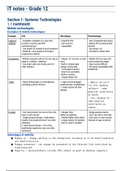
Example Info Advantages Disadvantages
Laptop & - Complete computer in a case that - Powerful CPU - Size (comparatively larger)
netbook includes a battery and WiFi - Full-scale OS - Battery life (comparatively
communications - Expandable shorter)
- Can attach 3G modem & work anywhere - Not always ‘on’
- Netbook = less powerful & cheaper - No built-in cellular data
(replaced by tablets)
Smartphone - Mobile computer with an OS, but only as - Always ‘on’ (no boot or load - Mobile OS (not same full-
large as ‘ordinary’ cellphone time) scale productivity apps)
- Can make calls, but mostly used for - Built-in cellular data - Input can be difficult
other features (always connected) - Not easily expandable with
- Convergence device peripherals
- Small size (portable)
- Built-in sensors
- Longer battery life
Tablet - Same technologies as smartphones, - Larger screen & bigger - Mobile OS can’t
excluding a phone function keyboard than smartphones run full desktop
- Longer battery life than
software → same
laptops
physical constraints
as phone
- Full desktop OS →
same physical
constraints as
laptop
E-reader - Can read e-books, but are not the only - Cheaper than - Single-purpose device
way to read e-books tablet/smartphone - Can’t see well in dim light
- Single-purpose design = dedicated e- - Smaller/lighter than tablet - Extra item to carry around
readers (low powered & don’t run other - Longer battery life (weeks) (instead of app on phone)
software) - Easy to read in sunlight
[- Tablet-based design = full colour,
multimedia experience (can run other
software)]
Advantages of mobility
● Always on → always working in the background, allowing it to be fast/responsive
and smart/intuitive
● Always connected → can always be connected to the Internet (not restricted by
time/location)
● Powerful → phones/tablets include CPUs almost as good as desktop computers
, ● Convergent → miniaturisation allows devices to include the functionality of many
mobile devices
● Mobile → doesn’t need to stay in one place or attached to wired connections;
wearable (Google Glass, Apple Watch, Pebble/Gear smartwatches) allows to wear on
body instead of carrying around
Constraints on mobile technology
● Battery life
○ Longer operation = bigger battery = bigger device
○ More powerful device = greater need for electricity = bigger battery (device)
○ Limited battery life:
■ Always need to carry chargers/spare batteries
■ Run out of power daily
■ Limit how much we use devices to conserve power
■ Trade-off between computing power & power consumption
● Speed & availability of communication
○ Poor/absent cell phone reception → phones/tablets can’t be used for calls,
data transfer, browsing etc. → reduces their usefulness
● Size
○ Small & light = easier to carry around
○ Batteries & computing components use physical space → limiting space
available = limited space for components & batteries in it
Factors influencing computer’s performance
CPU
● Speed (GHz): bigger is better → higher speed = CPU can process more instructions
in same amount of time
● Cores: more is better → core is a whole CPU on the chip, each CPU can work on a
separate program at the same time = better performance (esp. when user runs more
than the average no. of apps at once)
Memory
● Bigger is better
● It is where computer keeps data & instructions it is working with
● Memory is fast
Cache
● Bigger is better
● Uses limited amount of faster media for faster access to data/instructions stored on a slower media
● Temporarily stores recently accessed data/instructions on the faster media
● Bigger cache = more data accessible from faster media
● Built into components (CPU/hard drive) → can’t change/upgrade without replacing
these parts
Storage
● Lower (access time) is better
● Access speeds = average time it takes to read or write data
● Improve computer’s speed by replacing mechanical hard drive with SSD
● SSDs = expensive & come in smaller sizes
Network
● Higher network speed = better
● Measured in Mbps or Gbps
● Higher speed = more data transferred in same amount of time
● Affects performance when a lot of the computing work is connecting to computers/resources over a network
, Graphics processing ability
● Graphics card performance relies on:
○ Speed & no. of processing cores on GPU chip
○ Speed & amount of memory on the card
○ Speed of its communication with the motherboard
● Better graphics card improves speed when doing graphics-intensive tasks
Bus performance
● Bigger is better
● Transfer of data between CPU & other parts occurs over various ‘buses’
● Only matters when putting together fastest possible computer (have to replace motherboard, RAM & CPU)
Hardware recommendations
● Home/personal users → limited office tasks, Internet banking, e-mail & web
browsing, social networking, Skype, view & share photos, entertainment (casual
gaming, music, movies)
● SOHO (Small Office Home Office) users → accounting/billing, databases, planning &
scheduling; some may need workstation for designing plans/models
(architects/engineers)
● Entertainment users → music, videos, web browsing, social networking, playing casual
games
● Power users → hard-core gamers, architects, engineers, scientists & video editing
professionals; need high-end computer specs; may need specific hardware & use
the most advanced functions of hardware
System unit recommendations
Hardware item Recommendation
CPU or processor - Standard entry-level (cheapest) processor is sufficient for personal
Responsible for running programs & users & SOHO users’ admin tasks
processing data - Power users need best CPU they can afford
Memory (RAM) - Any user → more memory = better
Temp storage area for data & programs - Power users require more memory (especially advanced games)
Hard Disk Drive (HDD) - Most users don’t fill default hard drive size
Main/permanent storage for data & - Entertainment → need largest storage you can
software (only have 1 but can add more) afford
- Power users → may need series of hard drives
(RAID technology)
Solid State Drives (SSDs) - Power users (need speed) → use SSD as primary
Technology similar to flash memory drive of computer (faster boot up & better system
performance)
DVD Drive - DVD drive mainly for backward compatibility with software already
Optical drive, play/read/write CD/DVD discs bought on disc & for playing media (music CDs or movie DVDs)
Port - USB port → standard on all computers; USB 3
Connects external devices to computer faster than USB 2
- Network port → connect to cabled network
- FireWire/Thunderbolt port for high speed data/video connections
- Built-in support for WiFi (e.g. 802.11 b/g/n)
Section 1: Systems Technologies
1.1 HARDWARE
Mobile technologies
Examples of mobile technologies
Example Info Advantages Disadvantages
Laptop & - Complete computer in a case that - Powerful CPU - Size (comparatively larger)
netbook includes a battery and WiFi - Full-scale OS - Battery life (comparatively
communications - Expandable shorter)
- Can attach 3G modem & work anywhere - Not always ‘on’
- Netbook = less powerful & cheaper - No built-in cellular data
(replaced by tablets)
Smartphone - Mobile computer with an OS, but only as - Always ‘on’ (no boot or load - Mobile OS (not same full-
large as ‘ordinary’ cellphone time) scale productivity apps)
- Can make calls, but mostly used for - Built-in cellular data - Input can be difficult
other features (always connected) - Not easily expandable with
- Convergence device peripherals
- Small size (portable)
- Built-in sensors
- Longer battery life
Tablet - Same technologies as smartphones, - Larger screen & bigger - Mobile OS can’t
excluding a phone function keyboard than smartphones run full desktop
- Longer battery life than
software → same
laptops
physical constraints
as phone
- Full desktop OS →
same physical
constraints as
laptop
E-reader - Can read e-books, but are not the only - Cheaper than - Single-purpose device
way to read e-books tablet/smartphone - Can’t see well in dim light
- Single-purpose design = dedicated e- - Smaller/lighter than tablet - Extra item to carry around
readers (low powered & don’t run other - Longer battery life (weeks) (instead of app on phone)
software) - Easy to read in sunlight
[- Tablet-based design = full colour,
multimedia experience (can run other
software)]
Advantages of mobility
● Always on → always working in the background, allowing it to be fast/responsive
and smart/intuitive
● Always connected → can always be connected to the Internet (not restricted by
time/location)
● Powerful → phones/tablets include CPUs almost as good as desktop computers
, ● Convergent → miniaturisation allows devices to include the functionality of many
mobile devices
● Mobile → doesn’t need to stay in one place or attached to wired connections;
wearable (Google Glass, Apple Watch, Pebble/Gear smartwatches) allows to wear on
body instead of carrying around
Constraints on mobile technology
● Battery life
○ Longer operation = bigger battery = bigger device
○ More powerful device = greater need for electricity = bigger battery (device)
○ Limited battery life:
■ Always need to carry chargers/spare batteries
■ Run out of power daily
■ Limit how much we use devices to conserve power
■ Trade-off between computing power & power consumption
● Speed & availability of communication
○ Poor/absent cell phone reception → phones/tablets can’t be used for calls,
data transfer, browsing etc. → reduces their usefulness
● Size
○ Small & light = easier to carry around
○ Batteries & computing components use physical space → limiting space
available = limited space for components & batteries in it
Factors influencing computer’s performance
CPU
● Speed (GHz): bigger is better → higher speed = CPU can process more instructions
in same amount of time
● Cores: more is better → core is a whole CPU on the chip, each CPU can work on a
separate program at the same time = better performance (esp. when user runs more
than the average no. of apps at once)
Memory
● Bigger is better
● It is where computer keeps data & instructions it is working with
● Memory is fast
Cache
● Bigger is better
● Uses limited amount of faster media for faster access to data/instructions stored on a slower media
● Temporarily stores recently accessed data/instructions on the faster media
● Bigger cache = more data accessible from faster media
● Built into components (CPU/hard drive) → can’t change/upgrade without replacing
these parts
Storage
● Lower (access time) is better
● Access speeds = average time it takes to read or write data
● Improve computer’s speed by replacing mechanical hard drive with SSD
● SSDs = expensive & come in smaller sizes
Network
● Higher network speed = better
● Measured in Mbps or Gbps
● Higher speed = more data transferred in same amount of time
● Affects performance when a lot of the computing work is connecting to computers/resources over a network
, Graphics processing ability
● Graphics card performance relies on:
○ Speed & no. of processing cores on GPU chip
○ Speed & amount of memory on the card
○ Speed of its communication with the motherboard
● Better graphics card improves speed when doing graphics-intensive tasks
Bus performance
● Bigger is better
● Transfer of data between CPU & other parts occurs over various ‘buses’
● Only matters when putting together fastest possible computer (have to replace motherboard, RAM & CPU)
Hardware recommendations
● Home/personal users → limited office tasks, Internet banking, e-mail & web
browsing, social networking, Skype, view & share photos, entertainment (casual
gaming, music, movies)
● SOHO (Small Office Home Office) users → accounting/billing, databases, planning &
scheduling; some may need workstation for designing plans/models
(architects/engineers)
● Entertainment users → music, videos, web browsing, social networking, playing casual
games
● Power users → hard-core gamers, architects, engineers, scientists & video editing
professionals; need high-end computer specs; may need specific hardware & use
the most advanced functions of hardware
System unit recommendations
Hardware item Recommendation
CPU or processor - Standard entry-level (cheapest) processor is sufficient for personal
Responsible for running programs & users & SOHO users’ admin tasks
processing data - Power users need best CPU they can afford
Memory (RAM) - Any user → more memory = better
Temp storage area for data & programs - Power users require more memory (especially advanced games)
Hard Disk Drive (HDD) - Most users don’t fill default hard drive size
Main/permanent storage for data & - Entertainment → need largest storage you can
software (only have 1 but can add more) afford
- Power users → may need series of hard drives
(RAID technology)
Solid State Drives (SSDs) - Power users (need speed) → use SSD as primary
Technology similar to flash memory drive of computer (faster boot up & better system
performance)
DVD Drive - DVD drive mainly for backward compatibility with software already
Optical drive, play/read/write CD/DVD discs bought on disc & for playing media (music CDs or movie DVDs)
Port - USB port → standard on all computers; USB 3
Connects external devices to computer faster than USB 2
- Network port → connect to cabled network
- FireWire/Thunderbolt port for high speed data/video connections
- Built-in support for WiFi (e.g. 802.11 b/g/n)