
Data Management Applications - D427 exam questions with the only
accurate answers 100% correct
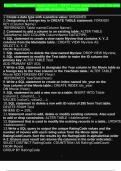
1.Create a data type with a positive value: UNSIGNED
2.Designating a foreign key in CREATE TABLE statement: FOREIGN
KEY (Column Name)
REFERENCES Table name(Column Name),
3.Command to add a column to an existing table: ALTER TABLE
TableName ADD COLUMN ColumnName DATATYPE;
4.SQL statement to create a view name Myview that contains X, Y, Z
columns from the Maintable table.: CREATE VIEW Myview AS
SELECT X, Y, Z
FROM Maintable;
5.SQL statement to delete the view named Myview: DROP VIEW Myview;
6.SQL statement to modify the Test table to make the ID column the
primary key: ALTER TABLE Test
ADD PRIMARY KEY (ID);
7.Write a SQL statement to designate the Year column in the Movie table as
a foreign key to the Year column in the YearStats table.: ALTER TABLE
Movie ADD FOREIGN KEY (Year)
REFERENCES YearStats(Year);
8.Write a SQL statement to create an index named idx_year on the
Year column of the Movie table.: CREATE INDEX idx_year
ON Movie (Year);
9.SQL statement to add a new row to a table: INSERT INTO Table
(column1, column2,...)
VALUES (value1, value2,...);
10.SQL statement to delete a row with ID value of 295 from Test table:
DELETE FROM Test
WHERE ID = 295;
11.Statement used to add, delete or modify existing columns. Also used
to add or drop constraints: ALTER TABLE <tablename>
12.Statement that is used to modify the existing records in a table.: UPDATE
<tablename>
13.Write a SQL query to output the unique RatingCode values and the
number of movies with each rating value from the Movie table as
RatingCodeCount. Sort the results by the RatingCode in alphabetical order
A-Z. Ensure your result set returns the columns in the order indicated.:
SELECT DISTINCT RatingCode, COUNT(Title) AS RatingCodeCount
FROM Movie
GROUP BY RatingCode
1/
3
accurate answers 100% correct
1.Create a data type with a positive value: UNSIGNED
2.Designating a foreign key in CREATE TABLE statement: FOREIGN
KEY (Column Name)
REFERENCES Table name(Column Name),
3.Command to add a column to an existing table: ALTER TABLE
TableName ADD COLUMN ColumnName DATATYPE;
4.SQL statement to create a view name Myview that contains X, Y, Z
columns from the Maintable table.: CREATE VIEW Myview AS
SELECT X, Y, Z
FROM Maintable;
5.SQL statement to delete the view named Myview: DROP VIEW Myview;
6.SQL statement to modify the Test table to make the ID column the
primary key: ALTER TABLE Test
ADD PRIMARY KEY (ID);
7.Write a SQL statement to designate the Year column in the Movie table as
a foreign key to the Year column in the YearStats table.: ALTER TABLE
Movie ADD FOREIGN KEY (Year)
REFERENCES YearStats(Year);
8.Write a SQL statement to create an index named idx_year on the
Year column of the Movie table.: CREATE INDEX idx_year
ON Movie (Year);
9.SQL statement to add a new row to a table: INSERT INTO Table
(column1, column2,...)
VALUES (value1, value2,...);
10.SQL statement to delete a row with ID value of 295 from Test table:
DELETE FROM Test
WHERE ID = 295;
11.Statement used to add, delete or modify existing columns. Also used
to add or drop constraints: ALTER TABLE <tablename>
12.Statement that is used to modify the existing records in a table.: UPDATE
<tablename>
13.Write a SQL query to output the unique RatingCode values and the
number of movies with each rating value from the Movie table as
RatingCodeCount. Sort the results by the RatingCode in alphabetical order
A-Z. Ensure your result set returns the columns in the order indicated.:
SELECT DISTINCT RatingCode, COUNT(Title) AS RatingCodeCount
FROM Movie
GROUP BY RatingCode
1/
3


