

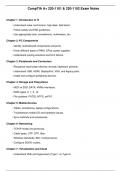
CompTIA A+ 220-1101 & 220-1102 Exam Notes
Chapter 1: Introduction to IT
- Understand roles: technicians, help desk, field techs.
- Follow safety and ESD guidelines.
- Use appropriate tools: screwdrivers, multimeters, etc.
Chapter 2: PC Components
- Identify motherboard components and ports.
- Know different types of RAM, CPUs, power supplies.
- Understand cooling solutions and form factors.
Chapter 3: Peripherals and Connectors
- Recognize input/output devices (mouse, keyboard, printers).
- Understand USB, HDMI, DisplayPort, VGA, and legacy ports.
- Install and configure peripheral devices.
Chapter 4: Storage and Filesystems
- HDD vs SSD; SATA, NVMe interfaces.
- RAID types: 0, 1, 5, 10.
- File systems: FAT32, NTFS, exFAT.
Chapter 5: Mobile Devices
- Tablet, smartphone, laptop configurations.
- Troubleshoot mobile OS and hardware issues.
- Sync methods and accessories.
Chapter 6: Networking
- TCP/IP model and protocols.
- Cable types: UTP, STP, fiber.
- Wireless standards: 802.11a/b/g/n/ac/ax.
- Configure SOHO routers.
Chapter 7: Virtualization and Cloud
- Understand VMs and hypervisors (Type 1 vs Type 2).
Chapter 1: Introduction to IT
- Understand roles: technicians, help desk, field techs.
- Follow safety and ESD guidelines.
- Use appropriate tools: screwdrivers, multimeters, etc.
Chapter 2: PC Components
- Identify motherboard components and ports.
- Know different types of RAM, CPUs, power supplies.
- Understand cooling solutions and form factors.
Chapter 3: Peripherals and Connectors
- Recognize input/output devices (mouse, keyboard, printers).
- Understand USB, HDMI, DisplayPort, VGA, and legacy ports.
- Install and configure peripheral devices.
Chapter 4: Storage and Filesystems
- HDD vs SSD; SATA, NVMe interfaces.
- RAID types: 0, 1, 5, 10.
- File systems: FAT32, NTFS, exFAT.
Chapter 5: Mobile Devices
- Tablet, smartphone, laptop configurations.
- Troubleshoot mobile OS and hardware issues.
- Sync methods and accessories.
Chapter 6: Networking
- TCP/IP model and protocols.
- Cable types: UTP, STP, fiber.
- Wireless standards: 802.11a/b/g/n/ac/ax.
- Configure SOHO routers.
Chapter 7: Virtualization and Cloud
- Understand VMs and hypervisors (Type 1 vs Type 2).


