
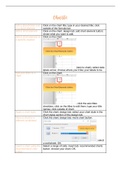
Charts
Edit a placeholder text Click on the chart title; type in your desired title; click
in a chart element outside of the formula bar.
Add a chart element Click on the chart; design tab; add chart element button;
chose what you want to add.
Add a chart element at Click on the chart;
a specific location
(next to chart); select data
labels arrow; choose where you’d like your labels to be.
Add axis titles to a Click on the chart;
chart
; click the axis titles
checkbox; click on the titles to edit them; type your title
names; click outside of chart.
Apply a chart style Click the chart; design tab; select your chart style in the
chart styles section of the design tab.
Move a chart to a Click the chart; design tab; move chart button;
different worksheet
; select
a worksheet; OK.
Insert a chart using the Select a range of cells; insert tab; recommended charts
recommended chart button; choose your chart; OK.
button
, Insert a clustered Select a range of cells; insert tab;
column chart
; select the
clustered column chart.
Change the number Click the chart; right-click an axis; Format axis; Number;
format of a chart axis choose the currency category; close.
Insert a 3D pie chart Select a range of cells; insert tab;
; select the 3D pie chart.
Move a chart on a Click and drag the chart to a new location.
worksheet
Resize a chart Click the chart;
Explode a pie chart Click on a slice in the pie chart; right-click the selected
slice slice; format data point; change the point explosion %;
close.
Insert a chart using the Select a range of cells;
quick analysis tool
; click on charts;
choose your chart.
Change a chart type Click chart; design tab; change chart type button; choose
your chart.
Edit a placeholder text Click on the chart title; type in your desired title; click
in a chart element outside of the formula bar.
Add a chart element Click on the chart; design tab; add chart element button;
chose what you want to add.
Add a chart element at Click on the chart;
a specific location
(next to chart); select data
labels arrow; choose where you’d like your labels to be.
Add axis titles to a Click on the chart;
chart
; click the axis titles
checkbox; click on the titles to edit them; type your title
names; click outside of chart.
Apply a chart style Click the chart; design tab; select your chart style in the
chart styles section of the design tab.
Move a chart to a Click the chart; design tab; move chart button;
different worksheet
; select
a worksheet; OK.
Insert a chart using the Select a range of cells; insert tab; recommended charts
recommended chart button; choose your chart; OK.
button
, Insert a clustered Select a range of cells; insert tab;
column chart
; select the
clustered column chart.
Change the number Click the chart; right-click an axis; Format axis; Number;
format of a chart axis choose the currency category; close.
Insert a 3D pie chart Select a range of cells; insert tab;
; select the 3D pie chart.
Move a chart on a Click and drag the chart to a new location.
worksheet
Resize a chart Click the chart;
Explode a pie chart Click on a slice in the pie chart; right-click the selected
slice slice; format data point; change the point explosion %;
close.
Insert a chart using the Select a range of cells;
quick analysis tool
; click on charts;
choose your chart.
Change a chart type Click chart; design tab; change chart type button; choose
your chart.


