IMY 110
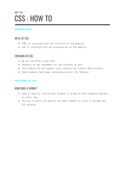
CSS : HOW TO
INTRODUCTION
HTML VS CSS
● HTML is concerned with the structure of the website
● CSS is concerned with the presentation of the website
VERSIONS OF CSS
● We are currently using CSS3
● Browsers do not implement all the features at once
● Old browsers do not support every feature and require work-arounds
● Some browsers have bugs concerning certain CSS features
STRUCTURE OF CSS
HOW DOES IT WORK?
● Used to specify a particular element or group of html elements and how
to style them
● The way in which you specify the HTML element to style is through the
CSS selector
,ADDING CSS TO YOUR HTML DOCUMENT
● There are 3 ways to add CSS to your HTML document
● Only 2 of which are useful
○ INTERNAL CSS - inside the html document ← Try not to use this
○ EXTERNAL CSS - uses an external file (.css file) to separate
structure from content and make editing multiple pages easier as
all of the CSS is stored in one place ← Recommended
UNDERSTANDING CSS
● CSS treats every element in HTML as if it is in a box on its own
● The entire page is treated as a box
,A BASIC CSS RULE
p {
font-family: Arial;}
● The “p” is the selector (which element(s) the rule is being applied to)
● The text inside of the brackets is the declaration (made up of the
property and the value)
● The property is the factor which is being changed
● The value is how the factor is being changed
SELECTORS
● ELEMENT SELECTORS - selects a particular html element to be styled
● CLASS SELECTORS - allow for particular subsets with the same class to be
styled the same
● ID SELECTORS - used to uniquely identify a single element
● CHILD SELECTORS - allows styling of an element which is a direct child
of another element
COLOUR - USE THE AMERICAN SPELLING ‘COLOR’
FOREGROUND COLOR (TEXT)
● P{
color: DarkCyan;} ← Colour name
● P{
color: #ee4e80;} ← Hexadecimal code
● P{
color: rgb(100,100,90);} ← RGB values
, BACKGROUND COLOR
● P{
background-color: DarkCyan;} ← Colour name
● P{
background-color: #ee4e80;} ← Hexadecimal code
● P{
background-color: rgb(100,100,90);} ← RGB values
COLOUR THEORY
● Colours are made up of red, green and blue
● The numbers in rgb() specify how much red, green and blue are being used
to make up the colour being used
VALUES
● RGB values
● Hexadecimal code
● Colour name
● Hue, Saturation and Brightness
CONTRAST
● The amount of difference between a foreground colour and background
colour
● Low contrast tends to be difficult to look at / read
● High contrast tends to strain the user’s eyes
● Medium contrast is generally best
● Make sure to check your contrast online
CSS : HOW TO
INTRODUCTION
HTML VS CSS
● HTML is concerned with the structure of the website
● CSS is concerned with the presentation of the website
VERSIONS OF CSS
● We are currently using CSS3
● Browsers do not implement all the features at once
● Old browsers do not support every feature and require work-arounds
● Some browsers have bugs concerning certain CSS features
STRUCTURE OF CSS
HOW DOES IT WORK?
● Used to specify a particular element or group of html elements and how
to style them
● The way in which you specify the HTML element to style is through the
CSS selector
,ADDING CSS TO YOUR HTML DOCUMENT
● There are 3 ways to add CSS to your HTML document
● Only 2 of which are useful
○ INTERNAL CSS - inside the html document ← Try not to use this
○ EXTERNAL CSS - uses an external file (.css file) to separate
structure from content and make editing multiple pages easier as
all of the CSS is stored in one place ← Recommended
UNDERSTANDING CSS
● CSS treats every element in HTML as if it is in a box on its own
● The entire page is treated as a box
,A BASIC CSS RULE
p {
font-family: Arial;}
● The “p” is the selector (which element(s) the rule is being applied to)
● The text inside of the brackets is the declaration (made up of the
property and the value)
● The property is the factor which is being changed
● The value is how the factor is being changed
SELECTORS
● ELEMENT SELECTORS - selects a particular html element to be styled
● CLASS SELECTORS - allow for particular subsets with the same class to be
styled the same
● ID SELECTORS - used to uniquely identify a single element
● CHILD SELECTORS - allows styling of an element which is a direct child
of another element
COLOUR - USE THE AMERICAN SPELLING ‘COLOR’
FOREGROUND COLOR (TEXT)
● P{
color: DarkCyan;} ← Colour name
● P{
color: #ee4e80;} ← Hexadecimal code
● P{
color: rgb(100,100,90);} ← RGB values
, BACKGROUND COLOR
● P{
background-color: DarkCyan;} ← Colour name
● P{
background-color: #ee4e80;} ← Hexadecimal code
● P{
background-color: rgb(100,100,90);} ← RGB values
COLOUR THEORY
● Colours are made up of red, green and blue
● The numbers in rgb() specify how much red, green and blue are being used
to make up the colour being used
VALUES
● RGB values
● Hexadecimal code
● Colour name
● Hue, Saturation and Brightness
CONTRAST
● The amount of difference between a foreground colour and background
colour
● Low contrast tends to be difficult to look at / read
● High contrast tends to strain the user’s eyes
● Medium contrast is generally best
● Make sure to check your contrast online