
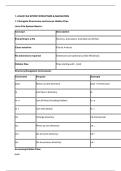
1. LINUX FILE SYSTEM STRUCTURE & NAVIGATION
1.1 Navigate Directories and Access Hidden Files
Linux File System Basics:
Concept Description
Everything is a file Devices, processes, and data are all files
Case sensitive File.txt ≠ file.txt
No extensions required Extensions are optional (unlike Windows)
Hidden files Files starting with . (dot)
Directory Navigation Commands:
Command Purpose Example
pwd Show current directory pwd → /home/user
ls List files in directory ls
ls -a List all files (including hidden) ls -a
ls -l List with details ls -l
cd Change directory cd /home/user
cd .. Move up one directory cd ..
cd ~ Go to home directory cd ~
cd - Go to previous directory cd -
Accessing Hidden Files:
bash
,# Hidden files start with dot (.)
# To see them:
ls -a # List all including hidden
ls -la # List all with details
# Common hidden files:
.bashrc # Shell configuration
.bash_history # Command history
.config/ # Application configs
Navigation Examples:
bash
# Navigate to directory
cd /home/user/documents
# Move up one level
cd ..
# Move up two levels
cd ../..
# Go directly to home
cd ~
# Go to root
cd /
# Absolute path (from root)
cd /home/user/file.txt
,# Relative path (from current)
cd documents/file.txt
1.2 Directory Hierarchy and Essential System Files
Linux Directory Structure:
Directory Purpose Contents
/ Root directory Everything starts here
/bin User binaries Essential commands (ls, cp, bash)
/boot Boot files Kernel, bootloader config
/dev Device files Hardware devices (/dev/sda, /dev/tty)
/etc Configuration files System configs, user accounts
/home User home directories /home/user1, /home/user2
/lib Libraries System library files
/lost+found Recovery File system recovery
/media Mounted media USB drives, CDs
/mnt Mount point Temporary mount points
/opt Optional packages Third-party software
/proc Process info Running process information
, Directory Purpose Contents
/root Root user home Administrator's home
/run Runtime data Temporary system data
/sbin System binaries Admin commands (ifconfig, reboot)
/srv Service data Web servers, FTP data
/sys System info Kernel system information
/tmp Temporary files Temporary data (cleared on reboot)
/usr User programs Applications, libraries, docs
/var Variable data Logs, emails, caches
Essential System Files:
File Purpose
/etc/passwd User account information
/etc/groups Group information
/etc/shadow Encrypted passwords
/etc/fstab File system mount table
/etc/hostname System hostname
/etc/network/ Network configuration
1.1 Navigate Directories and Access Hidden Files
Linux File System Basics:
Concept Description
Everything is a file Devices, processes, and data are all files
Case sensitive File.txt ≠ file.txt
No extensions required Extensions are optional (unlike Windows)
Hidden files Files starting with . (dot)
Directory Navigation Commands:
Command Purpose Example
pwd Show current directory pwd → /home/user
ls List files in directory ls
ls -a List all files (including hidden) ls -a
ls -l List with details ls -l
cd Change directory cd /home/user
cd .. Move up one directory cd ..
cd ~ Go to home directory cd ~
cd - Go to previous directory cd -
Accessing Hidden Files:
bash
,# Hidden files start with dot (.)
# To see them:
ls -a # List all including hidden
ls -la # List all with details
# Common hidden files:
.bashrc # Shell configuration
.bash_history # Command history
.config/ # Application configs
Navigation Examples:
bash
# Navigate to directory
cd /home/user/documents
# Move up one level
cd ..
# Move up two levels
cd ../..
# Go directly to home
cd ~
# Go to root
cd /
# Absolute path (from root)
cd /home/user/file.txt
,# Relative path (from current)
cd documents/file.txt
1.2 Directory Hierarchy and Essential System Files
Linux Directory Structure:
Directory Purpose Contents
/ Root directory Everything starts here
/bin User binaries Essential commands (ls, cp, bash)
/boot Boot files Kernel, bootloader config
/dev Device files Hardware devices (/dev/sda, /dev/tty)
/etc Configuration files System configs, user accounts
/home User home directories /home/user1, /home/user2
/lib Libraries System library files
/lost+found Recovery File system recovery
/media Mounted media USB drives, CDs
/mnt Mount point Temporary mount points
/opt Optional packages Third-party software
/proc Process info Running process information
, Directory Purpose Contents
/root Root user home Administrator's home
/run Runtime data Temporary system data
/sbin System binaries Admin commands (ifconfig, reboot)
/srv Service data Web servers, FTP data
/sys System info Kernel system information
/tmp Temporary files Temporary data (cleared on reboot)
/usr User programs Applications, libraries, docs
/var Variable data Logs, emails, caches
Essential System Files:
File Purpose
/etc/passwd User account information
/etc/groups Group information
/etc/shadow Encrypted passwords
/etc/fstab File system mount table
/etc/hostname System hostname
/etc/network/ Network configuration


