Meta’s Prophet Model: Case Studies
Transcripts: Bitcoin Analysis using Prophet: Part I
About This Lesson
Learning Objectives:
• To illustrate the implementation of
the Prophet modeling approach
using historical Bitcoin price data
• Compare R and python
implementations
• To expand on trend estimation
using changepoint analysis
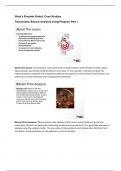
About this lesson: In this lesson, I will illustrate the implementation of the Prophet model using a
data example, specifically using the Bitcoin price data. In this example, I will also compare the
implementation using both the R statistical software and python. In the first part of this analysis, we
will focus on trend estimation with change points selection.
Bitcoin Price Analysis
Background: Bitcoin is the first
decentralized cryptocurrency in the world
and possesses characteristics different
from traditional financial assets. Its price
surge in recent years has triggered
enormous interest among the investing
public. Let’s see how we can apply
Prophet to analyze Bitcoin data.
Source: Pixabay
Bitcoin Price Analysis: We have other case studies in this course using the bitcoin price time
series data. Bitcoin has seen quite interesting trends over time and thus it is a good data example to
analyze using the prophet model. The price data in these slides is up to September 2024 but the R
and python implementation can be applied to most recent data.
, Preparing Prophet Implementation
R implementation
## Install and Import necessary libraries
install.packages('devtools')
library(devtools)
devtools::install_github('facebook/prophet', subdir='R')
library(prophet)
# install/import other libraries than need to accompany the implementation
Python implementation
## Install and Import necessary libraries
!pip install prophet
from prophet import Prophet
# install/import other libraries than need to accompany the implementation
Preparing Prophet Implementation: In this slide, I am contrasting the library installation in R and
python for prophet. The library for this model is thus available in both software languages. Working
exclusively with one software language is challenging since some implementations are available
only in R and other implementations, particularly more recent ones using machine learning
approaches, are implemented only in python. In the R implementation, we install the prophet
package by using the ‘devtools’ package to install the prophet package from its source code
repository on GitHub. Specifically, ‘devtool’ is a package in R that provides tools to make package
development easier, including installing packages directly from GitHub. The 'facebook/prophet’
specifies where we can get the GitHub package. Last, the subdir='R' indicates that the R code for
the prophet package is located in the R subdirectory of the repository. The python implementation
is much easier; we can directly install it using ‘pip install’. As you will find in the accompanying
implementations, for both R and python, we will need other libraries to install for performing the
analysis provided for the bitcoin time series modeling.
Data Processing
R implementation
databtc=read.csv('BTCUSDNEW.csv',header = TRUE)
mydates = as.Date(databtc[, 1], "%m/%d/%Y")
pricebtc=databtc[,c(5)]
## Prophet requires a data.frame format
df <- data.frame(ds = mydates, y = as.vector(pricebtc))
Python implementation
import pandas as pd
databtc = pd.read_csv('BTCUSDNEW.csv’)
pricebtc = databtc.iloc[:, 4]
mydates = pd.to_datetime(databtc.iloc[:, 0], format="%m/%d/%Y")
## Prophet requires a data.frame format
df = pd.DataFrame({'ds': mydates, 'y': pricebtc})
, Data Processing: This slide also contrasts the implementation of data read and processing in R
and python. Both implementations use the read_csv() command; for python, it is available in the
pandas library hence the command in python is pd.read_csv() where ‘pd’ is a short name given to
the pandas library for easier reference. In both implementations, we also transform the dates then
the price data along with the dates needs to be converted in data frame as required by the prophet
model implementation in both R and python.
Basic Prophet Model
Python implementation
m = Prophet()
m.fit(df)
forecast = m.predict(df)
plot = m.plot(forecast)
plot.show()
Blue line: Prophet model’s fitted values
Basic Prophet Model: We have seen R implementations thus for the remaining slides, I will mainly
provide the python implementation for applying the prophet model. Here I am demonstrating how
to get the fitted trend using prophet. We first apply the fit command of the prophet model them
predict command. The plot of the observed, fitted in blue and the confidence bands in shade of
blue can be all plotted using the plot command. As we can see the implementation using the
prophet is much simpler than we have seen before. This similar in R since the prophet library has a
costom_prophet_plot in R that can do the same thing. Based on this implementation, the model fit
follows the data closely, not being smooth, potentially overfit.
Prophet Comparison to GAM and Loess
Prophet implementation
Automatically (by
default) assumes two
types of seasonality
thus included in the fit
To capture trend only
need to specify no
seasonality
Transcripts: Bitcoin Analysis using Prophet: Part I
About This Lesson
Learning Objectives:
• To illustrate the implementation of
the Prophet modeling approach
using historical Bitcoin price data
• Compare R and python
implementations
• To expand on trend estimation
using changepoint analysis
About this lesson: In this lesson, I will illustrate the implementation of the Prophet model using a
data example, specifically using the Bitcoin price data. In this example, I will also compare the
implementation using both the R statistical software and python. In the first part of this analysis, we
will focus on trend estimation with change points selection.
Bitcoin Price Analysis
Background: Bitcoin is the first
decentralized cryptocurrency in the world
and possesses characteristics different
from traditional financial assets. Its price
surge in recent years has triggered
enormous interest among the investing
public. Let’s see how we can apply
Prophet to analyze Bitcoin data.
Source: Pixabay
Bitcoin Price Analysis: We have other case studies in this course using the bitcoin price time
series data. Bitcoin has seen quite interesting trends over time and thus it is a good data example to
analyze using the prophet model. The price data in these slides is up to September 2024 but the R
and python implementation can be applied to most recent data.
, Preparing Prophet Implementation
R implementation
## Install and Import necessary libraries
install.packages('devtools')
library(devtools)
devtools::install_github('facebook/prophet', subdir='R')
library(prophet)
# install/import other libraries than need to accompany the implementation
Python implementation
## Install and Import necessary libraries
!pip install prophet
from prophet import Prophet
# install/import other libraries than need to accompany the implementation
Preparing Prophet Implementation: In this slide, I am contrasting the library installation in R and
python for prophet. The library for this model is thus available in both software languages. Working
exclusively with one software language is challenging since some implementations are available
only in R and other implementations, particularly more recent ones using machine learning
approaches, are implemented only in python. In the R implementation, we install the prophet
package by using the ‘devtools’ package to install the prophet package from its source code
repository on GitHub. Specifically, ‘devtool’ is a package in R that provides tools to make package
development easier, including installing packages directly from GitHub. The 'facebook/prophet’
specifies where we can get the GitHub package. Last, the subdir='R' indicates that the R code for
the prophet package is located in the R subdirectory of the repository. The python implementation
is much easier; we can directly install it using ‘pip install’. As you will find in the accompanying
implementations, for both R and python, we will need other libraries to install for performing the
analysis provided for the bitcoin time series modeling.
Data Processing
R implementation
databtc=read.csv('BTCUSDNEW.csv',header = TRUE)
mydates = as.Date(databtc[, 1], "%m/%d/%Y")
pricebtc=databtc[,c(5)]
## Prophet requires a data.frame format
df <- data.frame(ds = mydates, y = as.vector(pricebtc))
Python implementation
import pandas as pd
databtc = pd.read_csv('BTCUSDNEW.csv’)
pricebtc = databtc.iloc[:, 4]
mydates = pd.to_datetime(databtc.iloc[:, 0], format="%m/%d/%Y")
## Prophet requires a data.frame format
df = pd.DataFrame({'ds': mydates, 'y': pricebtc})
, Data Processing: This slide also contrasts the implementation of data read and processing in R
and python. Both implementations use the read_csv() command; for python, it is available in the
pandas library hence the command in python is pd.read_csv() where ‘pd’ is a short name given to
the pandas library for easier reference. In both implementations, we also transform the dates then
the price data along with the dates needs to be converted in data frame as required by the prophet
model implementation in both R and python.
Basic Prophet Model
Python implementation
m = Prophet()
m.fit(df)
forecast = m.predict(df)
plot = m.plot(forecast)
plot.show()
Blue line: Prophet model’s fitted values
Basic Prophet Model: We have seen R implementations thus for the remaining slides, I will mainly
provide the python implementation for applying the prophet model. Here I am demonstrating how
to get the fitted trend using prophet. We first apply the fit command of the prophet model them
predict command. The plot of the observed, fitted in blue and the confidence bands in shade of
blue can be all plotted using the plot command. As we can see the implementation using the
prophet is much simpler than we have seen before. This similar in R since the prophet library has a
costom_prophet_plot in R that can do the same thing. Based on this implementation, the model fit
follows the data closely, not being smooth, potentially overfit.
Prophet Comparison to GAM and Loess
Prophet implementation
Automatically (by
default) assumes two
types of seasonality
thus included in the fit
To capture trend only
need to specify no
seasonality