

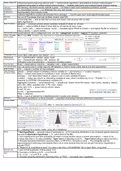
Modern Stats+DS software/programming/computational tools → mathematical+algorithmic data/statistical analysis methodologies →
explained+advocated w/ written+verbal communication → facilitate data-driven and evidence-based decision making
Learning first learning, structured course material is good → it’s faster to learn and troubleshoot problems yourself
Jupyterhub is a cloud-based service → run R/Rstudio from any web browser. Jupyterhub > Rstudio GUI IDE program that wraps… > R) > tidyverse
R Markdown Reproducibility (text+outputs+code)
R methods+algorithms usually built-in/loaded from packages → most R users don’t build algorithms/data types
tidyverse Key set of R packages that help facilitate modern stats+DS
bias survivorship bias → look at data that survived and doesn’t look at group with no data
alpha significance
Basic Functions glimpse() → summary printout shows variables vertically & shows no. of rows
head() → output is tibble & doesn’t show total no. of rows & can see n rows
c() → vector | all() → output is boolean | sum() → translate logical TRUE to numeric 1 and logical FALSE to numeric 0
help() | name() → column names
data/variable types numerical(cont, disc) | categorical (nom, ord, bin→categorical variables = logical T/F boolean variables)
123 & 1.23 same
for R (double)
Coercion
Visualisation Func coord_flip(), order geom_bar, labs(x= , y= )
Distributional 1st → centre/location: median, mean, mode
Characteristics
2nd → Spread/scale statistics: IQR, variance, SD
3rd/Higher order characteristics → skewness+modality+outliers
Truly tidy data Rows→ observations | columns→ variables | cell→ single measurement
Tidy data benefits Can use same tools in similar ways for diff datasets vs hard to reuse untidy data & one-time approaches
print vs head print → outputs n number of rows indicated.
Data Wrangling select() → extract subset of variables | remove variable w/ ‘-’ and rename w ‘=’ vs dplyr::rename(),
Functions (dplyr)
filter() → extract rows based on conditions in one+ columns & filter(is.na())
arrange() → sort observation based on values in one or more variables & desc()
mutate() → make new column w/ interesting variables & case_when(<condition eg. b>=a ~ “Female”,>) → ‘~` =
response (L) DEPEND ON explanatory variables (R)
Aggregation functions → summarise((n=n() → sample size *doesn’t know NA values, <obj>=sum(), median(), mean(),
var(), sd(), IQR(), quantile(<obj>, 0.75), min(), max())
group_by() %>% → group rows by column values
is.na() | !is.na()
na.rm() → ignores/excludes NA
Other: n_distinct()
%in% → see if an element is in dataframe/vector | levels() and nlevels()
Inference Theoretical populations vs Actual samples → population-(sampling)->sample-(inference)->population
Sample statistic
x̄ →
Hypothesis Testing
Functions
[i] → indexing into a vector, matrix, array, list or dataframe
Steps 1. Null Hypothesis → assumed value of parameter H0 : p=0.5 (sampling distribution to be compared against observed
test stat) & Alternative Hypothesis → H1 : p≠0.5 (Null is FALSE)
2. Set α-significance level (the probability we make a wrong decision about a chosen assumption) → reject H0 for
p-values less than α. It’s also probability→Type I error of rejecting a true H0 … Type II error failing to reject true NULL
3. Simulate Sampling Distribution assuming NULL is TRUE & 4. Compute p-value → The probability [can be
approximated] of observing a test statistic that is as or more extreme than the one we got if the NULL Hypothesis is
actually TRUE
5. “Reject H0 at α-significance level” if p-value is less than α OTHERWISE “fail to reject NULL at sig level”
Example Two 1. pick α=0.05 & placebo: 0.58 & actual: 0.75
Sample Hypothesis
Test
2. Test stat μ1=0.58 & μ2=0.75 → p=0.75-0.58
3. H0 : μ1=μ2 → μ1-μ2=0 & H1 : μ1≠μ2
4. Simulate sampling distribution assuming NULL is TRUE → set.seed() and n repetitions
explained+advocated w/ written+verbal communication → facilitate data-driven and evidence-based decision making
Learning first learning, structured course material is good → it’s faster to learn and troubleshoot problems yourself
Jupyterhub is a cloud-based service → run R/Rstudio from any web browser. Jupyterhub > Rstudio GUI IDE program that wraps… > R) > tidyverse
R Markdown Reproducibility (text+outputs+code)
R methods+algorithms usually built-in/loaded from packages → most R users don’t build algorithms/data types
tidyverse Key set of R packages that help facilitate modern stats+DS
bias survivorship bias → look at data that survived and doesn’t look at group with no data
alpha significance
Basic Functions glimpse() → summary printout shows variables vertically & shows no. of rows
head() → output is tibble & doesn’t show total no. of rows & can see n rows
c() → vector | all() → output is boolean | sum() → translate logical TRUE to numeric 1 and logical FALSE to numeric 0
help() | name() → column names
data/variable types numerical(cont, disc) | categorical (nom, ord, bin→categorical variables = logical T/F boolean variables)
123 & 1.23 same
for R (double)
Coercion
Visualisation Func coord_flip(), order geom_bar, labs(x= , y= )
Distributional 1st → centre/location: median, mean, mode
Characteristics
2nd → Spread/scale statistics: IQR, variance, SD
3rd/Higher order characteristics → skewness+modality+outliers
Truly tidy data Rows→ observations | columns→ variables | cell→ single measurement
Tidy data benefits Can use same tools in similar ways for diff datasets vs hard to reuse untidy data & one-time approaches
print vs head print → outputs n number of rows indicated.
Data Wrangling select() → extract subset of variables | remove variable w/ ‘-’ and rename w ‘=’ vs dplyr::rename(),
Functions (dplyr)
filter() → extract rows based on conditions in one+ columns & filter(is.na())
arrange() → sort observation based on values in one or more variables & desc()
mutate() → make new column w/ interesting variables & case_when(<condition eg. b>=a ~ “Female”,>) → ‘~` =
response (L) DEPEND ON explanatory variables (R)
Aggregation functions → summarise((n=n() → sample size *doesn’t know NA values, <obj>=sum(), median(), mean(),
var(), sd(), IQR(), quantile(<obj>, 0.75), min(), max())
group_by() %>% → group rows by column values
is.na() | !is.na()
na.rm() → ignores/excludes NA
Other: n_distinct()
%in% → see if an element is in dataframe/vector | levels() and nlevels()
Inference Theoretical populations vs Actual samples → population-(sampling)->sample-(inference)->population
Sample statistic
x̄ →
Hypothesis Testing
Functions
[i] → indexing into a vector, matrix, array, list or dataframe
Steps 1. Null Hypothesis → assumed value of parameter H0 : p=0.5 (sampling distribution to be compared against observed
test stat) & Alternative Hypothesis → H1 : p≠0.5 (Null is FALSE)
2. Set α-significance level (the probability we make a wrong decision about a chosen assumption) → reject H0 for
p-values less than α. It’s also probability→Type I error of rejecting a true H0 … Type II error failing to reject true NULL
3. Simulate Sampling Distribution assuming NULL is TRUE & 4. Compute p-value → The probability [can be
approximated] of observing a test statistic that is as or more extreme than the one we got if the NULL Hypothesis is
actually TRUE
5. “Reject H0 at α-significance level” if p-value is less than α OTHERWISE “fail to reject NULL at sig level”
Example Two 1. pick α=0.05 & placebo: 0.58 & actual: 0.75
Sample Hypothesis
Test
2. Test stat μ1=0.58 & μ2=0.75 → p=0.75-0.58
3. H0 : μ1=μ2 → μ1-μ2=0 & H1 : μ1≠μ2
4. Simulate sampling distribution assuming NULL is TRUE → set.seed() and n repetitions


