COMP 230 Week 1 Windows CLI Commands Lab Report
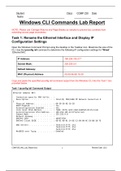
COMP 230 Week 1 Windows CNOTE: Please use Carriage Returns and Page Breaks as needed to prevent box contents from extending across page boundaries. Task 1: Rename the Ethernet Interface and Display IP Configuration Settings Open the Windows Command Prompt using the desktop or the Taskbar icon. Maximize the size of the CLI. Use the ipconfig /all command to determine the following IP configuration settings for “Wired” Ethernet NIC: IP Address: 169.254.165.217 Subnet Mask: 255.255.0.0 Default Gateway: - MAC (Physical) Address 00-50-56-9E-16-28 Copy and paste the specified ipconfig /all command output from the Windows CLI into the Task 1 box provided below. Task 1 ipconfig /all Command Output Ethernet adapter NIC: Connection-specific DNS Suffix . : Description . . . . . . . . . . . : Intel(R) PRO/1000 MT Network Connection # 2 Physical Address. . . . . . . . . : 00-50-56-9E-16-28 DHCP Enabled. . . . . . . . . . . : Yes Autoconfiguration Enabled . . . . : Yes Link-local IPv6 Address . . . . . : fe80::35fb:ce2d:cde8:a5d9%15(Preferred) Autoconfiguration IPv4 Address. . : 169.254.165.217(Preferred) Subnet Mask . . . . . . . . . . . : 255.255.0.0 Default Gateway . . . . . . . . . : DHCPv6 IAID . . . . . . . . . . . : DHCPv6 Client DUID. . . . . . . . : -EE-13-98-00-0C-29-DB-1B-7E DNS Servers . . . . . . . . . . . : fec0:0:0:ffff::1%1 fec0:0:0:ffff::2%1 fec0:0:0:ffff::3%1 NetBIOS over Tcpip. . . . . . . . : Enabled LI Commands Lab Report
Información del documento
- Subido en
- 12 de enero de 2021
- Número de páginas
- 4
- Escrito en
- 2020/2021
- Tipo
- Otro
- Personaje
- Desconocido