

Escrito por estudiantes que aprobaron Inmediatamente disponible después del pago Leer en línea o como PDF ¿Documento equivocado? Cámbialo gratis 4,6 TrustPilot
logo-home
Document preview thumbnail
Vista previa 2 fuera de 14 páginas
Examen

ACIS 2504 Final Exam Verified 2025

Document preview thumbnail
Vista previa 2 fuera de 14 páginas

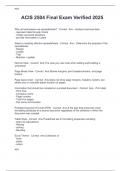
Why do businesses use spreadsheets? - Correct Ans-- Analyze business data - represent data through charts - model real-world situations - provide information to users Steps to creating effective spreadsheets - Correct Ans-- Determine the purpose of the spreadsheet - Design - Create - Test - Maintain / update Normal View - Correct Ans-The view you use most when editing and building a worksheet Page Break View - Correct Ans-Shows margins, print headers/footers, and page breaks Page layout view - Correct Ans-does not show page margins, headers, footers, but allows you to manually adjust location of pages Information that should be included on a printed document - Correct Ans-- Print data - Print time - Company name - Page number - Total # of pages - File name and location Portable Document Format (PDF) - Correct Ans-A file type that preserves most formatting attributes of a source document regardless of the software in which the document was created Table Style - Correct Ans-Predefined set of formatting properties including: - total row calculations - filtering - sorting - Banding Excel Theme - Correct Ans-Collection of - fonts - styles - colors - effects *Default theme is "Office" Functions - Correct Ans-built in operations that perform operations on data - financial - statistical - mathematical - date and time - text Functions included in AUTOSUM - Correct Ans-- SUM - COUNT - AVERAGE - MIN - MAX Formulas - Correct Ans-Allow you to perform basic mathematical calculations Can contain: - cell references - constants - functions - mathematical operators Conditional Formatting - Correct Ans-- Allows the specification of rules when formatting a cell - changes the visual presentation of information to add information - highlights info by changing cell: ~ fill color ~ font color, style, and size ~ border ~ number format Displaying formulas - Correct Ans-Press "Show formulas" in formula auditing group on Formula's tab Merging and Centering two rows - Correct Ans-One the upper-left cell will be merged and centered Relative Cell Reference Example - Correct Ans-C3 + D3 Mixed Cell Reference Example - Correct Ans-C$3+$D3 Absolute Cell Reference - Correct Ans-$C$3+$D$3 Create from selection method - Correct Ans-Under the formulas tab - uses columns and/or row headings to name the ranges Conventions for naming ranges - Correct Ans-- Names cannot have spaces - names can only have letters, numbers, hyphen, backslashes, underscores Absolute Value Function Syntax - Correct Ans-ABS(Number) Integer Function Syntax - Correct Ans-INT(Number) Rounding number to a specified number of digits - Correct Ans-ROUND(Number,Num_Digits) Average Function Syntax - Correct Ans-AVERAGE(Number1, [Number 2]...) Count Function - Correct Ans-Counts the number of cells in a range that contain numbers =COUNT(Value 1, [value 2]) COUNTA Function - Correct Ans-Counts number of cells in a range that are NOT empty = COUNTA(value1,[value2]) COUNTBLANK Function - Correct Ans-Counts number of empty cells in a range = COUNTBLANK(Range) Median function syntax - Correct Ans-= MEDIAN(number1,[number2]...) MAX Function syntax - Correct Ans-=MAX(number1,[number2]...) MIN Function syntax - Correct Ans-=MIN(number1,[number2]...) MODE.SNGL Function - Correct Ans-Returns the value that occurs the most often within a set =MODE.SNGL(Number1,[Number2]...) DATE function - Correct Ans-Returns the number that represent the date in microsoft excel date-time code = DATE(Year,Month,Day) DATEDIF Function - Correct Ans-Returns the time unit specified between two dates, including the two dates =DATEDIF(Date1,Date2, Interval) For interval: "D" = number of complete days "M" = number of complete months "Y" = number of complete years DAY Function - Correct Ans-Returns the day of the month, a number 1-31 = DAY(Serial_Number) HOUR function - Correct Ans-Returns the hour in a time value, from 0-23 =HOUR(Serial_number) Minute function - Correct Ans-Returns the minute in a time value, from 0 to 59 =MINUTE(serial_number) SECOND Function - Correct Ans-Returns the number of seconds in a time value, from 0 to 59 =SECOND(Serial_num) NOW function - Correct Ans-Returns the computer system date and time =NOW( ) How is time represented in excel - Correct Ans-By a decimal number 0.1 = 144 minutes since 0.1*1440 = 144 What are text functions used for - Correct Ans-Cleansing text, managing, manipulating, and formatting text data CONCATENATE function - Correct Ans-Joins text1 and text1 together into a single string value =CONCATENATE(text1,text2,...) FIND text Function - Correct Ans-Finds find_text in within_text. Start_num is where the search begins. The starting position of find_text is returned =FIND(find_text, within_text, [start_num]) LEFT text function - Correct Ans-Returns a string num_chars long from the left side of the text =LEFT(num_chars) LEN text function - Correct Ans-Returns a number that represents the number of characters =LEN(Text) MID text function - Correct Ans-Returns a string extracted from the text beginning in position start_num that is num_chars long =MID(Text,start_num, num_chars) RIGHT text function - Correct Ans-Returns a string num_chars long from the right side of text =RIGHT(text, num_chars) TRIM text function - Correct Ans-Returns text with any leading, trailing, or extra spaces between words =TRIM(text) Nested right and left function examples - Correct Ans-=LEFT(G6,FIND(",",G6)-1,1) =RIGHT(G6,LEN(F5)-LEN(F3)-1) Flash Fill - Correct Ans-Makes data cleansing easier and faster - recognizes patterns in data as you type and automatically fills in values for text and numeric data - easier to use on mobile or touch screen devices HLOOKUP Function - Correct Ans-Finds lookup_value in the top row of table_array and returns a value from row_index =HLOOKUP(lookup_value,table_array, row_index_num,[range_lookup]) INDEX function - Correct Ans-Returns a value from array by indexes specifed as row_num and column_num =INDEX(array, row_num, [column_num]) MATCH function - Correct Ans-Finds lookup_value in lookup_array =MATCH(lookup_value, lookup_array,[match_type]) VLOOKUP function - Correct Ans-Finds lookup_value in the first column of table_array and returns a value from column_index =VLOOKUP(lookup_value, table_array, col_index_num,[range_lookup])

Vista previa del contenido

ACIS


ACIS 2504 Final Exam Verified 2025

Why do businesses use spreadsheets? - Correct Ans-- Analyze business data
- represent data through charts
- model real-world situations
- provide information to users

Steps to creating effective spreadsheets - Correct Ans-- Determine the purpose of the
spreadsheet
- Design
- Create
- Test
- Maintain / update

Normal View - Correct Ans-The view you use most when editing and building a
worksheet

Page Break View - Correct Ans-Shows margins, print headers/footers, and page
breaks

Page layout view - Correct Ans-does not show page margins, headers, footers, but
allows you to manually adjust location of pages

Information that should be included on a printed document - Correct Ans-- Print data
- Print time
- Company name
- Page number
- Total # of pages
- File name and location

Portable Document Format (PDF) - Correct Ans-A file type that preserves most
formatting attributes of a source document regardless of the software in which the
document was created

Table Style - Correct Ans-Predefined set of formatting properties including:
- total row calculations
- filtering
- sorting
- Banding

Excel Theme - Correct Ans-Collection of
- fonts
- styles
- colors

ACIS

, ACIS


- effects
*Default theme is "Office"

Functions - Correct Ans-built in operations that perform operations on data
- financial
- statistical
- mathematical
- date and time
- text

Functions included in AUTOSUM - Correct Ans-- SUM
- COUNT
- AVERAGE
- MIN
- MAX

Formulas - Correct Ans-Allow you to perform basic mathematical calculations
Can contain:
- cell references
- constants
- functions
- mathematical operators

Conditional Formatting - Correct Ans-- Allows the specification of rules when formatting
a cell
- changes the visual presentation of information to add information
- highlights info by changing cell:
~ fill color
~ font color, style, and size
~ border
~ number format

Displaying formulas - Correct Ans-Press "Show formulas" in formula auditing group on
Formula's tab

Merging and Centering two rows - Correct Ans-One the upper-left cell will be merged
and centered

Relative Cell Reference Example - Correct Ans-C3 + D3

Mixed Cell Reference Example - Correct Ans-C$3+$D3

Absolute Cell Reference - Correct Ans-$C$3+$D$3

Create from selection method - Correct Ans-Under the formulas tab
- uses columns and/or row headings to name the ranges

ACIS

Información del documento

Subido en
8 de abril de 2025
Número de páginas
14
Escrito en
2024/2025
Tipo
Examen
Contiene
Preguntas y respuestas
$14.59

¿Documento equivocado? Cámbialo gratis Dentro de los 14 días posteriores a la compra y antes de descargarlo, puedes elegir otro documento. Puedes gastar el importe de nuevo.
Escrito por estudiantes que aprobaron
Inmediatamente disponible después del pago
Leer en línea o como PDF

Seller avatar
Los indicadores de reputación están sujetos a la cantidad de artículos vendidos por una tarifa y las reseñas que ha recibido por esos documentos. Hay tres niveles: Bronce, Plata y Oro. Cuanto mayor reputación, más podrás confiar en la calidad del trabajo del vendedor.
AlexScorer
2.5
(2)
Vendido
11
Seguidores
0
Artículos
1800
Última venta
2 semanas hace


Por qué los estudiantes eligen Stuvia

Creado por compañeros estudiantes, verificado por reseñas

Calidad en la que puedes confiar: escrito por estudiantes que aprobaron y evaluado por otros que han usado estos resúmenes.

¿No estás satisfecho? Elige otro documento

¡No te preocupes! Puedes elegir directamente otro documento que se ajuste mejor a lo que buscas.

Paga como quieras, empieza a estudiar al instante

Sin suscripción, sin compromisos. Paga como estés acostumbrado con tarjeta de crédito y descarga tu documento PDF inmediatamente.

Student with book image

“Comprado, descargado y aprobado. Así de fácil puede ser.”

Alisha Student

Preguntas frecuentes
