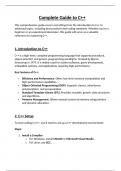
Complete Guide to C++
This comprehensive guide covers everything from the introduction to C++ to
advanced topics, including best practices and coding standards. Whether you're a
beginner or an experienced developer, this guide will serve as a valuable
reference for mastering C++.
1. Introduction to C++
C++ is a high-level, compiled programming language that supports procedural,
object-oriented, and generic programming paradigms. Created by Bjarne
Stroustrup in 1979, it is widely used for system software, game development,
embedded systems, and applications requiring high performance.
Key Features of C++:
Efficiency and Performance: Offers low-level memory manipulation and
high-performance capabilities.
Object-Oriented Programming (OOP): Supports classes, inheritance,
polymorphism, and encapsulation.
Standard Template Library (STL): Provides reusable, generic data structures
and algorithms.
Memory Management: Allows manual control of memory using pointers
and dynamic allocation.
2. C++ Setup
To start coding in C++, you'll need to set up a C++ development environment:
Steps:
1. Install a Compiler:
o For Windows, install MinGW or Microsoft Visual Studio.
o For Linux, use GCC.
, o For macOS, use Xcode.
2. Set Up an IDE:
o Popular IDEs: Visual Studio Code, Code::Blocks, CLion, Eclipse.
3. Write a Simple Program:
o A simple "Hello World" program demonstrates the setup:
#include <iostream>
int main() {
std::cout << "Hello, World!" << std::endl;
return 0;
}
3. C++ Syntax and Structure
C++ programs consist of functions, classes, and libraries. The main function,
main(), serves as the entry point for execution.
Key Points:
Basic Structure: Every C++ program includes a header file (#include
<iostream>) and the main() function.
Statements: End with a semicolon (;).
Comments: Use // for single-line comments and /* */ for multi-line
comments.
#include <iostream>
using namespace std;
int main() {
// Print a message to the console
cout << "Hello, C++!" << endl;
return 0;
}
This comprehensive guide covers everything from the introduction to C++ to
advanced topics, including best practices and coding standards. Whether you're a
beginner or an experienced developer, this guide will serve as a valuable
reference for mastering C++.
1. Introduction to C++
C++ is a high-level, compiled programming language that supports procedural,
object-oriented, and generic programming paradigms. Created by Bjarne
Stroustrup in 1979, it is widely used for system software, game development,
embedded systems, and applications requiring high performance.
Key Features of C++:
Efficiency and Performance: Offers low-level memory manipulation and
high-performance capabilities.
Object-Oriented Programming (OOP): Supports classes, inheritance,
polymorphism, and encapsulation.
Standard Template Library (STL): Provides reusable, generic data structures
and algorithms.
Memory Management: Allows manual control of memory using pointers
and dynamic allocation.
2. C++ Setup
To start coding in C++, you'll need to set up a C++ development environment:
Steps:
1. Install a Compiler:
o For Windows, install MinGW or Microsoft Visual Studio.
o For Linux, use GCC.
, o For macOS, use Xcode.
2. Set Up an IDE:
o Popular IDEs: Visual Studio Code, Code::Blocks, CLion, Eclipse.
3. Write a Simple Program:
o A simple "Hello World" program demonstrates the setup:
#include <iostream>
int main() {
std::cout << "Hello, World!" << std::endl;
return 0;
}
3. C++ Syntax and Structure
C++ programs consist of functions, classes, and libraries. The main function,
main(), serves as the entry point for execution.
Key Points:
Basic Structure: Every C++ program includes a header file (#include
<iostream>) and the main() function.
Statements: End with a semicolon (;).
Comments: Use // for single-line comments and /* */ for multi-line
comments.
#include <iostream>
using namespace std;
int main() {
// Print a message to the console
cout << "Hello, C++!" << endl;
return 0;
}