100% satisfaction guarantee Immediately available after payment Both online and in PDF No strings attached 4.6 TrustPilot
logo-home
Exam (elaborations)

NTCSS System Administration Exam Solution Manual Already Passed

Rating
-
Sold
-
Pages
4
Grade
A+
Uploaded on
11-10-2024
Written in
2024/2025

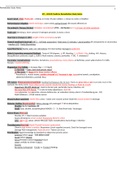
NTCSS System Administration Exam Solution Manual Already Passed NTCSS - Answers Naval Tactical Command Support System for aviation logistics. NTCSS Administration - Answers Managing servers to support Aviation Maintenance with high availability. Account Administration - Answers Managing user accounts without reference. NTCSS Network Information - Answers Identifying network info without reference. Printing in NTCSS Setup - Answers Identifying printing setup without reference. Batch Jobs - Answers Identifying batch jobs without reference. System Monitor - Answers Identifying and using system monitor without reference. NTCSS Administrative Function - Answers Identifying admin functions without reference. View Administrative NTCSS Files - Answers Identifying and viewing admin files without reference. NTCSS User Administration Application - Answers Identifying user admin app without reference. NTCSS Security Controls - Answers Identifying security controls without reference. NTCSS Desktop Client - Answers Initial access point for NTCSS applications. NTCSS Desktop Client Menus - Answers Menus for NTCSS functions and access. Fundamentals of NTCSS User Administration - Answers Managing user accounts through NTCSS Desktop Client. NTCSS User Account Management - Answers Creating, deleting, and modifying user accounts. NTCSS Administrator Role - Answers Role for NTCSS Desktop Client admin functions. Standard Logon Name Assignment - Answers Format for user logon names in NTCSS. Simple Maintenance Qualification (SMQ) Codes - Answers Codes assigned by App Admin for user access. Delete an Account - Answers Process to remove an NTCSS user account. Modify an Account - Answers Process to update user account details. Special User Constraints - Answers Restrictions for boot users in NTCSS. Boot User Accounts - Answers Accounts with fixed UNIX passwords for system interfaces. NTCSS Printing Administration - Answers Managing printing tasks in NTCSS. NTCSS Printer Configuration Utility - Answers A program enabling application administrators to add, edit, and delete output types using a graphical interface, representing the virtual link between printers and an application. Output Types - Answers Represent the virtual link between printers and an application, defined by program groups to satisfy printing needs. Print Request Queue Utility - Answers Allows client/server programs to submit print requests to any NTCSS registered printer through API calls. Printer Adapter - Answers Component of every NTCSS printer within the NTCSS Printer Configuration Utility, created before the printer, specifying information such as name, location, and IP address/FQDN. Printer - Answers Component of every NTCSS printer within the NTCSS Printer Configuration Utility, specifying information such as name, classification, printer access, location, request size, adapter port, adapter, printer class, suspend state, redirection information, and application list. Common UNIX Printing System (CUPS) - Answers Provides a mechanism allowing print jobs to be sent to printers in a standard fashion, acting as the print spooler, scheduler, and print job manager. Predefined Jobs - Answers Jobs defined when an application is set up but not started when an NTCSS server is started. Batch Job Queue - Answers Application where qualified administrators manage batch jobs, with resource-intensive jobs potentially affecting user response times. Predefined Jobs (Newly Created) - Answers Predefined jobs with static command-line arguments, available to application users with proper access roles. Batch Job Queue Application - Answers Application allowing modifications to batch jobs by qualified administrators, with different user roles having varying levels of job visibility. Batch Job Manager Tab - Answers Tab in the Batch Job Queue application for selecting an application and job status to view. NTCSS Predefined Job Manager Tab - Answers Tab for NTCSS or application administrators to manage predefined jobs, including adding, editing, and deleting jobs. Approved Job Queue - Answers List of approved jobs showing status based on system parameters like Running, Waiting Execution, and Run Next. Suspended Batch Jobs - Answers Batch jobs that require action to run, with details available by selecting and double-clicking on the suspended job. Scheduled Batch Jobs - Answers Jobs scheduled to run automatically at a set time, moving to the completed jobs queue upon finishing. Predefined Job List - Answers List of pre-defined jobs that can be added, edited, or deleted by the application administrator, showing title, command, type, and access roles. NTCSS System Monitor - Answers Utility enabling administrators to view system information, perform administrative tasks, and filter system log records. System Monitor Utility - Answers Tool allowing NTCSS administrators to perform tasks like viewing system information and disabling user logon accounts. Change Log - Application Printer Configuration - Answers Utility for application administrators to manage output types and their connection to printers using a graphical interface. Change Log - User Administration - Answers Function displaying changes made to User Configuration, aiding in validating correct recording of changes. User Administration Facility - Answers Overview located in NTCSS Security Control for user management. NTCSS II - Answers Environment required to be active on the master server for system operations. NTCSS Administrator - Answers Role with access required to perform system tasks. Request For User Registration Services form - Answers Form to complete for user access requests. System Log - Answers Records all system events and can be filtered for specific entries. Change Log - Printer Configuration - Answers Utility for managing printers, adapters, and printer settings. Log File Management - Answers Includes viewing security, messages, and NTCSS messages log files. Security Log File - Answers Focuses on services like sshd and sftpd for server security monitoring. Messages Log File - Answers Compared with Security Log for necessary changes monitoring. NTCSS Messages Log File - Answers Records actions within NTCSS Desktop Client generating messages. Cron Log History - Answers Logs cron activities for system monitoring and troubleshooting. Printer Logs - Answers Includes access_log and error_log for CUPS daemon and printer actions.

Show more Read less
Institution
System Administration
Course
System Administration


Whoops! We can’t load your doc right now. Try again or contact support.

Written for

Institution
System Administration
Course
System Administration

Document information

Uploaded on
October 11, 2024
Number of pages
4
Written in
2024/2025
Type
Exam (elaborations)
Contains
Questions & answers

Subjects

Content preview

NTCSS System Administration Exam Solution Manual Already Passed

NTCSS - Answers Naval Tactical Command Support System for aviation logistics.

NTCSS Administration - Answers Managing servers to support Aviation Maintenance with high
availability.

Account Administration - Answers Managing user accounts without reference.

NTCSS Network Information - Answers Identifying network info without reference.

Printing in NTCSS Setup - Answers Identifying printing setup without reference.

Batch Jobs - Answers Identifying batch jobs without reference.

System Monitor - Answers Identifying and using system monitor without reference.

NTCSS Administrative Function - Answers Identifying admin functions without reference.

View Administrative NTCSS Files - Answers Identifying and viewing admin files without reference.

NTCSS User Administration Application - Answers Identifying user admin app without reference.

NTCSS Security Controls - Answers Identifying security controls without reference.

NTCSS Desktop Client - Answers Initial access point for NTCSS applications.

NTCSS Desktop Client Menus - Answers Menus for NTCSS functions and access.

Fundamentals of NTCSS User Administration - Answers Managing user accounts through NTCSS Desktop
Client.

NTCSS User Account Management - Answers Creating, deleting, and modifying user accounts.

NTCSS Administrator Role - Answers Role for NTCSS Desktop Client admin functions.

Standard Logon Name Assignment - Answers Format for user logon names in NTCSS.

Simple Maintenance Qualification (SMQ) Codes - Answers Codes assigned by App Admin for user access.

Delete an Account - Answers Process to remove an NTCSS user account.

Modify an Account - Answers Process to update user account details.

Special User Constraints - Answers Restrictions for boot users in NTCSS.

Boot User Accounts - Answers Accounts with fixed UNIX passwords for system interfaces.

NTCSS Printing Administration - Answers Managing printing tasks in NTCSS.
Get to know the seller

Seller avatar
Reputation scores are based on the amount of documents a seller has sold for a fee and the reviews they have received for those documents. There are three levels: Bronze, Silver and Gold. The better the reputation, the more your can rely on the quality of the sellers work.
TutorJosh Chamberlain College Of Nursing
View profile
Follow You need to be logged in order to follow users or courses
Sold
361
Member since
1 year
Number of followers
16
Documents
29332
Last sold
5 hours ago
Tutor Joshua

Here You will find all Documents and Package Deals Offered By Tutor Joshua.

3.6

56 reviews

5
19
4
15
3
12
2
0
1
10

Recently viewed by you

Why students choose Stuvia

Created by fellow students, verified by reviews

Quality you can trust: written by students who passed their tests and reviewed by others who've used these notes.

Didn't get what you expected? Choose another document

No worries! You can instantly pick a different document that better fits what you're looking for.

Pay as you like, start learning right away

No subscription, no commitments. Pay the way you're used to via credit card and download your PDF document instantly.

Student with book image

“Bought, downloaded, and aced it. It really can be that simple.”

Alisha Student

Frequently asked questions