
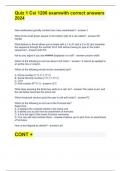
Quiz 1 Csi 1200 exam with correct answers 2024
New workbooks typically contain how many worksheets? - answer-1 What is the small green square in the bottom right of a cell called? - answer-Fill handle What feature in Excel allows you to begin with a 1 in A1 and a 2 in A2 and complete the sequence through the number 30 in A30 without having to type in the entire sequence? - answer-Auto Fill hat do you adjust if you see ###### displayed in a cell? - answer-column width Which of the following is not true about a Fill color? - answer-: It cannot be applied to an entire row or column. Which of the following would not be considered text? A. Phone number (111.111.1111) B. Social Security number () C. =2*2 D. Part number (PT111) - answer-=2*2 What does pressing the Enter key while in a cell, do? - answer-The value is set, and the cell below becomes the active cell Which keyboard shortcut puts the user in cell edit mode? - answer-F2 Which of the following is not true of the Formula bar? Select one: A. It displays the contents stored in the active cell. B. It allows you to pick from an assortment of formulas. C. It is to the right of the Insert Function command. D. You can edit cell contents there. - answer-It allows you to pick from an assortment of formulas. How is text aligned by default? - answer-Left Which of the following is not a valid formula? Select one: A. =D3 B. =2*2 C. =sum(1,2,3,4,5) D. =#12/31/2018#-#12/31/2019# - answer-=#12/31/2018#-#12/31/2019# What can the phrase "Please Excuse My Dear Aunt Sally" help you remember? - answer-Order of operations In the formula, =1+(2-3)+5/6-6^2, what will Excel evaluate first? - answer-(2-3) In the formula, =1+(2-3)+5/6-6^2, what will Excel evaluate second? - answer-6^2 What is the true about an input area? - answer-It is used when certain values are used repeatedly throughout the worksheet. What should you do if there are columns you need, but do not want to display? - answer-Hide the columns you do not want to display, then unhide them when finished. What does it mean when you see ####### in a cell? - answer-Your column is not wide enough. Which of the following is not a way to widen a column? - answer-Click on the Column label and drag it to the right. A range is specified by its ________. - answer-top left and bottom right cells What is the best practice to switch the columns and rows in a range? - answer-Cut the range, then use the Paste Special option called Transpose Which is not a valid range? Select one: A. A1:F1 B. A1:A9 C. A1:A3, B1:B3 D. A1:F9 - answer-A1:A3, B1:B3 Which Paste option would you choose if you wanted to flip the rows and columns? - answer-Transpose Which Paste option would you choose if you wanted only the computed values to be pasted, but with all formatting intact? - answer-Values & Source Formatting What Paste option would you choose if you wanted to maintain the formatting of the copied cell, but not its contents? - answer-Formatting Where can you find more alignment options? - answer-Cells dialog box What is the best practice for centering a title over multiple columns? - answer-Use the Merge and Center alignment If you have too many words in a cell, but you cannot allow them to bleed over into the next cell, you would use the ________ feature in Excel. - answer-wrap text The default number format is ________. - answer-General Which of the following is not a valid number format? Select one: A. B. (1,000.00) C. $1,000.00 D. - answer-$-1,000.00 Which of the following names of worksheet tabs would be best? - answer-January Payroll Information What would not be a typical item to have in a header or footer? - answer-The file size What can you not do from the Page Setup, Sheet tab? - answer-Set margins The current cell is also known as the _________ cell. - answer-Active the ______ area is where you store the variable you will be using in the worksheet. - answer-input the ______ area contains the formulas which are dependent on values found elsewhere in the sheet. - answer-output _______ can be used in calculations, whereas text cannot. - answer-Values You should use ________ in formulas whenever possible instead of simply typing in numbers. - answer-cell references an _______ is a group of cells which have been selected at the same time. - answer-range Shifting a cell's contents to the right or left to help it stand out from the row above or below is known as - answer-indenting the _______ color is what is visible behind the value in a cell. - answer-fill an _______ is a line you can put around a cell or range of cells for emphasis. - answer-border number _________ controls how a value appears in a cell. - answer-formatting When you do not need the data on a worksheet you should ________ it to make the file smaller. - answer-delete the ________ feature allows you to see how a document would print before you actually print it. - answer-print preview Match the following terms with their description: I.Zoom control II.Workbook III.Worksheet IV.Sheet tab V.Cell A.Makes the text on the screen smaller or larger B.Contain labels, values and formulas C.The intersection of a column and a row D.Shows the name of the worksheet E.The same as a spreadsheet - answer-A, E, B, D, C Match the following terms with their description: I.Name Box II.Order of operations III.Formula IV.Fill handle V.Pointing A.Always begins with an equals sign (=) B.Small green square used to perform various actions C.Displays the address of the active cell D.Also known as semi-selection E.PEMDAS - answer-C, E, A, B, D Match the following terms with their description: I.Paste Special II.Transpose III.Flash Fill IV.Accounting number format V.Currency number format A.Opens a gallery of options for pasting B.Puts the $ at the left margin of the cell C.Flips rows and columns when pasted D.Puts the $ next to the leftmost number E.Fills in data based on previous column's data - answer-A, C, E, B, D Match the following terms with their description: I.AutoComplete II.Auto Fill III.Column heading IV.Row heading V.Alignment A.The letter in the cell reference "F4" B.Helps complete a logical sequence C.The number in the cell reference "F4" D.Refers to how data are positioned in the boundaries of a cell. E.Matches the letters you type to another value in the column if the letters match - answer-E, B, A, C, D Match the following navigation shortcuts with their actions: I.Right arrow II.Page Down III.Home IV.End V.Ctrl + Home A.Moves active cell down one screen B.This does nothing by itself C.Moves active cell to column A, row 1 D.Moves active cell to column A in that row E.Moves right one cell in the same row - answer-E, A, D, B, C In Excel, columns are identified by numbers and rows by letters. Select one: True False - answer-False The wrap text feature will automatically move any text that does not fit in a cell to the cell directly below it. - answer-'False'. The cell at row 4 and column B, would be identified as 4B. Select one: True False - answer-False'. It is always a good practice to test each formula you enter for accuracy. Select one: True False - answer-True'. The contents of a cell can be seen in the Name box. Select one: True False - answer-False For the fill handle to work you need to have two cells selected. Select one: True False - answer-false Make sure to enter all cell reference in upper case when putting them in formulas. Select one: True False - answer-false The fill handle allows you to copy and paste formulas to adjacent cells. Select one: True False - answer-true When you insert rows or columns all relative references are updated but not any absolute references. Select one: True False - answer-False'. Displaying cell formulas can help find errors in formulas more easily. Select one: True False - answer-true Right-clicking a column heading, then selecting Insert, will add a new column to the left of the current column. Select one: True False - answer-true You can move a range by using the cut and paste commands. Select one: True False - answer-true If you wanted to reference a cell in a formula and you did not want that cell to change when copying and pasting you would use what kind of reference? - answer-Absolute If a cell containing =B$14 is copied and pasted three columns over and two rows down, what would the resultant cell reference become? - answer-E$14 If the cell reference $A5 in a formula is copied and pasted over two columns and down two rows from its original cell, what the cell reference become in the new cell? - answer-$A7 What is the default method of referencing cells in formulas? - answer-Relative Which of the following is not a valid logical test? - answer-= Which keyboard shortcut toggles through the types of reference options? - answer-F4 If a cell containing the formula =$B$14 is not copy and pasted, but moved four columns over and four rows down, what would the resultant cell reference become? - answer-=$B$14 Which Excel function changes the value to a desired number of decimal places? - answer-Round What describes a function's purpose? Select one: A. Category B. Arguments C. Name D. Variables - answer-Name Which of the following is not a category of functions? Select one: A. Logical B. Statistical C. Financial D. Graphing - answer-Graphing What punctuation is used to separate the two cell references in a range? - answer-Colon (:) Functions can be selected by using the ________. - answer-Insert Function dialog box What do you use to separate arguments in a function? - answer-Comma (,) What error will you get if you type a function name incorrectly? - answer-#NAME? What term refers to the necessity of following the rules when it comes to using functions? - answer-syntax What does Excel use to indicate optional arguments in a function? - answer-Square brackets [] Which function would you use if you wanted to count the number of values, but ignore cells that have text or are empty? - answer-Count What two functions compute the central tendency of values? - answer-AVERAGE and MEDIAN Where does Excel automatically display statistics like count, average, and sum when a range of values is selected? - answer-Status bar The ROUND function requires how many arguments? - answer-2 What is the term for the inputs required in a function? - answer-arguments Which status bar statistic can you not enable? - answer-Range Name What action changes the actual number of decimal places Excel stores instead of just changing what is displayed? - answer-ROUND function What function computes the value in which one-half of the data is above and one-half is below. - answer-MEDIAN Which of the following does not comply with the preferred way of using the SUM function? - answer-=SUM(A4/A11) What will you see if you enter the TODAY function without the parenthesis? - answer-#NAME? What keyboard shortcut will automatically update any formulas using =TODAY() or =NOW()? - answer-F9 Which of the following is not a valid test in an =IF statement? Select one: A. A4-B4 B. A4A4 C. A4b4 D. B4=B4 - answer-A4-B4 If A7=21, which of the following =IF statements would produce the result of "Much Greater"? - answer-=IF (A714,"Greater",IF(A720,"Much greater","not greater than 20")) Which of the following is not an argument associated with the IF function? Select one: A. Value if false B. Value if true C. Test D. Value if neither true nor false - answer-Value if neither true nor false Which of the following is not a valid =IF statement? Select one: A. =IF(A519,1,9) B. =IF(A519,Greater,Not Greater) C. =IF(A519,"Greater","Not Greater") D. =IF(A519,b7,b9) - answer-=IF(A519,Greater,Not Greater) Which of the following is not a valid lookup function? Select one: A. HLOOKUP B. LLOOKUP C. LOOKUP D. VLOOKUP - answer-LLOOKUP To look up an exact match, what should you enter in the range_lookup argument? - answer-FALSE the _______ function actually changes the number of decimal places in the value. - answer-ROUND When you use the VLOOKUP function, the ________ column in the array is used to look up the value. - answer-left, first The range that contains the lookup table is called the ________ - answer-table array In a lookup table, the number of the column which contains the return values is called the __________ - answer-column index number If the annual interest rate is 12% and payments are made monthly, then you would enter .01 in the _______ argument in the PMT function - answer-Rate In the PMT function, the PV argument refers to the ________ of the loan - answer-present value If you will never copy and paste a formula you do not have to be concerned about absolute, relative, or mixed references. - answer-True A good practice when entering function names is to type them in lowercase and see if Excel converts them to upper case. - answer-true When entering functions, the square brackets, [ ], indicate required values. - answer-False The COUNTBLANK function will count cells that contain formulas that compute to a value of zero (0). - answer-False This is a valid way to use the MAX function: =MAX(a4:d11, f1:f2) - answer-true The COUNTA function only counts text entries. It does not count calculable values or blank cells. - answer-False Excel assigns date number 1 to January 1, 1900. - answer-true You could use both A3b9 or B9A3 as the test in an IF function and get the same results. You would just switch the second and third arguments. - answer-True' he most used logical function is the IF function. - answer-'True'. The test in an IF function must evaluate to either a True or a False. - answer-true The VLOOKUP function has four required arguments. t or f - answer-false It is very important to sort the first column in a table lookup array in descending order. T or F - answer-False The HLOOKUP function can only be used to find exact matches. T or F - answer-'False'. The PMT function uses three required arguments and no optional arguments. T or F - answer-false The default calculation using the PMT function will produce a negative number. - answer-true The two optional arguments in the PMT function allows the function to be used with variable loans. - answer-False What should you not select when selecting data for a chart? - answer-Worksheet titles Which axis in a chart displays the descriptive labels for the data points? - answer-Category Which of the following is not a chart element? Select one: A. Chart area B. Data area C. Legend D. Plot area - answer-Data area What is not a purpose of using an effective chart? - answer-Reveals even subtle errors in formulas Which of the following, when included, distorts the effectiveness of charting data points? Select one: A. Too many series B. Too many data points C. Too much variance in the values of the data D. Aggregates - answer-Aggregates Which axis in a chart displays incremental numbers for the data points? - answer-value Which of the following is not a chart type? Select one: A. Pie B. Bar C. Line D. Circle - answer-circle A 100% stacked column chart is similar to which other chart in that it converts values to percentages? - answer-pie Which of the following is not true about trendlines? Select one: A. They are added to existing charts. B. The line indicates possible future values. C. They can be added to all chart types. D. They help forecast future data. - answer-They can be added to all chart types. Which of the following is not true about sizing handles? Select one: A. There are 8 of them for any object. B. They allow you to make objects larger or smaller. C. They appear as circles. D. They always maintain the proper aspect ratio for the object. - answer-They always maintain the proper aspect ratio for the object. What is a disadvantage of a stacked column chart? - answer-Segments do not start at the same point. Which chart type is not listed in the All Charts window? - answer-Sparkline Which axis displays descriptive labels for the data points in a chart? - answer-category axis Which axis displays incremental numbers to identify the approximate values of data points? - answer-value axis Which chart type is best when you want to chart two unrelated data types? - answer-Combo chart What chart type can display two different chart types at the same time? - answer-combo In a bar chart, which axis displays the categories? - answer-Vertical Which chart type displays the data vertically? - answer-Column Which chart type displays the data horizontally? - answer-Bar How many sizing handles are found on embedded charts? - answer-8 Which of the following is not a chart element? - answer-Chart foreground In the task pane, what does a diagonal black triangle next to a chart category indicate? - answer-All the category's options are displayed. Which chart element cannot be chosen from the Chart Elements dialog box? - answer-Format Back Wall What icon is not displayed when you select a chart? - answer-Chart Types Which chart type is a visual "dashboard" of your data? - answer-Sparkline A parallel range is one that consists of the same starting point of another range, but can have a different end point. - answer-False Effective charts never overwhelm an audience. - answer-true Pie charts can only display one data series. - answer-true When you want to chart two related types of data, the Combo chart is perfect. - answer-true A stacked column chart displays multiple columns for each category. - answer-false When you create a chart Excel automatically creates the chart on its own sheet and labels it Chart1. - answer-false You can enter data or formulas on a chart sheet. - answer-false A chart sheet can hold, at most, two charts. - answer-false You can link to a cell as the title of a chart. - answer-true A chart style effects the formatting of the chart itself, but not the chart data - answer-false The Chart Styles gallery displays style options for the selected chart only. - answer-true Which of the following is not a freeze option? Select one: A. Freeze First Column B. Freeze Section C. Freeze Top Row D. Freeze Panes - answer-Freeze Section Data ________ is the organization method used to manage multiple data points within a dataset. - answer-structure When you have frozen rows and columns, what happens when you press the Ctrl+Home combination? - answer-The first unfrozen cell becomes the active cell. By default, Excel prints page in what order? - answer-Top-left section, bottom-left section, top-right section, and bottom-right section What data does Excel print by default? - answer-The entire dataset on the active sheet What is not true about tables in Excel? - answer-Row headings stay on the screen automatically. Which of the following is not a characteristic of a table? Select one: A. Can contain multiple ranges B. Helps to manage information C. Contains related data D. Helps to analyze information - answer-Can contain multiple ranges What is the default data table style? - answer-Medium 2 What is true about adding a new field to the right side of an existing data table? - answer-You can add it to the right of the data table and Excel will extend the table to include the new field. By default, what is the first table on a worksheet named? - answer-Table 1 Data ________ define how information is stored, organized, and accessed. - answer-structure Which table style option is useful to display aggregated data when it is checked? - answer-Last Column In a structured reference what do you use to indicate a column heading or field name? - answer-Brackets [ ] When would you not need to use a fully qualified structured reference? - answer-When referring to a cell within the table To what does the @ symbol refer in a structured reference? - answer-Current row What would be the result if you sorted the following dates in ascending order: December 25, 2000; January 1, 2015; January 16, 1957; December 26, 1959? - answer-January 16, 1957; December 26, 1959; December 25, 2000; January 1, 2015 By how many levels will Excel allow you to sort? - answer-64 The filter "Begins With..." option is found on which type of filter? - answer-Text filter Which one of the following filter options is not found on the number filter submenu? - answer-Bottom 10... In the formula =SUBTOTAL(102,[PAID]), what does the 102 represent? - answer-The COUNT function Where does Excel display the Total row in a table? - answer-Below the last row in the table In the formula =SUBTOTAL(102,[PAID]), what does the word PAID represent? - answer-The range to be included in the calculation Which of the following is not a conditional formatting option? - answer-Table format Which conditional formatting option would you choose if you wanted to apply formatting to cells whose value falls between two numbers? - answer-Highlight Cells Rules If you wanted every cell that has a value over $1,251 to have a purple fill, you would use what feature in Excel? - answer-Conditional formatting Using the data bars conditional formatting, how is the highest value represented? - answer-By the longest bar ________ is the process of keeping rows and/or columns visible onscreen at all times even when you scroll through a large dataset. - answer-Freezing I.Field II.Record III.Table IV.Table style V.Total row A.Includes complimentary fill colors B.Complete set of fields for one entity C.Structured range D.Appears below the last row in a table E.Smallest piece of data collected - answer-E, B, C, A, D I.Color scale II.Icon set III.Filtering IV.Sorting V.Data bars A.Colors are based on the relative values in the cell. B.Arranging records C.Symbols or signs that classify data D.Various widths represent the cell's value. E.Using conditions to limit the visible data - answer-A, C, E, B, D I.Header Row II.Total Row III.First Column IV.Last Column V.Banded Rows A.The formatting of this row/these rows take/takes priority over column formatting. B.Alternate fill colors distinguish one row from another row. C.Makes sure that the row headings stand out D.Displays the field names when checked E.Often used for aggregated data - answer-D, A, C, E, B I.Sort Z to A II.Sort Oldest to Newest III.Sort Largest to Smallest IV.Sort A to Z V.Sort Newest to Oldest A.Number; Othniel; Psychology B.11/20/2015; 8/20/2015; 5/25/91 C.58; 29; 27 D.1/16/1957; 12/26/1959; 1/7/87 E.Karen; Doug; Barb - answer-E, D, C, A, B I.Highlight Cells Rules II.Top/Bottom Rules III.Data bars IV.Color Scales V.Icon Sets A.Formats cells if they fall in the lowest % (% determined by the user) B.Formats cells with gradients of color depending on the cell's value compared to the other values in the range C.Formats cells with colors whose width is proportional to the other values in the range D.Formats cells if a date falls in a certain range E.Uses symbols to represent the comparison of values - answer-D, A, C, B, E You can freeze as many columns and rows at the same time as you desire. - answer-True Locking is the process of making sure that certain rows or columns are visible at all times. - answer-False Even if panes are frozen pressing Ctrl+Home will still make A1 the active cell. - answer-False When you use the Freeze Panes option you freezing both columns and rows. - answer-True Before you freeze panes make sure the active cell is one row above and one column to the left of the rows and columns you want to freeze. - answer-False You can manually adjust a page break by pointing to the page break line and waiting for the four-headed arrow to appear, then drag the page break to your desired location. - answer-False Excel uses dashed blue lines to indicate manual page breaks. - answer-False To print row labels on the left side of each page you would select the row(s) that contain the labels in the rows to repeat at left box. - answer-'False In a data table calculated columns will copy down the table automatically. - answer-True Selecting a range automatically makes it a data table. - answer-False Filter arrows are always displayed in data tables. - answer-False After a table has been named, that name can be used in functions instead of cell references. - answer-True Records are individual pieces of information. - answer-False "John Smith" is a good example of a field. - answer-False You can add a row to a data table as long as you put in the row immediately below the table. - answer-True You can sort cells by their fill color. - answer-true
Información del documento
- Subido en
- 30 de abril de 2024
- Número de páginas
- 22
- Escrito en
- 2023/2024
- Tipo
- Examen
- Contiene
- Preguntas y respuestas

