Appian Designer Credential Study Guide With Latest Solutions 2024
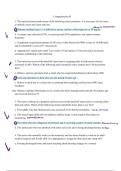
Appian Designer Credential Study Guide With Latest Solutions 2024 Deny - answerUsers who can explicitly not access the application. Viewer - answerUsers who can view the application in Tempo for actions and feeds. Editor - answerUsers who can add objects to the application and make changes on the design side. Administrator - answerUsers who can do everything to the application, including publish, export, and delete. Precedent - answerAny object that an object relies on to function properly. XML Schema Definition (XSD) - answerCDTs can be downloaded as ______ files. T/F: CDTs can reference other CDTs. - answerTrue CDT (Custom Data Type) - answerA logical grouping of related data. Palette - answerProvides categories of nodes. Canvas - answerArea where nodes are placed. Toolbar - answerIcons for creating a new model, saving, printing, and more. T/F: All objects within process model folders inherit the folder security. - answerFalse Which Process Modeler view do we use when creating a High-Level Diagram? - answerAnalyst View What is the keyboard shortcut to switch between the connector and the selector? - answerShift Key T/F: Subfolders inherit the security of their parent folders. - answerTrue Validation - answerBuilt using an if() statement, this property ensures that users enter data that meets certain criteria. Interface Inputs - answerThese objects are variables that can be used to pass data to or from a form when testing. Choice Labels & Choice Values - answerThese properties are used to define options and data saved for dropdown, checkbox, and radio button fields. Submit Button - answerThis type of button will complete the form and move to the next node in a process. Form Layout - answerThis type of layout is used in an interface when users need to input data using a User Input Task. What information about the process can be defined in the Process Properties window? - answerProcess Variables Process Display Name Alerts T/F: You must set a process variable as a parameter in order to pass data into the process when it starts. - answerTrue Which process model security role allows a user to start a process, but not see any data from the process in records or reports? - answerInitiator Which process property refers to the user who started the process? - answerInitiator General Tab - answerThis tab allows you to define basic properties such as the process model name and description. Variables Tab - answerThis tab defines data that can be used throughout the length of the process. Alerts Tab - answerIn this tab, you can configure where error messages should go. Data Management Tab - answerThis tab determines how long process data should be held in memory. pp! - answerThis prefix is used to define properties of the process, such as the initiator. ac! - answerThis prefix references all variables that are defined as a node input. These variables only exist through while the node is still active. pv! - answerThese variables exist throughout the length of the process, and node input variables can save into these. T/F: Activity Class Parameter values must be saved into a process variable in order to use the data in later nodes within the process. - answerTrue From which tabs can you create activity class parameters in a task? - answerForms Data-->Inputs T/F: Appian always saves the result of input variables before outputs within a user input task. - answerFalse Activity Chaining - answerThis allows users to view multiple forms one after another without having to click the tasks tab. Start Form - answerIf this object is defined, the process will not start until a user provides information within a form and passes the data to parameterized process variables. Alerts - answerAny issues that cause a process to pause by exception can be found here. Unpublish the Application - answerThis is the best way to quickly hide all actions within a certain application. T/F: Any forms filled out in Tempo will automatically update the monitor view of a process instance. - answerFalse T/F: Activity chaining allows users to view two forms consecutively without having to navigate to the tasks tab. - answerTrue Where can you access alerts from a process? - answerIn Runtime Data (/designer) at the Alerts link at the top Which of the following must be completed before an action will display in Tempo? - answerAn action must be defined in the application The process model must be published The application must be published Parameter - answerIn terms of a sub-process, this means that the process variable is expecting to receive a value from the parent model. Asynchronous - answerIf a sub-process is configured to run in this way, the sub-process node will complete immediately after the sub-process has started. Pass as Reference - answerThis option means that changes to process variables will be simultaneously updated in both the parent and sub-process. T/F: You should always test your sub-process independently of the main process before connecting them together. - answerTrue T/F: Any updates made to the variable in either the parent process or sub-process will be automatically passed to the other process. - answerTrue
Escuela, estudio y materia
- Institución
- Appian Analyst
- Grado
- Appian Analyst
Información del documento
- Subido en
- 13 de abril de 2024
- Número de páginas
- 15
- Escrito en
- 2023/2024
- Tipo
- Examen
- Contiene
- Preguntas y respuestas
Temas
-
appian designer credential study guide with latest