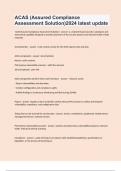
ACAS (Assured Compliance Assessment Solution)2024 latest update
ACAS (Assured Compliance Assessment Solution) is a network-based security compliance and assessment capability designed to provide awareness of the security posture and network health of DoD networks SecurityCenter is the central console for the ACAS system tools and data Brainpower Read More Previous Play Next Rewind 10 seconds Move forward 10 seconds Unmute 0:01 / 0:15 Full screen ACAS components SecurityCenter Nessus- active scanner PVS (passive vulnerability scanner) - sniffs the network 3D tool/optional - port 443 ACAS components perform these main functions: - Discover assets - Detect vulnerabilities and data leaks - Conduct configuration and compliance audits - Publish findings to Continuous Monitoring and Risk Scoring (CMRS) Plug-in displays a list of script files used by Nessus/PVS scanners to collect and interpret vulnerability, compliance, and configuration data Things that can be scanned for security data servers, workstations, peripherals, Mobile device Management Servers, network servers PVS (Passive Vulnerability Scanner) watches and determines vulnerabilities based on network traffic, instead of actively scanning Compliance a state of being in accordance with established guidelines, specifications or legislation, or the process of becoming so CMRS ( Continuous Monitoring and Risk Scoring) a tool to provide DoD component - and enterprise-level situational awareness by quantitatively displaying an organization's security posture Task Order 13-670 Implementation of ACAS What is the 1st screen you see when you log in to SecurityCenter? Dashboard SecurityCenter Building Blocks -Organization -Role, Group, and User Definition -Scan Zone (and Nessus Scanners) -Repository -Plugin Organization groups of individuals responsible for a set of common assets Scan Zones a defined static range of IP addresses that can be scanned by one or more Nessus Scanners Repositories are proprietary data files, residing on the Security Center, that store scan results Passive scanning plugins Range 1-10,000 Active (Nessus) plugin Range 10,001-900,000 Custom plugins created by users Range 900,001-999,999 Compliance plugin Range 1,000,000+ What is the maximum size of a SecurityCenter 5 Repository? 32GB How can you get your SecurityCenter plugin updates? Automatically from DISA's plugin server and manually from the DoD Patch Repository A Scan Job incorporates Policy, schedule, Credentials, Import Repository, Targets, and Scan Zone Steps to run a Scan with SecurityCenter 5 1. Create a Scan Policy 2. Create a Scan 3. Launch the Scan 4. View the Scan Results Credentials administrative level usernames and passwords (or SSH keypairs) that are used in authenticated scans Blackout Windows - allow you to set a "do not scan" period of time - Scans launched during an active Blackout Window will show a Partial Status in the Scan Results - will prevent scheduled scans from running - times are expressed in 24-hour format Individual Scan results a snapshot of what was vulnerable at a specific point in time CVE Common Vulnerabilities and Exposure IAVM Information Assurance Vulnerability Management CVSS Common Vulnerability Scoring System PVS Passive Vulnerability Scanning the process of monitoring network traffic at the packet layer to determine topology, clients, applications, profiling, System Compromise Detection, security issues PVS Capabilities - keeping track of vulnerabilities for more than 25,000 systems at a time - detecting when systems are compromised based on application intrusion detection - highlight all interactive and encrypted network sessions - detect when new hosts are added to a network PVS monitors data at what layer? Packet
Escuela, estudio y materia
- Institución
- ACAS
- Grado
- ACAS
Información del documento
- Subido en
- 3 de abril de 2024
- Número de páginas
- 7
- Escrito en
- 2023/2024
- Tipo
- Examen
- Contiene
- Preguntas y respuestas
Temas
-
acas assured compliance assessment solution2024

Documento también disponible en un lote