
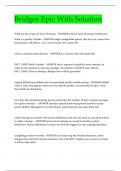
Bridges Epic With Solution What are the 4 types of Error Severities - ANSWER Critical, Fatal, Warning, Notification What is a profile Variable - ANSWER single configurable option, that lets you control how the interface will behave.. It's a record in the AIV master file. what is a Interface Specification - ANSWER is a record in the AIP master file INTF_USER Profile Variable - ANSWER this is required variable for every interface in order for the interface to process messages. An Interface will NOT start without INTF_USER. If this is missing a Bridges error will be generated. explain diff between default and recommended profile variable setting - ANSWER default value is value that appears when you first add the profile, recommended is Epic's value they think you should use. how does the automated purge process determine the number of days to purge messages for a given interface. - ANSWER Interface specification>background monitor>30 day system default. Messages live in Data Queue until purge process takes them out! which settings are stored in the system definitions and why you need to stop all interfaces to make a change. - ANSWER system level settings are stored in interface system definitions. System definitions is where you find the triggers for the outgoing interfaces. compliling custom overrides - ANSWER you must stop the interface daemons, made changes then start the interface daemons. If you do NOT compile your custom overrides, it will not take effect.
Vista previa 1 fuera de 4 páginas
Examen
Bridges Epic With Solution
Vista previa 1 fuera de 4 páginas
What are the 4 types of Error Severities - ANSWER Critical, Fatal, Warning, Notification What is a profile Variable - ANSWER single configurable option, that lets you control how the interface will behave.. It's a record in the AIV master file. what is a Interface Specification - ANSWER is a record in the AIP master file INTF_USER Profile Variable - ANSWER this is required variable for every interface in order for the interface to process messages. An Interface will NOT start without INTF_USER. If this is missing a Bridges error will be generated. explain diff between default and recommended profile variable setting - ANSWER default value is value that appears when you first add the profile, recommended is Epic's value they think you should use.
Vista previa del contenido
Información del documento
- Subido en
- 8 de enero de 2024
- Número de páginas
- 4
- Escrito en
- 2023/2024
- Tipo
- Examen
- Contiene
- Preguntas y respuestas
$8.49
¿Documento equivocado? Cámbialo gratis
Dentro de los 14 días posteriores a la compra y antes de descargarlo, puedes elegir otro documento. Puedes gastar el importe de nuevo.
Escrito por estudiantes que aprobaron
Inmediatamente disponible después del pago
Leer en línea o como PDF

Los indicadores de reputación están sujetos a la cantidad de artículos vendidos por una tarifa y las reseñas que ha recibido por esos documentos. Hay tres niveles: Bronce, Plata y Oro. Cuanto mayor reputación, más podrás confiar en la calidad del trabajo del vendedor.
