100% de satisfacción garantizada Inmediatamente disponible después del pago Tanto en línea como en PDF No estas atado a nada 4.2 TrustPilot
logo-home
Examen

Microsoft Excel 2016 Certification Review exam |79 questions with complete solutions

Puntuación
-
Vendido
-
Páginas
7
Grado
A+
Subido en
30-09-2023
Escrito en
2023/2024

workbook a file which contains one or more spreadsheets spreadsheet an arrangement of cells in columns and rows used to organize, analyze, calculate, and report information, usually in numerical form cells individual locations on a spreadsheet cell address refers to one specific location; Cell A4 cell range refers to a group of adjacent cells; A4:A16 label classification is used for cells that contain text or for numbers that will not be used in calculations value classification indicates that the data has the potential to be used in calculations (numbers) formula instructs the software to perform a calculation = ALL formulas begin with an equal sign addition + division / multiplication * subtraction - order of operations PEMDAS function shortcut for a formula cell reference indicates a cell's location and provides instructions for how cell data is copied or used in calculations; also known as the cell address relative reference cell value changes as the formula is copied absolute reference cell value remains static when copied to other locations mixed reference combination of an absolute and a relative cell conditions or criteria tell the function how to calculate the results and what data to use. SUM function for example, =Sum(C4:C18) adds the range of cells from C4 through C18 AVERAGE function for example, =Average(C4:C18) determines the average of the range of cells from C4 through C18 MAXIMUM function for example, =Max(C4:C18) finds the highest number in the range of cells from C4 through C18 MINIMUM function for example, =Min(C4:C18) finds the lowest number in the range of cells from C4 through C18 left aligned default formatting for labels right aligned default formatting for values workbook a file which contains one or more spreadsheets spreadsheet (or worksheet) is an arrangement of cells in columns and rows used to organize, analyze, calculate, and report information, usually in numerical form. Cells individual locations on a spreadsheet Cell address refers to one specific location Cell range refers to a group of adjacent cells label classification is used for cells that contain text or for numbers that will not be used in calculations value classification indicates that the data has the potential to be used in calculations formula instructs the software to perform a calculation a. Formulas begin with an equal sign (=). When the equal sign (or in some cases a plus sign (+)) is keyed in a cell, the software "knows" that the data will be used in a calculation Order of Operations Parentheses Exponents Multiplication and division (from left to right) Addition and subtraction (from left to right) Basic Operators Addition Division Multiplication Subtraction basic function shortcut for a formula Cell reference indicates a cell's location and provides instructions for how cell data is copied or used in calculations Relative Reference cell value changes as the formula is copied Absolute Reference cell value remains static when copied to other locations Mixed Reference combination of an absolute and a relative cell Parentheses control the Order of Operations Sum for example, =Sum(C4:C18) adds the range of cells from C4 through C18 Average for example, =Average(C4:C18) determines the average of the range of cells from C4 through C18 Maximum for example, =Max(C4:C18) finds the highest number in the range of cells from C4 through C18 Minimum for example, =Min(C4:C18) finds the lowest number in the range of cells from C4 through C18 cell intersection of a column and row in a spreadsheet active cell the cell in which you are currently working function a mathematical operation that is built into a spreadsheet program to perform shortcut caluculations spreadsheet application software that allows users to use calculations label alphanumeric text not intended or calculations entered into a spreadsheet cell highlight the desired cell to format a cell this must be done first cell address individual cell location on a spreadsheet workbook a file that contains one or more spreadsheets spreadsheet an arrangement of cells in columns and rows used to organize, analyze, calculate, and report information in numerical form label classification used for cells that contain text or numbers that will not be used in calculations value indicates the data has the potential to be used in calculations formula instructs the software to perform a calculation equal sign formulas begin with this cell reference indicates a cell's position and how the cell data will be used or copied in calculations relative cell value changes as the formula is copied absolute cell value remains the same when copied to other locations mixed combination of absolute and mixed parentheses control the order of operations sum adds a range of cells

Mostrar más Leer menos
Institución
Grado


Ups! No podemos cargar tu documento ahora. Inténtalo de nuevo o contacta con soporte.

Escuela, estudio y materia

Institución
Estudio
Desconocido
Grado

Información del documento

Subido en
30 de septiembre de 2023
Número de páginas
7
Escrito en
2023/2024
Tipo
Examen
Contiene
Preguntas y respuestas

Temas

Vista previa del contenido

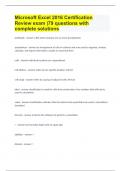
Microsoft Excel 2016 Certification
Review exam |79 questions with
complete solutions
workbook - answer a file which contains one or more spreadsheets


spreadsheet - answer an arrangement of cells in columns and rows used to organize, analyze,
calculate, and report information, usually in numerical form


cells - answer individual locations on a spreadsheet


cell address - answer refers to one specific location; Cell A4


cell range - answer refers to a group of adjacent cells; A4:A16


label - answer classification is used for cells that contain text or for numbers that will not be
used in calculations


value - answer classification indicates that the data has the potential to be used in calculations
(numbers)


formula - answer instructs the software to perform a calculation


= - answer ALL formulas begin with an equal sign


addition - answer +


division - answer /

, multiplication - answer *


subtraction - answer -


order of operations - answer PEMDAS


function - answer shortcut for a formula


cell reference - answer indicates a cell's location and provides instructions for how cell data is
copied or used in calculations; also known as the cell address


relative reference - answer cell value changes as the formula is copied


absolute reference - answer cell value remains static when copied to other locations


mixed reference - answer combination of an absolute and a relative cell


conditions or criteria - answer tell the function how to calculate the results and what data to
use.


SUM function - answer for example, =Sum(C4:C18) adds the range of cells from C4 through C18


AVERAGE function - answer for example, =Average(C4:C18) determines the average of the range
of cells from C4 through C18


MAXIMUM function - answer for example, =Max(C4:C18) finds the highest number in the range
of cells from C4 through C18
$13.99
Accede al documento completo:

100% de satisfacción garantizada
Inmediatamente disponible después del pago
Tanto en línea como en PDF
No estas atado a nada


Documento también disponible en un lote

Conoce al vendedor

Seller avatar
Los indicadores de reputación están sujetos a la cantidad de artículos vendidos por una tarifa y las reseñas que ha recibido por esos documentos. Hay tres niveles: Bronce, Plata y Oro. Cuanto mayor reputación, más podrás confiar en la calidad del trabajo del vendedor.
BRAINBOOSTERS Chamberlain College Of Nursing
Seguir Necesitas iniciar sesión para seguir a otros usuarios o asignaturas
Vendido
648
Miembro desde
2 año
Número de seguidores
250
Documentos
22594
Última venta
2 días hace

In this page you will find all documents , flashcards and package deals offered by seller BRAINBOOSTERS

4.5

340 reseñas

5
264
4
30
3
21
2
5
1
20

Recientemente visto por ti

Por qué los estudiantes eligen Stuvia

Creado por compañeros estudiantes, verificado por reseñas

Calidad en la que puedes confiar: escrito por estudiantes que aprobaron y evaluado por otros que han usado estos resúmenes.

¿No estás satisfecho? Elige otro documento

¡No te preocupes! Puedes elegir directamente otro documento que se ajuste mejor a lo que buscas.

Paga como quieras, empieza a estudiar al instante

Sin suscripción, sin compromisos. Paga como estés acostumbrado con tarjeta de crédito y descarga tu documento PDF inmediatamente.

Student with book image

“Comprado, descargado y aprobado. Así de fácil puede ser.”

Alisha Student

Preguntas frecuentes