100% de satisfacción garantizada Inmediatamente disponible después del pago Tanto en línea como en PDF No estas atado a nada 4.2 TrustPilot
logo-home
Examen

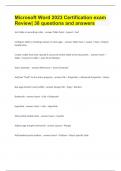
Microsoft Word |2023 Certification exam Review 38 questions and answers.

Puntuación
-
Vendido
-
Páginas
4
Grado
A
Subido en
30-09-2023
Escrito en
2023/2024

Sort table in ascending order. Table Tools > Layout > Sort Configure table so headings repeat on next page. Table Tools > Layout > Data > Repeat Header Row Create a table from text. Spread it across the entire width of the document. Insert > Table > Convert to Table > Auto Fit to Window Add a footnote. References > Insert Footnote` Add text "Draft" to the status property File > Properties > Advanced Properties > Status Box page border (color/width) Design Tab > Page > Borders Bookmark Insert > Link > Bookmark Hyperlink Insert > Link > Hyperlink Add symbol (within text) Insert > Symbol Adjust page margins (mirrored) Layout > Margin Add banded quote textbox. Insert > Textbox > Select Specific Style Insert a table of contents. References > TOC > Select Style Insert contents of a document located in the "My Documents" folder. Insert > Object > Text From File > Browse Inspect a document (Remove headers/footers/watermarks) File > Check For Issues Add soft round bevel (picture effect) Picture Tools > Format > Picture Effects > Bevel Insert a picture from file Insert > Pictures Rearrange direction of SmartArt Smart Art Tools > Design > Right to Left Line Spacing Home > Paragraph > Line Spacing Options Format text (intense emphasis) Highlight Text > Home > Styles Insert banded header (not displayed on page one) Insert > Header > Different First Page Page background color. Design > Page Color Change text to 2 columns (spacing 0.3" between) Layout > Columns > More Columns > Adjust Spacing Insert a next page section break. Layout > Breaks > Next Page Format a list by applying a custom bullet (from file) Highlight Text > Home > Paragraph > Bullets > Define New Bullet Decrease list levels Home > Decrease Indent Remove formatting from text Highlight Text > Home > Clear All Formatting Change the style set to casual. Design > Document Formatting > Casual Change line spacing to exactly 14pt Home > Paragraph dialogue box> Spacing Exactly Apply the strong style headings Highlight Text > Home > Styles Convert table to text (by tabs) Table Tools > Layout > Data > Convert to Text Change the color scheme of a diagram. SmartArt Tools > Design > Change Colors Add alternative text to table Right Click > Table Properties > Alt Text Inspect and remove personal information. File > Check For Issues > Inspect Document Add a horizontal scroll shape and add text to it. Insert > Shapes> Stars and Banners > Draw Shape > Right Click > Add Text Use go to feature (Heading) Home > Editing > Find > Go To Apply a highlight to text (turquoise) Home > Font > Text Highlight Color Reconfigure the list to start at 5. Right Click > Set Numbering Value

Mostrar más Leer menos
Institución
Grado


Ups! No podemos cargar tu documento ahora. Inténtalo de nuevo o contacta con soporte.

Escuela, estudio y materia

Institución
Estudio
Desconocido
Grado

Información del documento

Subido en
30 de septiembre de 2023
Número de páginas
4
Escrito en
2023/2024
Tipo
Examen
Contiene
Preguntas y respuestas

Temas

Vista previa del contenido

Microsoft Word 2023 Certification exam
Review| 38 questions and answers
Sort table in ascending order. - answer Table Tools > Layout > Sort


Configure table so headings repeat on next page. - answer Table Tools > Layout > Data > Repeat
Header Row


Create a table from text. Spread it across the entire width of the document. - answer Insert >
Table > Convert to Table > Auto Fit to Window


Add a footnote. - answer References > Insert Footnote`


Add text "Draft" to the status property - answer File > Properties > Advanced Properties > Status


Box page border (color/width) - answer Design Tab > Page > Borders


Bookmark - answer Insert > Link > Bookmark


Hyperlink - answer Insert > Link > Hyperlink


Add symbol (within text) - answer Insert > Symbol


Adjust page margins (mirrored) - answer Layout > Margin


Add banded quote textbox. - answer Insert > Textbox > Select Specific Style
$14.99
Accede al documento completo:

100% de satisfacción garantizada
Inmediatamente disponible después del pago
Tanto en línea como en PDF
No estas atado a nada


Documento también disponible en un lote

Conoce al vendedor

Seller avatar
Los indicadores de reputación están sujetos a la cantidad de artículos vendidos por una tarifa y las reseñas que ha recibido por esos documentos. Hay tres niveles: Bronce, Plata y Oro. Cuanto mayor reputación, más podrás confiar en la calidad del trabajo del vendedor.
BRAINBOOSTERS Chamberlain College Of Nursing
Seguir Necesitas iniciar sesión para seguir a otros usuarios o asignaturas
Vendido
648
Miembro desde
2 año
Número de seguidores
250
Documentos
22594
Última venta
2 días hace

In this page you will find all documents , flashcards and package deals offered by seller BRAINBOOSTERS

4.5

340 reseñas

5
264
4
30
3
21
2
5
1
20

Recientemente visto por ti

Por qué los estudiantes eligen Stuvia

Creado por compañeros estudiantes, verificado por reseñas

Calidad en la que puedes confiar: escrito por estudiantes que aprobaron y evaluado por otros que han usado estos resúmenes.

¿No estás satisfecho? Elige otro documento

¡No te preocupes! Puedes elegir directamente otro documento que se ajuste mejor a lo que buscas.

Paga como quieras, empieza a estudiar al instante

Sin suscripción, sin compromisos. Paga como estés acostumbrado con tarjeta de crédito y descarga tu documento PDF inmediatamente.

Student with book image

“Comprado, descargado y aprobado. Así de fácil puede ser.”

Alisha Student

Preguntas frecuentes