
Terraform Associate Exam Study Guide 2023
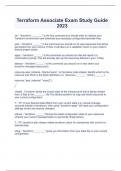
init - "terraform ________" is the first command you should enter to initialize your Terraform environment and download any necessary configuration/provider files. plan - "terraform ______" is the command you should run to view resources that will be generated from your various .tf files. It will also run a validation check on your code to ensure proper syntax. apply - "terraform ______" is the command you should run that will result in a confirmation prompt. This will actually spin up the resources defined in your .tf files. destroy - "terraform ______" is the command you should run to tear down your terraform managed resource(s). resource=aws_instance , block=myec2 - In the below code snippet, identify which is the resource and which is the block identifiers (i.e. resource=_______ , block=_______) resource "aws_instance" "myec2" { ... } .tfstate - Terraform stores the current state of the infrastructure that is being created from .tf files in the ________ file This allows terraform to map real world resources to your current configuration. T - T/F: If your desired state differs from your current state (i.e. manual changes occurred outside of terraform), then using "terraform apply" will reset your configuration settings (revert any manual changes) refresh - "terraform ______" fetches the latest configuration state of your resources (checks your current managed state vs real world infrastructure) T - T/F: terraform plan always makes terraform check for mismatches with current vs. desired state show - "terraform ________" gives you information from your state file on your current configuration. T - T/F: If your desired state does not define/mention a property of your resources that is later modified (manually), terraform will NOT track any drift from those manual changes. F (outputted resources can be used as inputs for other resources definitions -- make sure you specify attributes in your outputs or it will list the entire list of attributes as an output) - T/F: Outputted attributes CANNOT be used as inputs to other resources being created via terraform. variables, -vars - You can use a ________.tf file to reference vars. Alternatively, you can use the ______ command line flag to override variables. default, prompted - If no override value(s) are defined in the command line for variables, the _______ variable value(s) are used. If no default value is supplied for your variables, you will be ___________ by terraform to specify value(s). tfvars, override - You can specify a file called "terraform.__________" to define variable assignments. The values assigned to variables in this file will _______________ the var values defined in the file (including any defaults). type - the ______ arg in a variable block will restrict the type of value that will be accepted as the value for the variable. count - The _______ parameter on resources can simplify configurations and allow you to scale resources by increasing a number (rather than defining the resources multiple times) count object - In the resource blocks where count is set, an additional ______ _______ is available in expressions so you can modify the configuration of each instance. index - The count object has one attribute: the count._______ -- the distinct index number (starting with 0) corresponding to this instance. true_value, false_value - Fill in the blanks to complete the bool expression: condition ? ____________ : __________ local - ________ values assigns a name to an expression, allowing it to be used multiple times within a module without repeating it. repeating, moderation - Local values can be helpful to avoid _______ the same values/expressions multiple times in a configuration. If overused, they can actually make a configuration harder to read and therefore should be used in ________. functions - The terraform language includes a number of built-in __________ that you can use to transform and combine values.
Información del documento
- Subido en
- 7 de agosto de 2023
- Número de páginas
- 9
- Escrito en
- 2023/2024
- Tipo
- Examen
- Contiene
- Preguntas y respuestas

